29
VOL PR / PAGE
VOL PR / PAGE
OK /
SELECT
VOL PR / PAGE
VOL PR / PAGE
OK /
SELECT
VOL PR / PAGE
VOL PR / PAGE
OK /
SELECT
Auto Tuning Access
Manual Tuning Access
Setup Access
Edit Access
Move Select Exit
Picture
Screen
Sound
Install
Function
DVB
Channel C 04
System Euro
Frequency 063.75 MHz
Name – – – – –
Program 01
Store To 01
Move Access Adjust Exit
Picture
Screen
Sound
Install
Function
DVB
Channel C 04
System Euro
Frequency 063.75 MHz
Name B – – – –
Program 01
Store To 01
A B C D E F G H I J K L M N O
P Q R S T U V W X Y Z 0 1 2 3
4 5 6 7 8 9 - . = / + “ , “ ( )
Picture
Screen
Sound
Install
Function
DVB
Move Select Exit
Setting Up TV
Stations
Setup
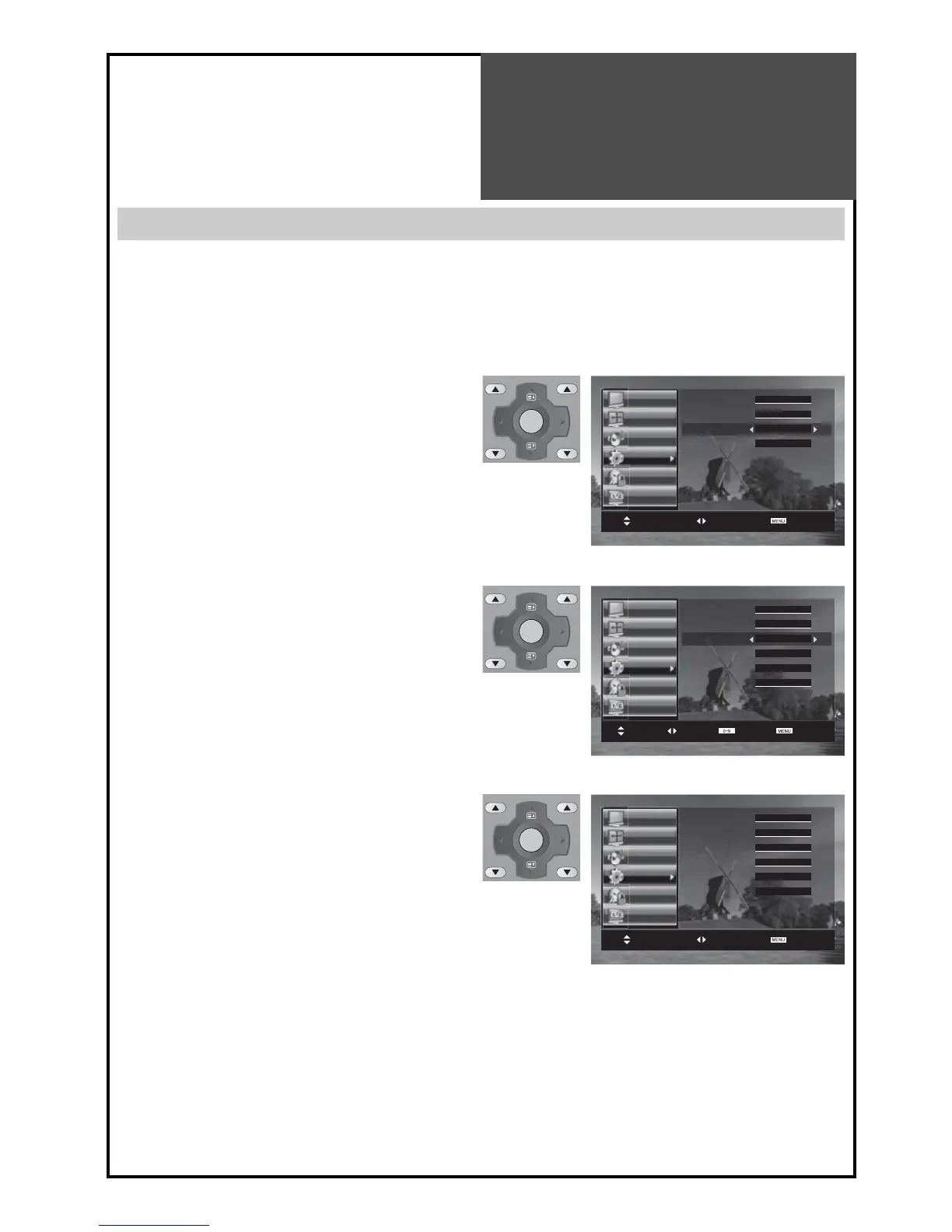
The Setup menu shows you information as follows:
- Channel, System, Frequency, Station name, Program number and Store to PR number.
1. Searching for channels in the Setup menu
• Press the “PR“ buttons to select a program number
you want.
• Move to Setup in the Install menu.
• Search a real channel informations(Channel, System
and Program) with “/“ buttons.
• If you save the selected channel to favourite program
number, move the cursor to Store To and select using
the “/“ buttons.
2. Fine tuning
• Move to Setup in the Install menu.
• Move the cursor to Frequency by pressing “/” but-
tons.
• Adjust the fine tuning with the “/” buttons.
Note :
• If you are unable to get a good picture or sound because
of a poor broadcasting signal, ad
justment of the fine tun-
ing might improve it.
3. Enter a station name
• Move to Setup in the Install menu.
• Move the cursor to Name by pressing “ / ” but-
tons.
• You can enter a station name with the “/” and “/”
buttons.
Note :
Only English is supported in this station name.



 To Next Page