EN
18
SING-A-SONG
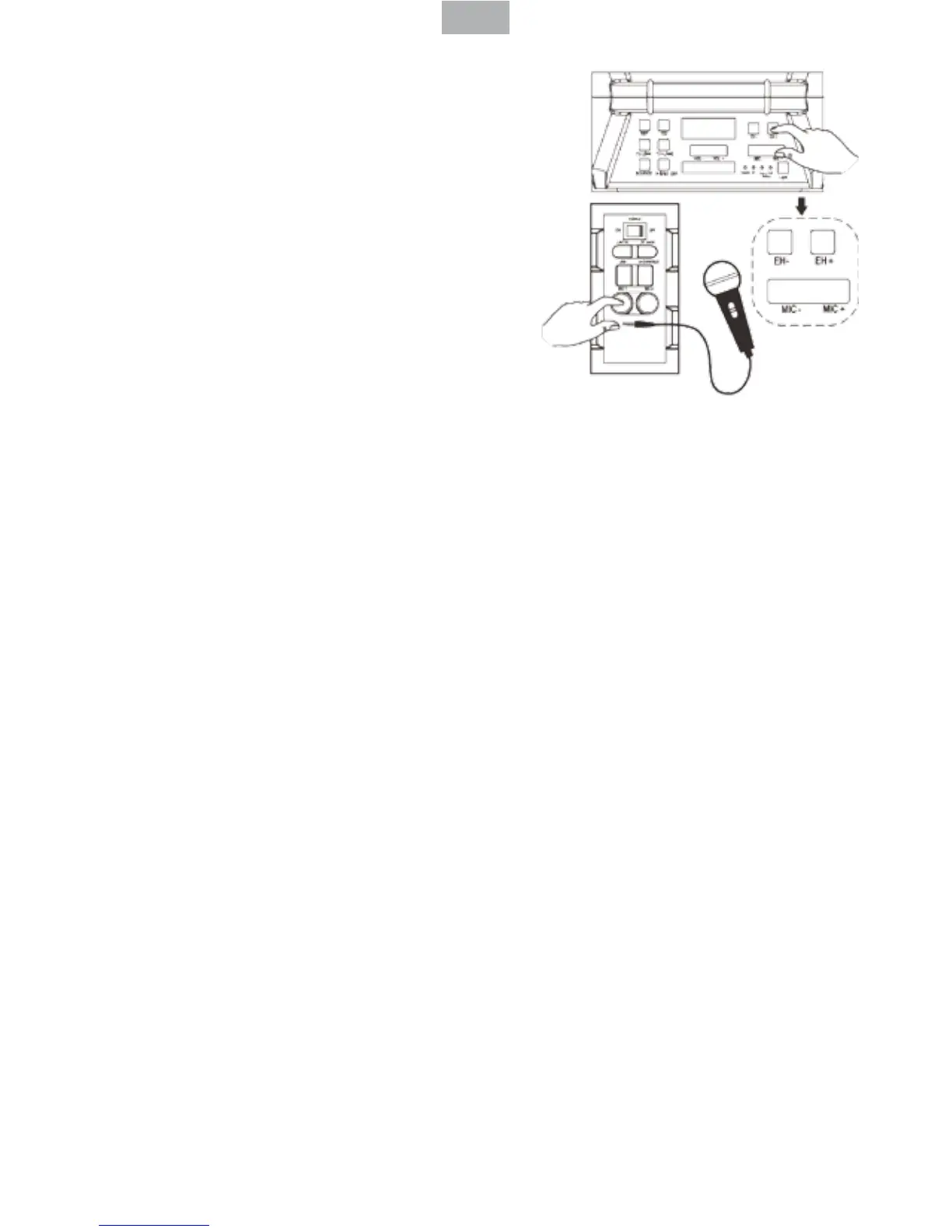
- This product allows you to sing-a-long
with the songs are playing either on
BT, USB or LINE IN mode and allow 2
microphones at the same time.
- Plug in your Microphone cable into the
side panel marked “MIC 1” and /or “MIC
2”.
- Adjust the MIC Volume “MIC + / MIC – “ or
main volume on the top control panel.
- Adjust the Echo level “ EH + /EH – “.
Wireless Mircophone operating technique
• Press the unit power switch, press Source key to switch to the mode in
needs.
• Wireless microphone switch to ON position, user’s voice can be transmitted
to unit through microphone.
• Wireless microphone volume or ECHO can be adjusted by the user on the
MIC+/MIC- or EH+/EH- key.
- Start to sing
WARNING: If the MIC Volume and ECHO level set too high or to the maximum,
be caution with the high pitch reection tone.
SOUND EFFECTS
- The DSK-390 has a built in Equalizer.
- Press and select the preset sound eect for your music; FLAT, CLASSIC, POP,
ROCK and JEZZ
- Press the DISCO LIGHT/LANTERN key to turn on/o the Lantern LED Hold it to
turn on/o the DISCO LIGHT.
Energy Saving: If this product is idle for about 20 minutes, it will go to standby
mode automatically. You can wake it up by holding the SOURCE/STANDBY
key. If another 20 minutes is left in standby mode, it will auto power o.


 To Next Page