- 34 -
DVD System Setup
Video Quality Setup
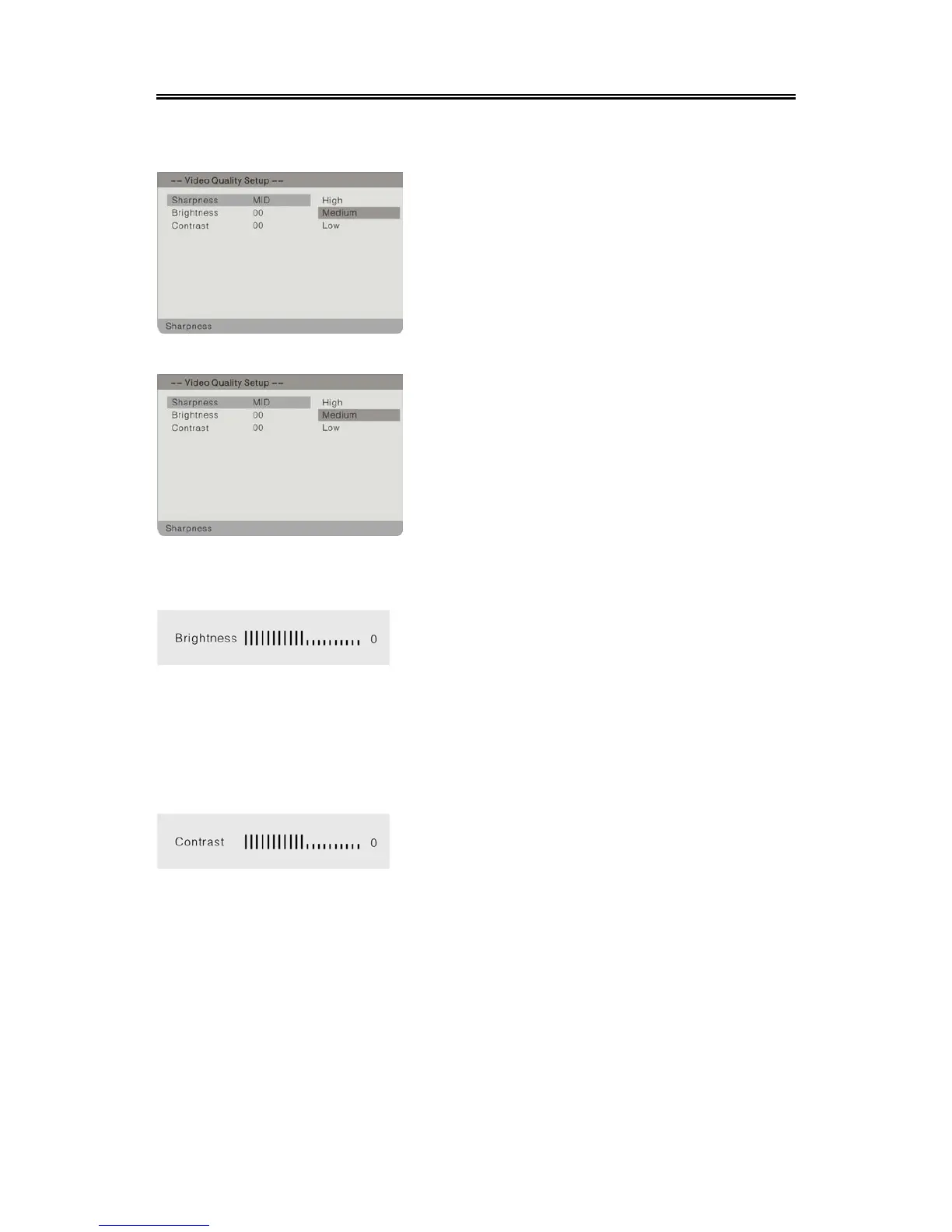
Select Quality, press the ENTER button to enter the menu as below:
Sharpness
Brightness
Contrast
1. In the menu, use the button to select the
desired item.
2. Press the ENTER button to enter the item.
3. Press the button to return.
1. Press the button to select Sharpness.
2. Press the ENTER button to enter.
3. Use the button to select High, Medium or
Low.
4. Press the ENTER button again to confirm
selection and return to the previous menu.
1. Press the button to select Brightness.
2. Press the ENTER button to enter the setup, the
screen will display as left:
3. Use the button to adjust the level.
4. Press the ENTER button again to confirm
setting and return to the previous menu.
1. Press the button to select Contrast.
2. Press the ENTER button to enter the setup, the
screen will display as left:
3. Use the button to adjust the level.
4. Press the ENTER button again to confirm
setting and return to the previous menu.


 To Next Page