- 17 -
TV Function
Audio Setting
Volume Setup
Press the ▲▼ button to select Volume and press the ◄► button to adjust the level. Press the
MENU button to return to the previous menu.
Bass Setup
Press the ▲▼button to select Bass and press the ◄► button to adjust the level. Press the MENU
button to return to the previous menu.
Treble Setup
Press the ▲▼button to select Treble and press the ◄► button to adjust the level. Press the
MENU button to return to the previous menu.
Balance Setup
Press the ▲▼ button to select Balance and press the ◄► button to adjust the level. Press the
MENU button to return to the previous menu.
Auto Volume Setup
Press the ▲▼ button to select Auto Volume and press the ENTER button to access the menu.
Press the ▲▼ button to select “On” or “Off” and press the ENTER button to confirm. Press the
MENU button to return to the previous menu.
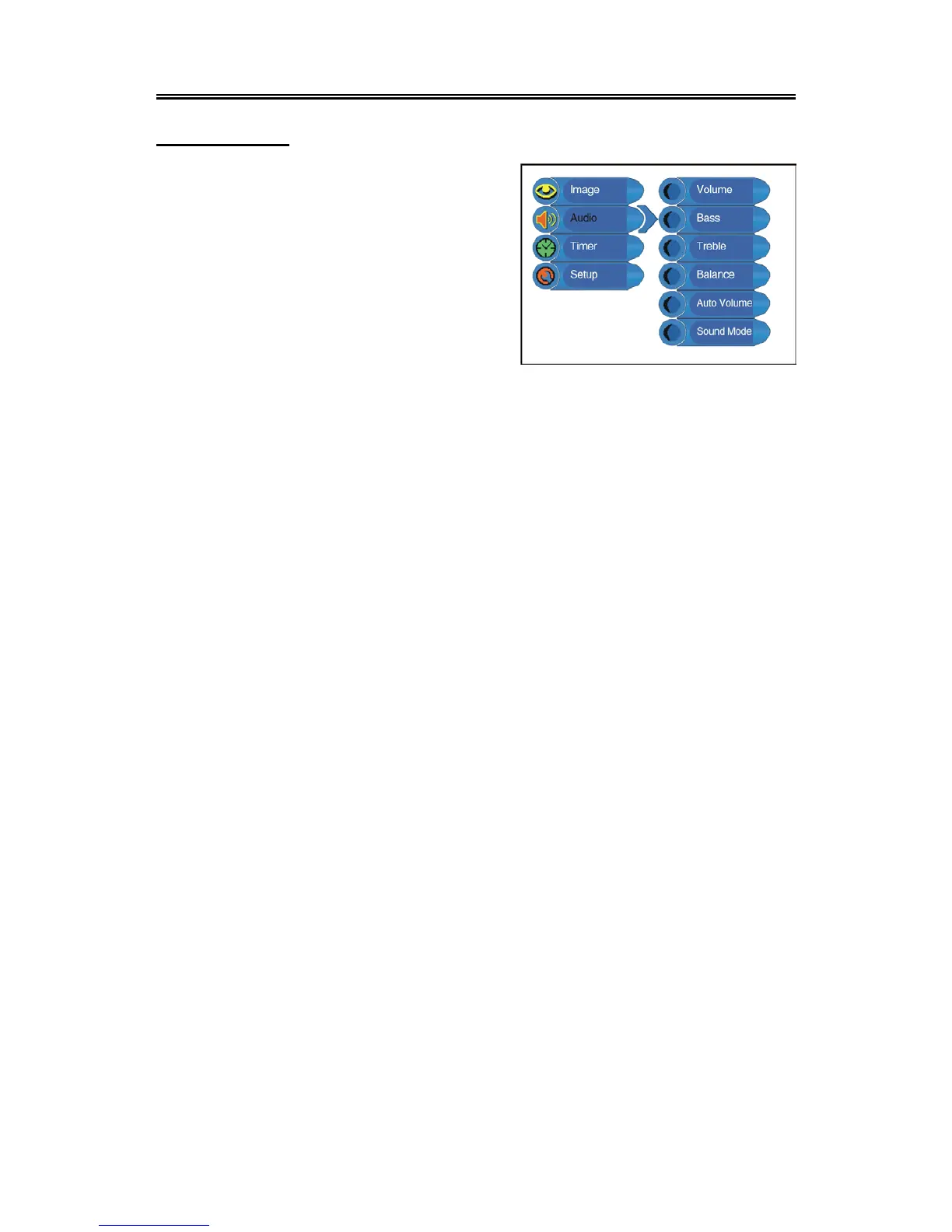
Press the MENU button once to enter the setup
menu. Press the ▲▼ button to select Audio and
press the ENTER button to enter the menu
shown on the right.
In the Audio setup menu, press the ▲▼ button
to select the desired item. Press the MENU
button to return to the previous menu.


 To Next Page