- 37 -
DVD System Setup
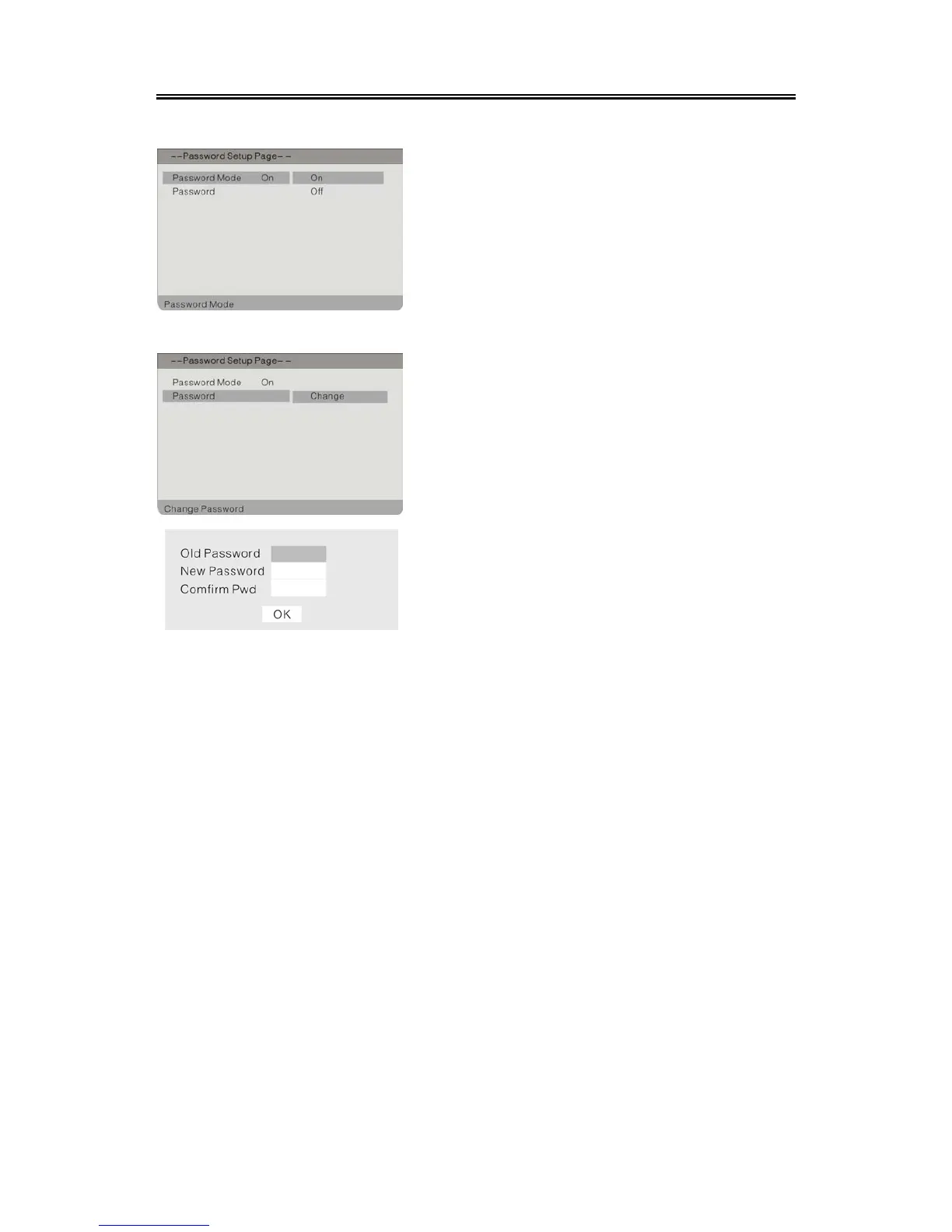
Password Mode
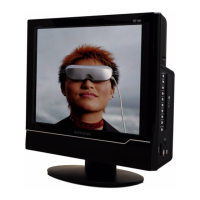
Password Change
1. Press the button to select Password
Mode.
2. Press the ENTER button to enter.
3. Press the button to select On or Off.
4. Press the ENTER button again to confirm
setting and return to the previous menu.
You can change the password by yourself.
1. Press the button to select Password.
2. Press the ENTER button to enter.
3. Press the ENTER button again to change the
password.
4. According to the indication on the menu, Use
the number buttons to input the old password,
then input the new password, then input again
to confirm. Press the ENTER button again to
confirm setting and return. The password has
been changed successfully.
5. The Default Password is 3308.


 To Next Page