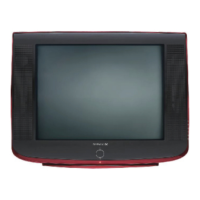
This document is an instruction manual for Daewoo Color Televisions, covering several models including DTQ 13V1FC, 19V1FC, 13V4FC, 19V4FC, 13V5FC, 19V5FC, 13V6FC, 19V6FC, 13U1FC, 19U1FC, and 14U5FC. The manual provides essential information for safe operation, setup, and use of the television receiver.
Function Description
The Daewoo Color Television is designed to provide audiovisual entertainment. It functions as a display unit for broadcast television signals (via antenna or cable) and can also connect to other A/V components such as VCRs, laser disc players, or satellite receivers. The TV includes a built-in clock and timer functions, allowing users to schedule power on/off times and set a sleep timer. It also features parental control settings to manage content viewing and closed captioning for accessibility.
Important Technical Specifications
While specific detailed technical specifications like screen resolution or audio output power are not explicitly listed in the provided pages, the manual implies standard operation:
- Power Source: 120V~, 60Hz. The power cord is polarized, a safety feature requiring proper insertion into an outlet.
- Antenna/Cable Input: The TV has a 75-ohm antenna terminal for connecting external antennas or cable systems. It supports both single coaxial lead and twin 300-ohm lead antenna systems (requiring a 300-ohm/75-ohm adapter for twin leads).
- A/V Inputs: The TV includes VIDEO IN and AUDIO IN jacks on both the front and back panels for connecting external A/V components. The front panel inputs take precedence over the back panel inputs if both are connected simultaneously.
- Audio Output: An EAR PHONE jack is available on the front panel for private listening.
- Remote Control: The TV operates with a remote control (models R-43A01, 08, R-43A02, 03) powered by two AA-size batteries. The remote has an operating distance of up to 30 feet when directly facing the TV.
Usage Features
The television offers a range of user-friendly features:
- Power On/Off: Can be turned on/off using the POWER button on the remote control or the front panel. A red STAND-BY indicator lights up when the power is off.
- Channel Navigation: Channels can be changed using the VCHW buttons (for memorized channels) or the number buttons (0-9) on the remote control (for any channel, memorized or not). The PREVIOUS button allows instant return to the last viewed channel.
- Volume Control: Volume can be adjusted using the CVOLB buttons on the remote or the front panel.
- Mute Function: A MUTE button on the remote quickly turns the sound on/off, displaying 'MUTE' on-screen when active.
- Channel Memory Programming: The TV can memorize available channels (Air or Cable) through a "Memorize Channels" process in the "Set-Up" menu. This memory is retained during power outages. Users can add or delete channels from memory.
- Input Selection: The TV's input can be switched between 'TV' (antenna/cable) and 'Line' (external A/V components) via the "Set-Up" menu.
- Video Settings: Users can adjust video parameters such as Contrast, Brightness, Sharpness, Color, and Tint through the "Video" menu. Settings can be customized or reset to factory 'Preset' values.
- Clock and Timer Functions:
- Set Clock: A built-in clock can be set through the "Time" menu.
- Wake-Up Time: Allows scheduling the TV to turn on automatically at a specified time. If no user input is detected within 15 minutes after turning on, the TV will automatically turn off as a safety feature.
- Off Time: Allows scheduling the TV to turn off automatically at a specified time.
- Sleep Timer: Programs the TV to turn off after a set duration (15, 30, 45, 60, 90, or 120 minutes). This can be set via the "Time" menu or directly using the SLEEP button on the remote.
- On-Screen Menu Language: The language for on-screen menus can be set to English, Spanish, or French in the "Set-Up" menu.
- Closed Captioning: The TV supports displaying closed captions (C1, C2) or text (T1, T2) for compatible programs, accessible through the "Special" menu.
- CC on Mute: When the sound is muted, users can choose to display caption content instead of the sound mute indicator.
- Power Restore: This feature allows the TV to automatically turn on or off when the power cord is connected to a wall outlet, useful for integration with cable boxes that have AC outlets.
- Parental Control: Provides settings to manage content viewing based on TV Guidelines and Movie Ratings. It includes a password-protected access to these settings, allowing users to block unrated programs and change the password.
Maintenance Features
The manual emphasizes several maintenance and safety guidelines:
- Cleaning: Unplug the TV from the wall outlet before cleaning. Use a damp cloth; avoid liquid or aerosol cleaners.
- Ventilation: Ensure ventilation slots on the bottom and rear of the cabinet remain unobstructed to prevent overheating. Do not place the TV on soft surfaces like beds or rugs, or near heat sources.
- Power Cord Care: Do not allow anything to rest on the power cord. Do not abuse the cord.
- Battery Replacement: Replace weak batteries in the remote control promptly to prevent leakage and damage. Dispose of batteries properly.
- Unplugging for Extended Periods/Storms: Unplug the TV from the wall outlet and disconnect the antenna/cable system during lightning storms or when leaving home for extended periods to prevent damage from surges.
- Servicing: Do not attempt to service the TV yourself. Refer all servicing to qualified service personnel.
- Cabinet Care: Avoid placing the TV in excessively hot locations. Use mild soap and a damp cloth for cleaning the cabinet surface, as common household cleaning agents can cause permanent damage.

 Need help?



 To Next Page
 General