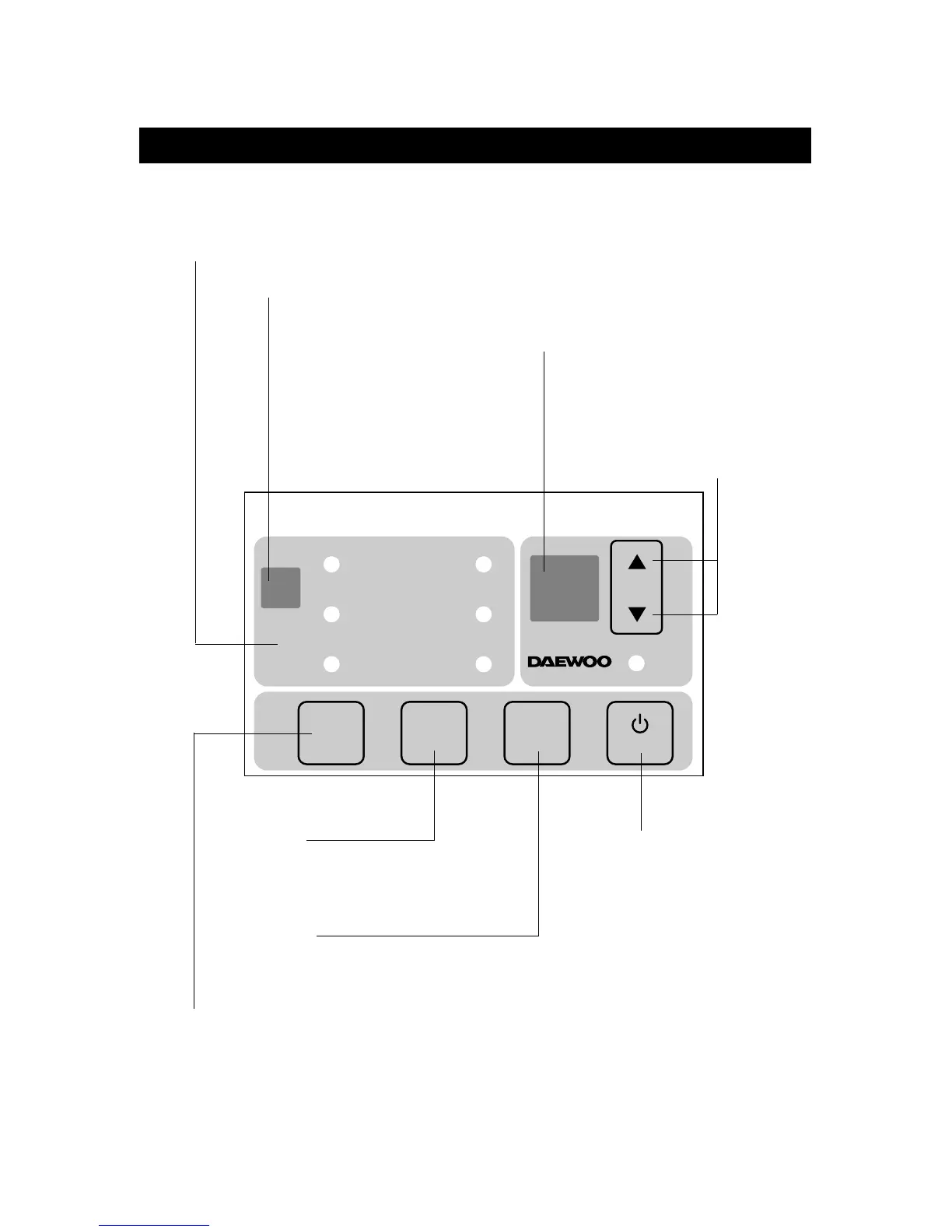
TEMP./TIMER DISPLAY
• It displays the temperature and the timer.
MODE DISPLAY
• It displays the operating mode.
REMOTE SIGNAL RECEIVER
TEMPERATURE SET
• It is the button to set the desired
room temperature.
The temperature can be set
within a range from 16°C (60°F)
to 32°C (90°F) by 1°C (1°F)
POWER ON/OFF SWITCH
• To turn the unit ON, push this button.
To turn the unit OFF, push this button
again.
MODE SELECT
• Everytime you push this button, It is selected as
follow. (COOLING
→TURBO→FAN→COOLING)
FAN SPEED
• Everytime you push this button, It is selected as
follow. (High→Low→High)
ENERGY SAVE
• Whenever you push this button, the cumulative power
consumption is decreased.



 To Next Page