EasyManua.ls Logo

Daewoo SD-3500P - Page 11

Daewoo SD-3500P
58 pages
Print Icon
To Next Page IconTo Next Page
To Previous Page IconTo Previous Page
Loading...
10
Identification of Controls
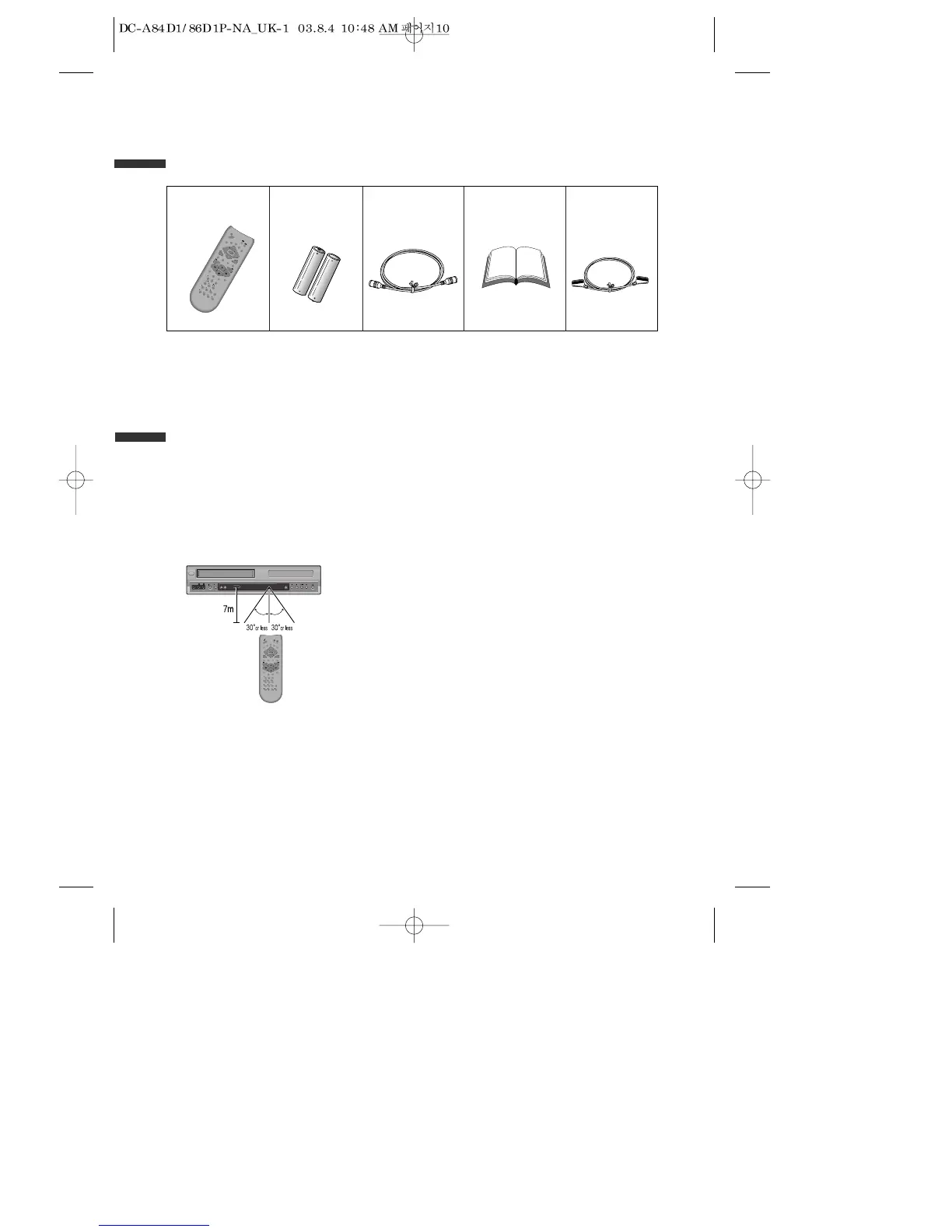
Accessories
R
E
P
E
A
T
OPEN/CLOSE
D
I
S
P
L
A
Y
T
IT
L
E
/P
B
C
M
E
N
U
P
R
+
P
R
-
IN
P
U
T
P
R
E
V
.
R
E
C
P
R
O
G
R
A
M
C
L
K
/
C
N
T
TV/VCR
T
R
A
C
K
IN
G
A
N
G
L
E
/S
P
E
E
D
S
E
A
R
C
H
S
Y
S
T
E
M
P
L
A
Y
/
P
A
U
S
E
N
E
X
T
A
-
B
Z
O
O
M
A
U
D
I
O
S
U
B
T
I
T
L
E
SETU
P
C
L
EA
R
/3
D
E
N
T
E
R
O
K
V
C
R
D
V
D
remote control 2 Batteries RF cable
Owners Manual/
Warranty
To purchase accessories or not supplied additional parts, contact your nearest dealer or
service centre.
N.B.: Owner’s manual and warranty are not sold additionally.
• Operate remote control within 7m from the unit.
• Do not press 2(two) buttons at the same time.
Excessive sun light falling on the remote receiver may cause the remote control to
become inoperative.
• Do not keep in the place with much dust and humidity.

SELECT
STANDBY/ON
- CHANNEL +EJECT
VIDEO AUDIO RL
REC
STOP REW PLAY/PAUSE FF OPEN/CLOSE
REPEAT
OPEN/CLOSE
DISPLAY
TITLE/PBC
MENU
PR +
PR -
INPUT
PREV.
REC
PROGRAM
CLK/CNT
TV/VCR
TRACKING
ANGLE/SPEED
SEARCH
SYSTEM
PLAY/PAUSE
NEXT
A-B
ZOOM
AUDIO
SUBTITLE
S
E
T
U
P
CL
EA
R
/3D
ENTER
OK
VCR
DVD
Instructions in using REMOTE
Scart cable
(supplied only
SD-9500P&SD-9800P)

Table of Contents

Related product manuals