Before the First Use of Your Air Fryer
• Remove all packing materials and discard responsibly.
• Ensure all parts are present see Description of Parts above.
• Ensure that you clean your Air Fryer before first and every use with a damp cloth
and dry thoroughly.
• Wash the two Drawers (2 & 5) and the two Trivets (7) in warm soapy water.
• DO NOT remove the silicone feet from the Trivets (7) as these are fitted to hold
the Trivet in place and prevent damage to the drawers.
• Whilst using your Air Fryer for the first time you may notice a little smoke and
odour; this is normal and simply the protective grease used during manufacture
and will soon pass.
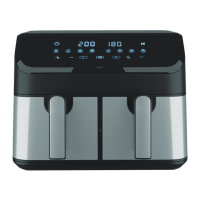
Control Panel Functions
Power On/Off Button (10)
• The Power On/Off (10) button will illuminate once the fryer is plugged in.
• Press the Power On/Off (10) button to switch the unit on, the Left & Right
Drawer Control (19 & 21) buttons will illuminate.
• The air fryer will switch to standby mode if no selection is made within 1 minute
and only the Power On/Off (10) button will remain illuminated.
• Press the Power On/Off (10) button again to switch the unit off.
• At the end of cooking, both the Left & Right LED Displays (12 & 13) will show
“End”, the fan will continue to run for a short while to cool the fryer after use.
Left & Right LED Displays (12 & 13)
• The Left & Right LED Displays (12 & 13) will show the set temperature and both
the set and remaining cooking time.
Start/Pause Button (15)
• Press the Start/Pause button (15) to start or pause cooking.
Temperature Setting Buttons (17 & 18)
• Press the Temperature Setting buttons (17 & 18) to adjust the cooking
temperature to override pre-set functions where required.
• The temperature will increase or decrease in 5°C increments.
• Press and hold to fast cycle from minimum 80°C to maximum 200°C for all pre-
set functions except Dehydrate (30°C -100°C).
Drawer Control Buttons (19 & 21)
• Press the Left Drawer Control (19) to select the Left Drawer (5). The button will
flash when pressed.
• Press the Right Drawer Control (21) to select the Right Drawer (2). The button
will flash when pressed.


 To Next Page