Chapter 13 Online Update of Main Software
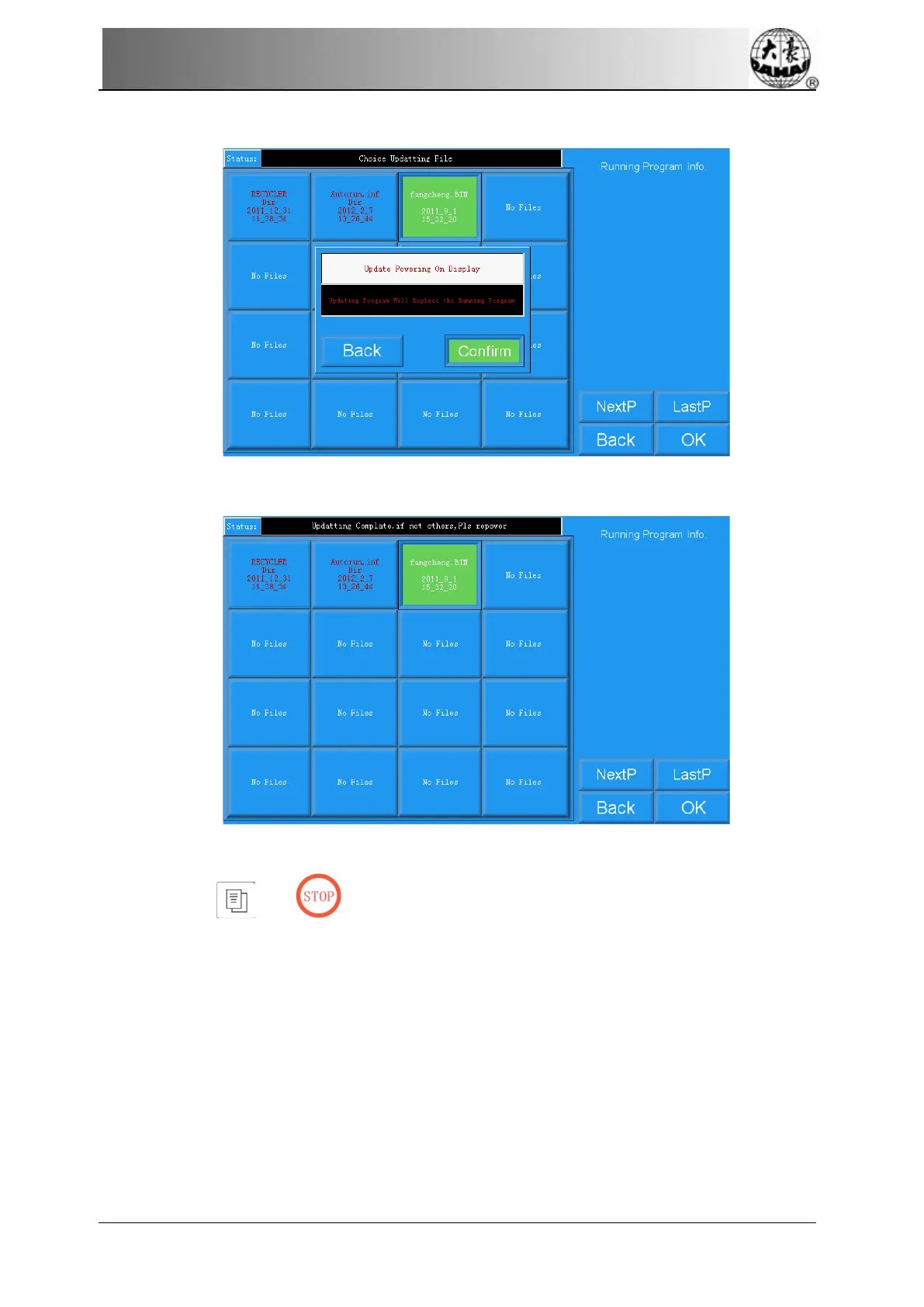
6. Press Enter to confirm updating.
7. The screen will show “Updating Complate , if not others , Pls repower” when finish
updating. Please restart the computer.
13.3 LCD Parameter Update
1. Hold “ ” or " " key and turn on the machine.
2. The screen shows the following picture, select the fifth “LCD Parameter update”
Owner’s Manual of BECS- 285A Computerized Control System 133



 To Next Page