6
3 Installation
The following installation figures are for reference only, and might differ from the actual product.
3.1 Pole Mount
Procedure
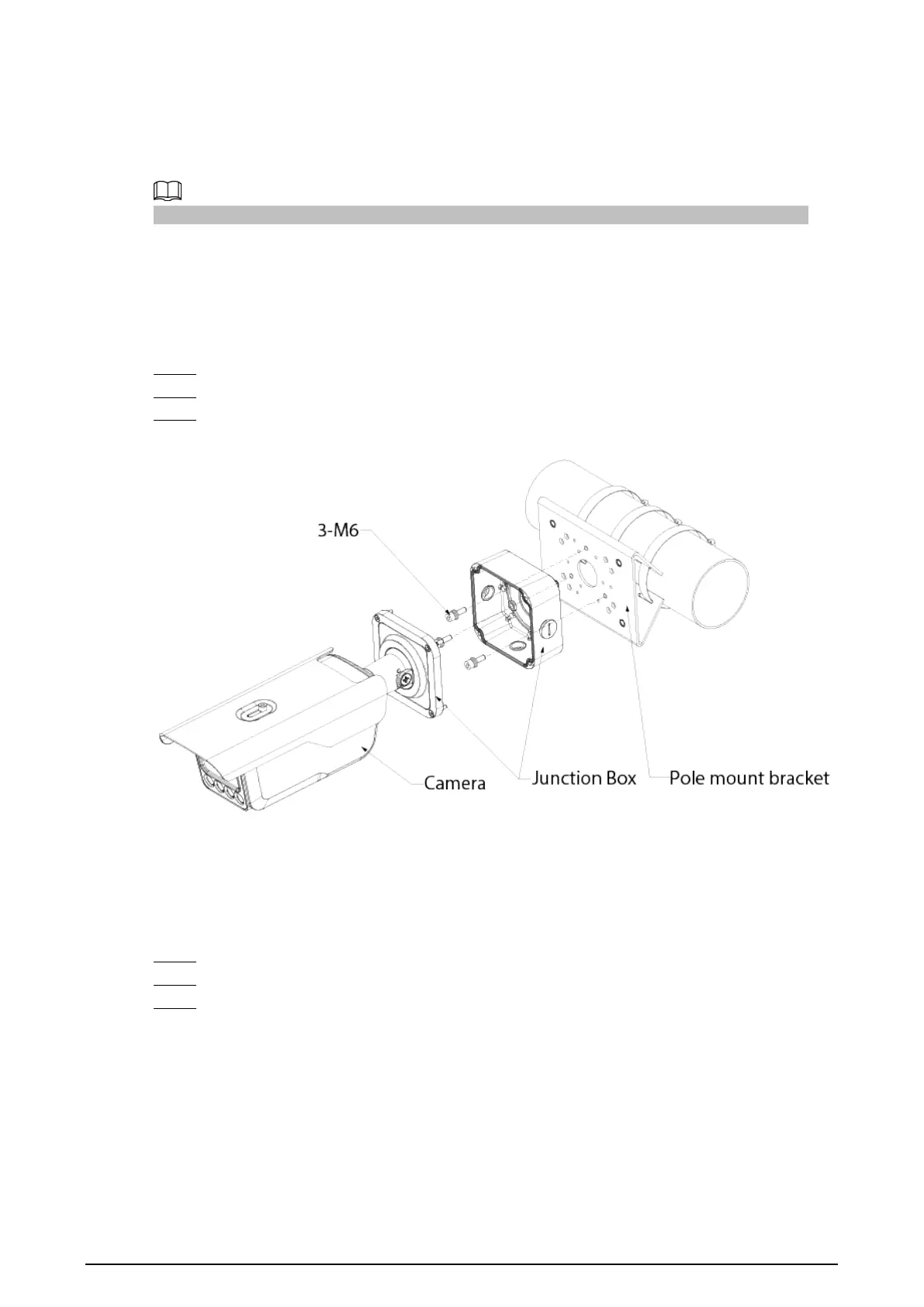
Step 1 Fix the pole mount bracket to the pole.
Step 2 Use 3 M6 screws to fix the junction box to the pole mount bracket.
Step 3 Tighten the screws on the end of the camera to fix it to the junction box.
Figure 3-1 Pole mount
3.2 Wall Mount
Procedure
Step 1 Drill holes on the wall according to the holes on the junction box.
Step 2 Use 3 ST6.3 expansion screws to fix junction box to the wall.
Step 3 Tighten the screws on the end of the camera to fix it to the junction box.



 To Next Page
 Loading...