Need help?
Do you have a question about the Dahua Technology DHI-ITC413-PW4D-IZ3 and is the answer not in the manual?
Transport the device under allowed humidity and temperature conditions, ensuring safety.
Store the device under allowed humidity and temperature conditions for optimal performance.
Guidelines for safe and proper installation, including electrical safety and environmental considerations.
Instructions for safe operation, including power supply, environmental conditions, and handling.
Procedures for maintaining the device, including cleaning, repairs, and accessory usage.
Introduces the camera's intelligent deep learning algorithm and its applications.
Details key features like permission management, storage, alarm, network monitoring, capture, and auto adjustment.
Provides detailed physical dimensions of the camera in mm and inches.
Illustrates the overall structure of the device with labeled components.
Details the components and ports located on the rear panel of the device.
Describes the various cables connected to the device and their functions.
Step-by-step procedure for mounting the camera on a pole.
Step-by-step procedure for mounting the camera on a wall.
Step-by-step procedure for mounting the camera on a ceiling.
Essential steps for basic network security, including strong passwords and software updates.
Optional security enhancements like physical protection, account locking, and secure protocols.
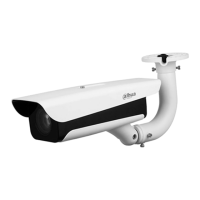
The Smart ANPR Camera is an intelligent device designed for vehicle capture and recognition, suitable for surveillance in community roads, parking lots, and other entrance/exit points. It integrates advanced deep learning algorithms to provide comprehensive vehicle information.
The core function of the Smart ANPR Camera is its intelligent deep learning algorithm, which enables vehicle detection, license plate recognition, logo recognition, model recognition, and color recognition. It supports efficient H.265 encoding for video data. The camera itself comprises a protective housing, an illuminator, and an intelligent HD camera. The HD camera utilizes progressive scanning CMOS technology, offering high definition, low illuminance, high frame rate, and excellent color rendition.
Permission Management: The camera features a robust permission management system. Each user group is assigned specific permissions, and individual user permissions cannot exceed those of their respective group. There are two user levels, allowing for differentiated access. Key functions include the ability to open barriers and trigger blocklist alarms. Device configuration and permission management are primarily handled through an Ethernet connection.
Storage: The device offers flexible storage options. It can store corresponding video data on a central server based on configured settings, such as alarm triggers and timing. Users can also record video through a web interface, with recorded files saved on the client's computer. The camera supports local hot-swapping of storage cards and continues storage even if the network connection is lost. It automatically overwrites older pictures and videos when memory becomes insufficient. The system also stores 1024 log records and provides user permission control for these logs. Additionally, it supports FTP storage and Automatic Network Replenishment (ANR) to ensure data integrity.
Alarm: The camera is equipped with an alarm system that triggers upon operational exceptions, such as memory card damage, and sends notifications over the network. Certain models can connect to various external alarm peripherals, responding to external alarm inputs in real-time (within 200 ms). It can process different alarms according to user-defined linkages and generate corresponding voice prompts, with users having the option to record custom voices in advance.
Network Monitoring: The device transmits compressed video data of a single channel to network terminals, which is then decompressed for viewing. It maintains a delay within 500ms, provided sufficient bandwidth. The camera supports a maximum of 10 concurrent online users and allows for system access and device management via a web interface. Video data transmission utilizes various protocols, including HTTP, TCP, UDP, MULTICAST, and RTP/RTCP.
Capture and Recognition: Beyond license plate recognition, the camera identifies other vehicle information such as color, logo, and model. It allows for setting On-Screen Display (OSD) information and configuring the location of channels and pictures. The camera supports picture capture and encoding, including watermark encryption to prevent tampering. Captured pictures automatically record vehicle time, location, license plate, and color.
Peripheral Control: The camera offers comprehensive peripheral control, supporting various peripheral control protocols and connection pages. It can connect to external devices like vehicle detectors, signal detectors, and more.
Auto Adjustment: The device incorporates several automatic adjustment features for optimal image quality. Auto iris automatically adjusts the aperture based on changing light conditions throughout the day. Auto white balance accurately displays object colors under varying light conditions. Auto exposure adjusts shutter speed according to the image's metering system and factory-default shutter and iris exposure settings. Auto gain automatically increases camera sensitivity in low light, enhancing the image signal output for clear and bright images.
The Smart ANPR Camera is designed for ease of use and reliability in various environments.
Installation Flexibility: The camera supports multiple installation methods, including pole mount, wall mount, and ceiling mount, providing versatility for different deployment scenarios. Installation involves fixing a junction box to the chosen surface (pole, wall, or ceiling) using appropriate screws and then attaching the camera to the junction box.
Robust Design: The device is housed in a protective casing, making it suitable for outdoor use. It is designed to operate under specified humidity and temperature conditions, ensuring consistent performance.
Power Supply Options: The camera can be powered by 12 VDC or through Power over Ethernet (PoE) when connected to a network, offering flexible power solutions. It is crucial to ensure correct power supply to prevent device damage.
Security Features: The device emphasizes security through several recommendations. Users are advised to use strong passwords, regularly update firmware and client software, and implement physical protection for the device and storage components. Regular password changes, timely updates of password reset information, and enabling account lock features are also recommended. For network security, changing default HTTP and other service ports, enabling HTTPS, MAC address binding, and assigning accounts with reasonable privileges are suggested. Disabling unnecessary services and choosing secure modes for essential services like SNMP, SMTP, FTP, and AP hotspot further enhance security. Encrypted transmission for audio and video data is available for sensitive information. Secure auditing through checking online users and device logs helps monitor unauthorized access and key operations. Implementing a network log function ensures critical logs are synchronized to a network log server for long-term tracing. Constructing a safe network environment by disabling router port mapping, partitioning networks with VLANs or network GAPs, establishing 802.1x access authentication, and enabling IP/MAC address filtering are also recommended to mitigate cyber risks.
Maintaining the Smart ANPR Camera is straightforward, focusing on protecting its sensitive components and ensuring longevity.
Packaging for Repair: When sending the device for repair, it should be packed using its original manufacturer-provided packaging or packaging of equivalent quality to prevent further damage during transit.
Lens Care: Users are advised not to touch the photosensitive device with their hands. For cleaning dust and filth from the lens, an air blower should be used.
Surface Cleaning: The device's surface should be cleaned with a soft dry cloth or a clean soft cloth dipped in a neutral detergent.
Accessory Use and Professional Installation: It is recommended to use only accessories suggested by the manufacturer. All installation and maintenance tasks should be performed by qualified professionals to ensure proper functioning and safety.
Environmental Protection: The device should not be exposed to strong light sources, dampness, dust, or soot. It should be placed in a well-ventilated area, ensuring its ventilation is not blocked. The device should also be protected from vibration, squeezing, or immersion in liquid during transportation, storage, or installation. For outdoor use, a protective cover must be used to prevent water damage.
Cable and Power Protection: The line cord and wires should be protected from being walked on or squeezed, especially at plugs, power sockets, and where they exit the device. An emergency disconnect device should be installed at an easily accessible location for quick power cut-off. The device is a Class I electrical appliance and requires its power supply to be connected to a power socket with protective earthing. Grounding the function earthing portion of the device (grounding cable or lightning surge protector) is crucial for improving reliability, especially in outdoor scenarios where lightning protection regulations must be strictly followed.
 General
| Effective Pixels | 4 MP |
|---|---|
| Lens Type | Motorized vari-focal |
| Video Compression | H.265/H.264/MJPEG |
| WDR | 120dB |
| Protection Grade | IP67 |
| Day/Night | ICR |
| Digital Noise Reduction | 3D DNR |
| Max. Resolution | 2688 x 1520 |
| Focal Length | 2.7mm ~ 12mm |
| Aperture | F1.4 |
| Angle Adjustment | Pan: 0° to 360°, Tilt: 0° to 90°, Rotation: 0° to 360° |
| IR Range | 30 m (98.4 ft) |
| Power Supply | PoE (802.3af) or 12V DC |
| Minimum Illumination | 0.002 Lux @F1.4 |
| Network Interface | 1 RJ-45 port (10/100 Base-T) |
| Image Sensor | 1/2.8" CMOS |
| Operating Conditions | Humidity 95% or less (non-condensing) |


 To Next Page