This document serves as a Quick Start Guide for the Dahua Bullet Network Camera, providing essential information for its installation, configuration, and maintenance. It is designed to ensure safe and proper handling of the device, covering various aspects from initial setup to ongoing care.
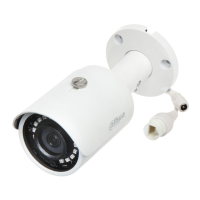
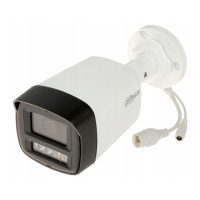
The primary function of the Dahua Bullet Network Camera is to provide surveillance capabilities, capturing video footage for security and monitoring purposes. It is a network-enabled device, meaning it can be integrated into existing network infrastructures for remote access and management. The camera is designed for both indoor and outdoor use, with specific instructions provided for outdoor installations to ensure durability and performance in varying environmental conditions.
Usage Features:
The camera offers several usage features that enhance its functionality and user experience.
- Network Configuration: The device supports network configuration through the ConfigTool or a web interface. This allows users to initialize the camera, change its IP address, and log in to its web page for advanced settings. Initialization is a crucial first step for new devices or after a reset, ensuring the camera is ready for operation. The ConfigTool simplifies the process of discovering and configuring multiple cameras on the same network segment. Users can choose between static and DHCP IP address modes, providing flexibility in network integration.
- Remote Access: Once configured, the camera can be accessed remotely via a web browser, allowing users to view live footage, adjust settings, and manage recordings from any location with internet access. This remote access capability is fundamental for effective surveillance and monitoring.
- Password Management: The guide emphasizes the importance of strong passwords for network security. It provides guidelines for creating secure passwords, combining letters, numbers, and symbols. The option to enter an email address for password reset is also available, offering a recovery mechanism in case of forgotten credentials. For older firmware versions, users are advised to update the firmware or manually change the ONVIF password if the main system password is changed, highlighting a commitment to ongoing security.
- Waterproof Connector (Optional): For outdoor installations, the guide details the installation of a waterproof connector. This feature is crucial for protecting the cable joints from water damage and preventing short circuits, ensuring the camera's longevity and reliable performance in harsh weather conditions. The step-by-step instructions for installing the waterproof connector underscore the device's suitability for outdoor environments.
- Lens Angle Adjustment: The camera allows for manual adjustment of the lens angle, enabling users to optimize the field of view for specific surveillance needs. This flexibility ensures that the camera can be precisely aimed to cover critical areas, maximizing its effectiveness. The guide provides visual aids and instructions for this adjustment, ensuring users can achieve the desired coverage.
- Power Supply: The camera operates on 12 VDC power, with specific instructions to ensure correct power supply to prevent damage or abnormal behavior. Select models also support Power over Ethernet (PoE), which simplifies installation by allowing both power and data to be transmitted over a single Ethernet cable, reducing cabling complexity.
- Safety and Warnings: The manual includes a comprehensive section on important safeguards and warnings, covering transportation, storage, and installation requirements. These guidelines are designed to prevent injury, property damage, and ensure the device's optimal performance. Users are advised to transport the device under allowed humidity and temperature conditions, pack it securely, and avoid heavy stress or immersion in liquid. During storage, the device should be kept in a stable environment, away from extreme temperatures, humidity, dust, and strong electromagnetic radiation.
- Installation Environment: The guide specifies that the device must be installed in a location accessible only to professionals, minimizing the risk of injury to non-professionals. It also warns against placing heavy stress on the device or immersing it in liquid during installation. An emergency disconnect device is recommended for quick power cut-off in emergencies.
- Lightning Protection: For outdoor scenarios, the use of a lightning protection device is recommended to enhance the camera's resilience against lightning strikes, ensuring continuous operation and protecting the device from electrical damage.
- Earthing: The guide emphasizes grounding the function earthing portion of the device (if available) to improve reliability. As a class I electrical appliance, the camera's power supply must be connected to a power socket with protective earthing.
- Optical Components Care: The dome cover, an optical component, requires careful handling. Users are warned not to directly touch or wipe its surface during installation or operation to avoid damage that could affect image quality.
Maintenance Features:
Proper maintenance is essential for extending the lifespan and ensuring the consistent performance of the Dahua Bullet Network Camera. The guide provides detailed instructions for cleaning, disassembly, and general care.
- Disassembly Instructions: Users are strictly advised to follow instructions for disassembling the device. Non-professional disassembly can lead to water leakage or poor image quality. If disassembly is required, ensuring the seal ring is flat and correctly seated in its groove when reassembling is critical for maintaining the device's integrity and waterproof capabilities.
- Desiccant Replacement: In cases where condensed water forms on the lens or the desiccant turns green after disassembly, users are instructed to contact after-sales service for desiccant replacement. This highlights the importance of maintaining internal humidity levels to prevent fogging and ensure clear images.
- Cleaning the CMOS Sensor: The photosensitive CMOS sensor should not be directly touched. Instead, an air blower should be used to remove dust or dirt. If cleaning is necessary, a soft cloth slightly moistened with alcohol can be used to gently wipe away dirt, preserving the sensor's sensitivity and image quality.
- Cleaning the Device Body: The device body should be cleaned with a soft dry cloth. For stubborn stains, a soft cloth dipped in a neutral detergent can be used, followed by wiping the surface dry. Volatile solvents such as ethyl alcohol, benzene, diluent, or abrasive detergents should be avoided as they can damage the coating and degrade performance.
- Cleaning the Dome Cover: The dome cover, being an optical component, requires specific cleaning methods. For dust, grease, or fingerprints, degreasing cotton moistened with a little ether or a clean soft cloth dipped in water should be used for gentle wiping. An air gun can also be used to blow away dust.
- Rust Prevention (Stainless Steel Models): For stainless steel cameras used in corrosive environments (e.g., seaside, chemical plants) where rust might develop, an abrasive soft cloth moistened with a little acid solution (vinegar is recommended) can be used to gently wipe it away, followed by drying. This helps maintain the aesthetic and structural integrity of the device.
- Electrostatic Discharge Prevention: There is a risk of electrostatic discharge on the dome cover. Users are advised to power off the device when installing the cover after camera adjustments and to avoid direct contact with the cover or exposing it to other equipment or human bodies to prevent static damage.
- Network Security Maintenance: Regular maintenance includes strengthening network security by using strong passwords, changing them regularly, updating firmware to the latest version, and isolating computer networks. These measures are crucial for protecting the device, data, and personal information from unauthorized access and cyber threats.
- Professional Installation and Maintenance: The guide emphasizes that installation and maintenance must be performed by qualified professionals using manufacturer-suggested accessories. This ensures that all procedures are carried out correctly and safely, maximizing the device's performance and lifespan.
In summary, the Dahua Bullet Network Camera is a robust surveillance solution with user-friendly configuration options, flexible installation methods, and clear maintenance guidelines, all designed to provide reliable security monitoring.

 Need help?
 General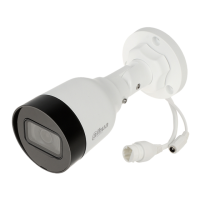




 To Next Page