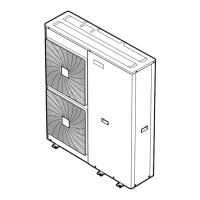
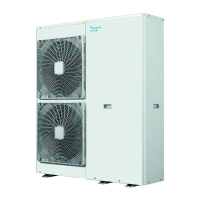
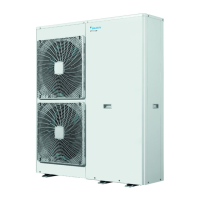
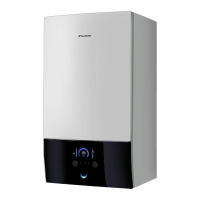
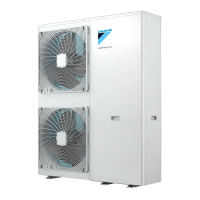
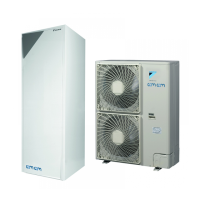
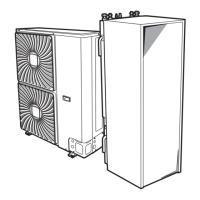
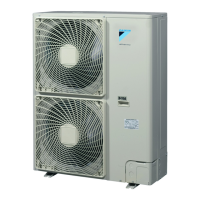
This document serves as a user reference guide for the Daikin Altherma low temperature monobloc system, covering models EBLQ/EDLQ011~016CAV3+W1 and EK(2)CB07CAV3 + EKMBUHCA3V3+9W1. It provides detailed instructions and background information for both basic and advanced usage, ensuring optimal performance and longevity of the unit.
The Daikin Altherma low temperature monobloc system is designed to provide space heating and cooling, as well as domestic hot water, depending on the specific system layout and installer configuration. The unit can heat up a space, cool down a space (if a heating/cooling heat pump model is installed), and produce domestic hot water (if a DHW tank is installed). The system is operated via a user interface, which allows users to read out and change various settings.
Function Description
The core function of the Daikin Altherma low temperature monobloc is to manage the temperature within a living space and provide domestic hot water efficiently. This is achieved through a heat pump system that can operate in different modes: heating, cooling, or automatic changeover.
For space heating/cooling, the system allows for two primary control methods: room thermostat control and leaving water temperature control.
- Room thermostat control means the system regulates the room temperature of the main zone and the leaving water temperature of the main zone. Users can read out actual and desired room temperatures, temporarily overrule schedules, and change the mode from scheduled to preset values. Preset values for comfort and eco modes can be defined, allowing for easy selection of desired temperatures.
- Leaving water temperature control focuses on regulating the temperature of the water sent to the heat emitters. This control is typically set by the installer based on the heat emitter type (e.g., underfloor heating, radiators). Users can read out and adjust the desired leaving water temperature, especially if it's not linked to the room temperature setpoint or if the desired room temperature cannot be reached.
- External room thermostat control allows an external thermostat to manage room temperature, while the user interface controls the leaving water temperature.
For domestic hot water (DHW) control, the system offers several modes:
- Reheat mode ensures the DHW tank continuously heats up to a preset temperature. This mode provides a constant supply of hot water but may consume more energy.
- Scheduled mode heats the DHW tank according to a predefined schedule, typically at night when space heating demand is lower, optimizing energy use.
- Scheduled + reheat mode combines both, heating according to a schedule but also reheating if the tank temperature drops below a preset hysteresis value, ensuring a minimum amount of hot water is always available.
- DHW tank booster mode can be activated to quickly heat water to a preset comfort level, useful when immediate hot water is needed, though it consumes extra energy.
The system also incorporates weather-dependent operation, where the leaving water temperature setpoint is automatically adjusted based on the outdoor temperature, further enhancing efficiency.
Usage Features
The user interface is designed for intuitive operation, providing access to various settings and information.
- Home pages display daily-use settings like room temperature, leaving water temperature, and DHW tank temperature. Users can quickly read out actual and desired values and make immediate adjustments.
- The menu structure allows for configuration of less frequently changed settings. Breadcrumbs help users navigate through the menu.
- Buttons on the interface are used for navigation (up, down, left, right), selection (OK), going back, switching between home pages, and turning controls ON/OFF.
- Status icons provide a quick visual overview of the system's current operation mode (heating, cooling, operating, scheduled, reheat, holiday, quiet mode, etc.) and any active functions or malfunctions.
Basic Usage:
- Setting space operation mode: Users can choose between heating, cooling, or automatic mode. Automatic mode intelligently switches between heating and cooling based on outdoor and indoor temperatures, considering monthly restrictions.
- Adjusting temperatures: Desired room temperatures can be set directly on the home page or through preset values (Comfort, Eco). Leaving water temperatures can also be adjusted.
- Domestic hot water control: Users can select DHW tank modes (reheat, scheduled, scheduled + reheat) and activate the booster mode for quick hot water.
- Schedules: The system supports predefined and user-defined schedules for room temperature, leaving water temperature, and DHW tank operation. These schedules allow for automated temperature management throughout the day or week, optimizing comfort and energy consumption. Users can program specific times for different temperature settings or DHW production.
Advanced Usage:
- User permission levels: The interface offers "End user" and "Advanced end user" levels, with the latter providing access to more detailed information and configuration options.
- Quiet mode: This feature reduces the sound of the outdoor unit, with different levels of quietness available. Activating quiet mode may slightly decrease heating/cooling capacity. Users can manually activate quiet mode or program it into a schedule.
- Holiday mode: Designed for periods when users are away or staying at home during holidays, this mode allows for deviations from normal schedules to save energy or maintain a minimum temperature to prevent freezing. Users can configure specific heating/cooling settings and DHW operation for the holiday period.
- Reading out information: The system provides detailed information on sensor readings (room, tank, outdoor, leaving water temperatures), energy metering (produced energy, consumed electricity, consumed gas), error and warning history, user permission level, actuator status, operation modes, running hours, and version information.
- Configuration settings: Users can configure date, time, units of measurement (e.g., °C/°F, kWh/MBtu), contrast, and backlight settings for the user interface. They can also customize their user profile and select which home pages are displayed.
- Preset values: Users can define preset values for various controls (room temperature, LWT, tank temperature, quiet level, electricity price, fuel price). These presets simplify schedule programming and quick adjustments.
Energy Saving Tips:
The guide provides tips for optimizing energy consumption:
- Room temperature: Set desired room temperatures according to actual needs, avoiding excessively high or low settings. Avoid increasing temperature to speed up heating.
- Leaving water temperature: A lower desired leaving water temperature in heating mode (and higher in cooling) leads to lower energy consumption and better performance.
- DHW tank temperature: Use a weekly schedule for DHW production, preferably at night. Avoid excessively high DHW tank temperatures.
- Electricity price schedule timer: Program the system to operate according to electricity tariffs (high, medium, low) to minimize running costs.
- Incentives for renewable energy: The system can account for incentives per kWh of renewable energy when calculating fuel and electricity prices, optimizing total operation cost.
Maintenance Features
While yearly maintenance is performed by an authorized installer, the user reference guide outlines simple maintenance tasks for end-users:
- Keep the area around the unit clean.
- Clean the user interface with a soft, damp cloth; avoid detergents.
- Regularly check water pressure (should be above 1 bar).
The document also provides guidance on troubleshooting common issues:
- Feeling too cold (hot) in the living room: Solutions include increasing/decreasing desired room temperature, adjusting preset values, or modifying the room temperature schedule. If the desired temperature cannot be reached, increasing the leaving water temperature may be necessary.
- Water at the tap is too cold: This could be due to unusual high consumption or a low desired DHW tank temperature. Solutions include activating the DHW tank booster mode for immediate hot water, overruling scheduled temperatures, increasing DHW tank preset values, or adjusting the DHW tank temperature schedule.
- Heat pump failure: In case of a heat pump failure, the system can automatically or non-automatically switch to backup heater and booster heater operation. The user interface will prompt for confirmation if manual intervention is required. Users can check error and warning histories via the menu.
For relocation of any system parts (user interface, indoor unit, outdoor unit, DHW tank), users are advised to contact their installer. The document also provides information on proper disposal of the unit and batteries, emphasizing that dismantling and treatment of refrigerants, oil, and other parts must be done by an authorized installer at a specialized treatment facility to ensure environmental safety and compliance with applicable legislation.


 To Next Page


 General