9
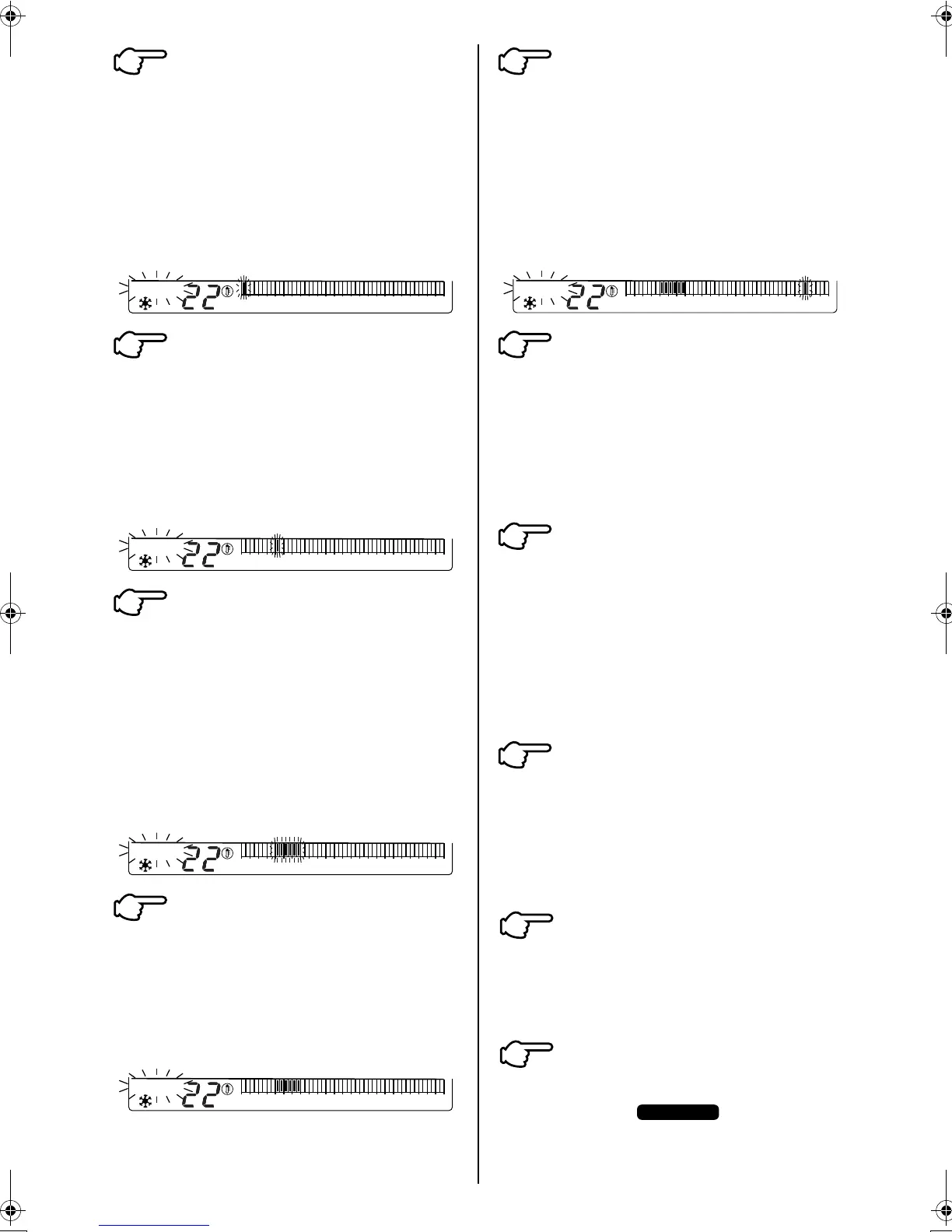
Press the TIME ADJUST BUTTON (15)
Each time the button is pressed, the
flashing cursor in the set back time
schedule display (11) shifts in 30
minute increments.
Move the flashing cursor to the
required start time for temperature
set back
(set it to 4:00am)
Press the PROGRAM REGISTER
BUTTON (16)
The time to start the first
temperature set back period is now
set and is registered in the memory
of the set back time clock.
(the temperature set back start time is
now set to 4:00am)
Press the TIME ADJUST BUTTON (15)
Each time the button is pressed, the
flashing cursor shifts to the next
“cell’ and the preceding cells are
blacked out indicating the first
temperature set back period. Move
the flashing cursor to the time
required to end the temperature set
back operation.
(set it to 7:00am)
Press the PROGRAM REGISTER
BUTTON (16)
The blacked out cells stop flashing
and the first temperature set back
period is now set.
(set back period is set from 4:00am to
7:00am)
Press the TIME ADJUST BUTTON (15)
Each time the button is pressed, the
flashing cursor in the set back time
schedule display (11) shifts in 30
minute increments.
Move the flashing cursor to the
required start time for the second
temperature set back period
(set it to 9:00pm)
Press the PROGRAM REGISTER
BUTTON (16)
The time to start the second
temperature set back period is now
set and is registered in the memory
of the set back time clock.
(the temperature set back start time is
now set to 9:00pm).
Press the TIME ADJUST BUTTON (15)
Each time the button is pressed, the
flashing cursor shifts to the next
“cell’ and the cells are blacked out
indicating the second temperature
set back period. Move the flashing
cursor to the time required to end the
temperature set back operation.
(set it to 11:00pm).
Press the PROGRAM REGISTER
BUTTON (16)
The blacked out cells stop flashing
and the second temperature set
back period is now set.
(the second temperature set back period
is set from 9:00pm to 11:00pm).
Repeat steps 3 to 11 to set the
set back periods for other days of
the week.
In this example set back periods are
as above for Monday to Friday)
Press PROGRAMMING BUTTON
(14) to exit the programming mode.
The display “ ” disappears.
4
˚C
SET BACK
02468
10 12 14 16 18
20 22 24
5
˚C
SET BACK
02468
10 12 14 16 18
20 22 24
6
˚C
SET BACK
02468
10 12 14 16 18
20 22 24
7
˚C
SET BACK
02468
10 12 14 16 18
20 22 24
8
˚C
SET BACK
02468
10 12 14 16 18
20 22 24
9
10
11
12
13
PROGRAM
3P107422-26M_4.fm Page 9 Tuesday, October 16, 2007 3:30 PM



 To Next Page