6
OPERATION
SETTING THE PRESENT
DAY AND TIME
(Fig 3 Page 16)
The time needs to be set when the time clock is first
switched on or after power supply to the unit is interrupted
for over an hour.
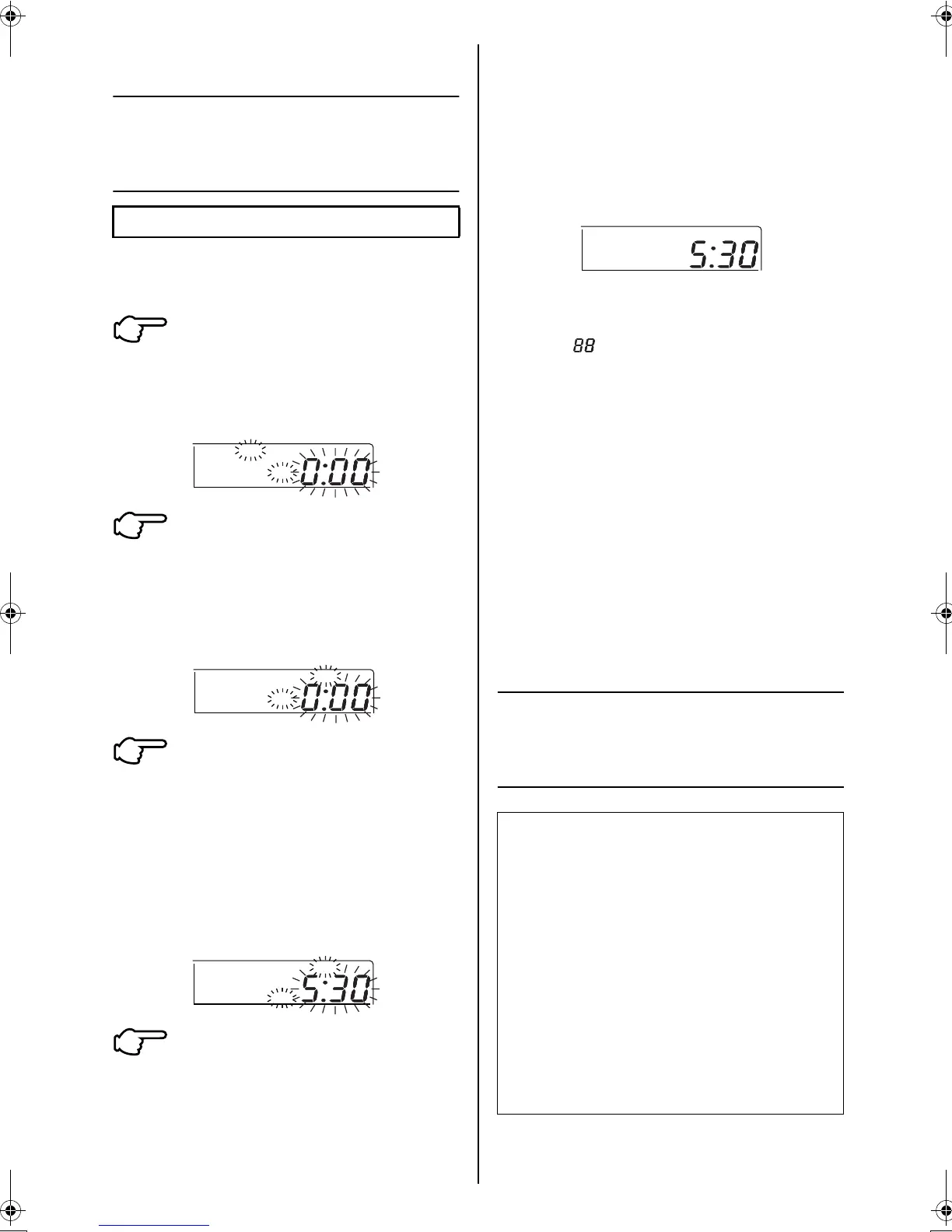
Press the CLOCK ADJUST
BUTTON (13)
The present time and day of the
week flashes.
Press the DAY OF THE WEEK
BUTTON (17)
Each time the button is pressed, the
day display shifts to the right and
advances by one day.
(Set the day to Friday)
Set the time with the TIME
ADJUST BUTTON (15)
Each time the button is pressed, the
displayed time increases or
decreases by one minute. When the
button is kept pressed the displayed
time increases or decreases rapidly
in increments of 10 minutes.
(set to 5:30pm)
PRESS THE PROGRAM
REGISTER BUTTON (16)
ONCE THIS BUTTON IS PRESSED,
THE CLOCK STARTS AT THE SET
TIME FROM 00 SECONDS.
THEREFORE TO SYNCHRONISE
THE CLOCK TO THE SECOND,
PRESS THE BUTTON WHEN THE
SIGNAL FROM THE RADIO,
TELEVISION, TELEPHONE MARKS
00 SECONDS.
Notes)
●
The time format used is 12 hour type
●
When power supply is turned on, the system may
display “ ” for about one minute and not start to
operate until after all the other displays appear.
●
If the clock adjust button is pressed by mistake, press it
again to return to the original state. As the clock does
not stop, the time indicated by the clock is kept
accurate.
●
In case power is interrupted for less than one hour, the
clock keeps operating by utilising an in built battery.
This battery is self charging and does not need
replacing.
●
In case the time is incorrectly set, press the CLOCK
ADJUST button (13) before pressing the PROGRAM
REGISTER button (16). This will go back to the original
time.
●
Press the SUMMER TIME button (19) to change clock
to summer time/daylight saving time (if applicable in
your area). This advances the time by one hour.
Pressing this button again changes the clock back to
normal time.
SETTING TIME AND
TEMPERATURE SET BACK
SCHEDULES
(Example in case of setting Friday 5:30pm)
1
CLOCK
AM
MON
2
FRI
CLOCK
AM
3
PM
FRI
CLOCK
4
(Example)
Monday to Friday
Operating Time
From 4:00am to 11:00am and
From 2:00pm to 11:00pm
Temperature Set Back Times
From 4:00am to 7:00am
From 9:00pm to 11:00pm
Normal operating temperatures
Cooling: 25°C
Heating: 20°C
Set Back Temperatures
Cooling: 27°C
Heating: 17°C
Saturday and Sunday
Days off (no time schedule)
PM
FRI
CLOCK
3P107422-26M_4.fm Page 6 Tuesday, October 16, 2007 3:30 PM



 To Next Page