18
TIMER Operation
Timer functions are useful for automatically switching
the air conditioner on or off at night or in the morning.
You can also use OFF TIMER and ON TIMER in
combination.
■ To use OFF TIMER
operation
• Check that the clock is correct.
If not, set the clock to the present time.
(page 9.)
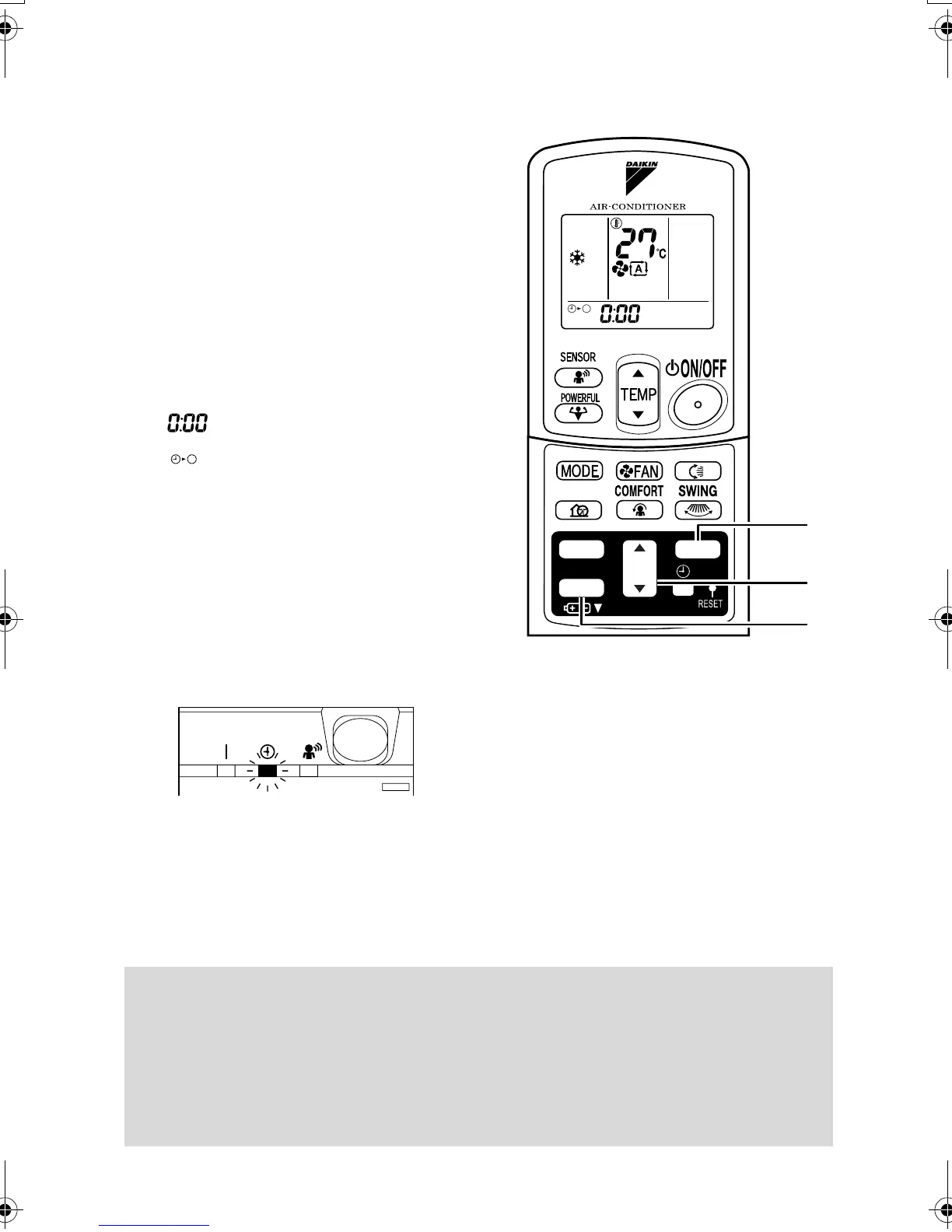
1. Press “OFF TIMER button”.
is displayed.
blinks.
2. Press “TIMER Setting button” until
the time setting reaches the point
you like.
• Every pressing of either button increases or
decreases the time setting by 10 minutes.
Holding down either button changes the
setting rapidly.
3. Press “OFF TIMER button” again.
• The TIMER lamp lights up.
■ To cancel the OFF TIMER operation
4. Press “CANCEL button”.
• The TIMER lamp goes off.
NOTE
•
When TIMER is set, the present time is not displayed.
•
Once you set ON, OFF TIMER, the time setting is kept in the memory. (The memory is canceled when
remote controller batteries are replaced.)
•
When operating the unit via the ON/OFF Timer, the actual length of operation may vary from the time
entered by the user.
■
NIGHT SET MODE
When the OFF TIMER is set, the air conditioner automatically adjusts the temperature setting (0.5°C
up in COOL, 2.0°C down in HEAT) to prevent excessive cooling (heating) for your pleasant sleep.
TIMER
ON
CANCEL
OFF
QUIET
4
2
1, 3
01_EN_3P231228-1.fm Page 18 Wednesday, May 14, 2008 9:12 AM



 To Next Page