13 English
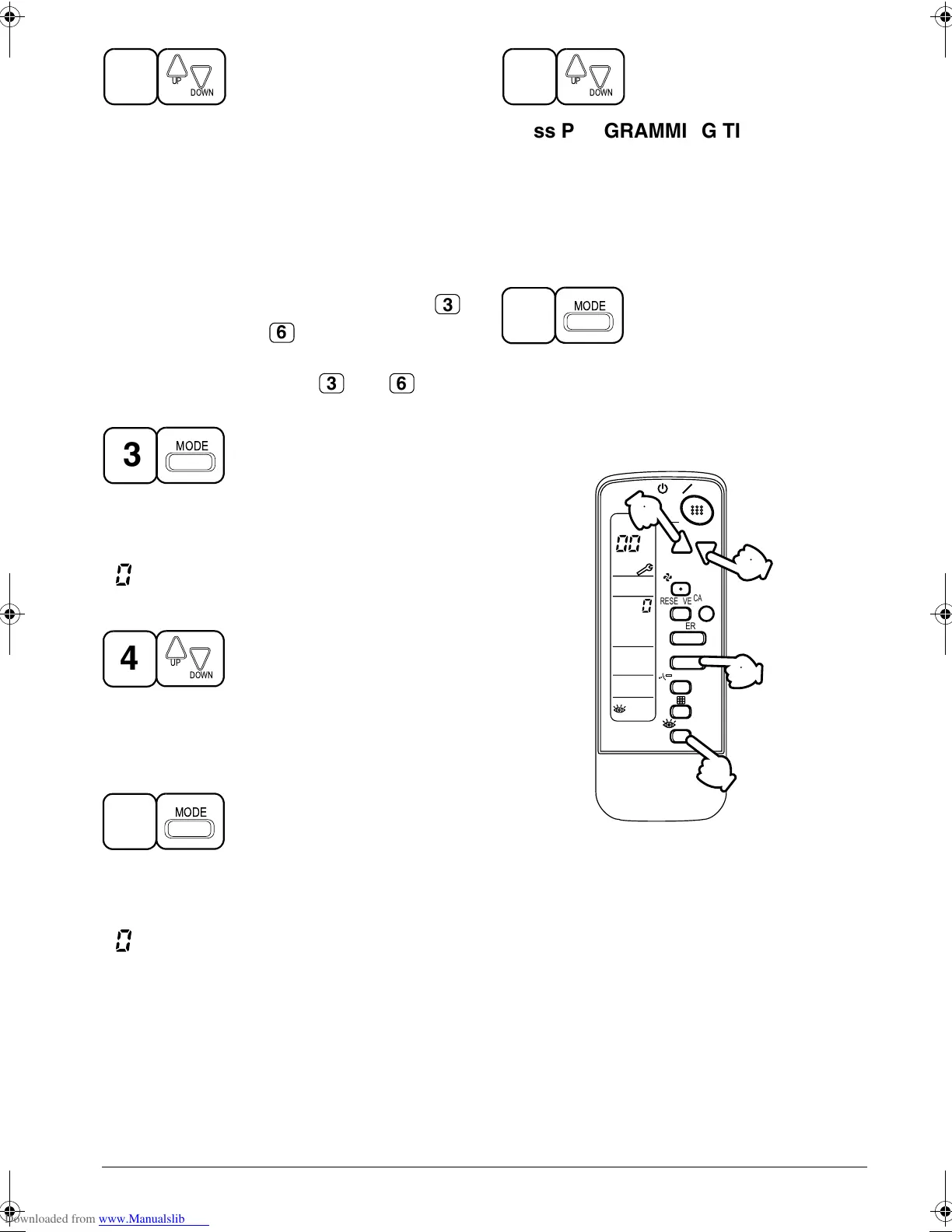
Press PROGRAMMING TIMER BUT-
TON and change the unit number.
Press to change the unit number until the
indoor unit beeps and perform the following
operation according to the number of beeps.
Number of beeps
3 short beeps .... Perform all steps from
to .
1 short beep ...... Perform and steps
1 long beep........ Normal state
Press OPERATION MODE SELECTOR
BUTTON
“ ” on the left-hand of the malfunction code
blinks.
Press PROGRAMMING TIMER BUT-
TON and change the malfunction code.
Press until the indoor unit beeps twice.
Press OPERATION MODE SELECTOR
BUTTON
“ ” on the right-hand of the malfunction
code blinks.
2
DOWN
UP
3
6
3 6
MODE
3
4
DOWN
UP
5
MODE
Press PROGRAMMING TIMER BUT-
TON and change the malfunction code.
Press until the indoor unit makes a long
beep.
The malfunction code is fixed when the
indoor unit makes a long beep.
Reset of the display
Press OPERATION MODE SELECTOR
BUTTON to get the display back to the
normal stae.
II. IN CASE BESIDES EMERGENCY STOP
1. The unit does not operate at all.
• Check if the receiver is exposed of
sunlight or strong light. Keep receiver
away from light.
• Check if there are batteries in the
remote controller. Place the batteries.
• Check if the indoor unit number and
wireless remote controller number are
equal.
6
DOWN
UP
7
MODE
UNIT NO.
CODE
MODE
TIMER
RESERVE
CANCEL
DOWN
UP
/TEST
SWING
FAN
TIME
TEMP
1
24
6
35
7
ON OFF
24
6
01_EN_3P107422-8S.fm Page 13 Thursday, May 29, 2008 7:41 PM



 To Next Page