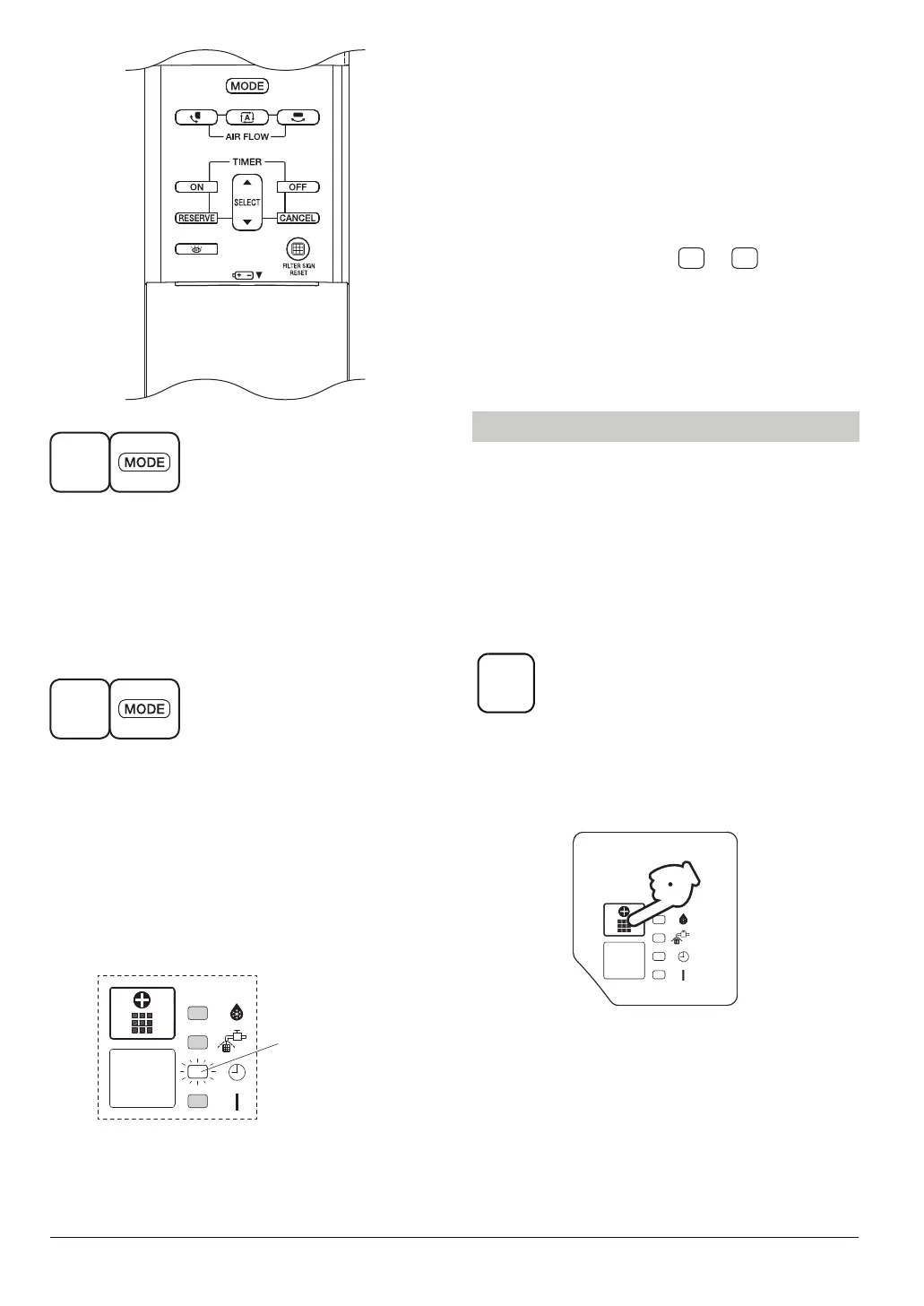
To switch the operation using the wireless
remote controller, point it at the indoor unit
to which cool/heat selection privilege has
been assigned. The operation of the indoor
units without cool/heat selection privilege
switches in accordance with the operation
of the indoor unit assigned with cool/heat
selection privilege.
To change the cool/heat selection privilege
settings, perform steps to again.
* If the wireless remote controller is operated
while pointed at an indoor unit without cool/
heat selection privilege, operation switching
cannot be performed and an error tone
(long beep) will sound.
15
1
Press and hold the OPERATION MODE
SELECTOR button on the wireless remote
controller for about 4 seconds.
The TIMER INDICATOR LAMP (Green) on
the displays of all the indoor units connected
to the same outdoor unit or BS unit will start
flashing.
2
Point the wireless remote controller at
the indoor unit to which cool/heat
privilege is to be assigned and press the
OPERATION MODE SELECTOR button
again.
Setting is complete when the TIMER
INDICATOR LAMP (Green) on the displays
of all indoor units you are trying to set stop
flashing.
* Layout of the display
area varies by model.
TIMER INDICATOR
LAMP
1
2
When the remote controller does not work
due to battery failure or the absence thereof,
use this switch which is located beside the
discharge grille on the main unit. When the
remote controller does not work, but the
battery low indicator on it is not lit, contact
your dealer.
[START]
To press the EMERGENCY
OPERATION SWITCH on the
receiver.
The air conditioner operates in the previous
mode.
The air conditioner operates with the
previously set fan speed.
EMERGENCY OPERATION
1
1 2
Location of this display varies by model.
(Refer to figure [2] on page [1])



 To Next Page