Press this button to select OPERATION
MODE. “ ” (COOLING),
“ ” (HEATING), “ ” (AUTOMATIC),
“ ” (FAN), “ ” (PROGRAM DRY).
4
Do not leave the remote controller
wherever there is a risk of wetting.
If water gets into the remote controller
there is a risk of electrical leakage and
damage to electronic components.
When using the wireless remote
controller, do not put a strong light beam
or install an inverter fluorescent lamp near
the receiving section on the main unit.
A malfunction may occur.
Watch your steps at the time of air filter
cleaning or inspection.
High-place work is required, to which
utmost attention must be paid.
If the scaffold is unstable, you may fall or
topple down, thus causing injury.
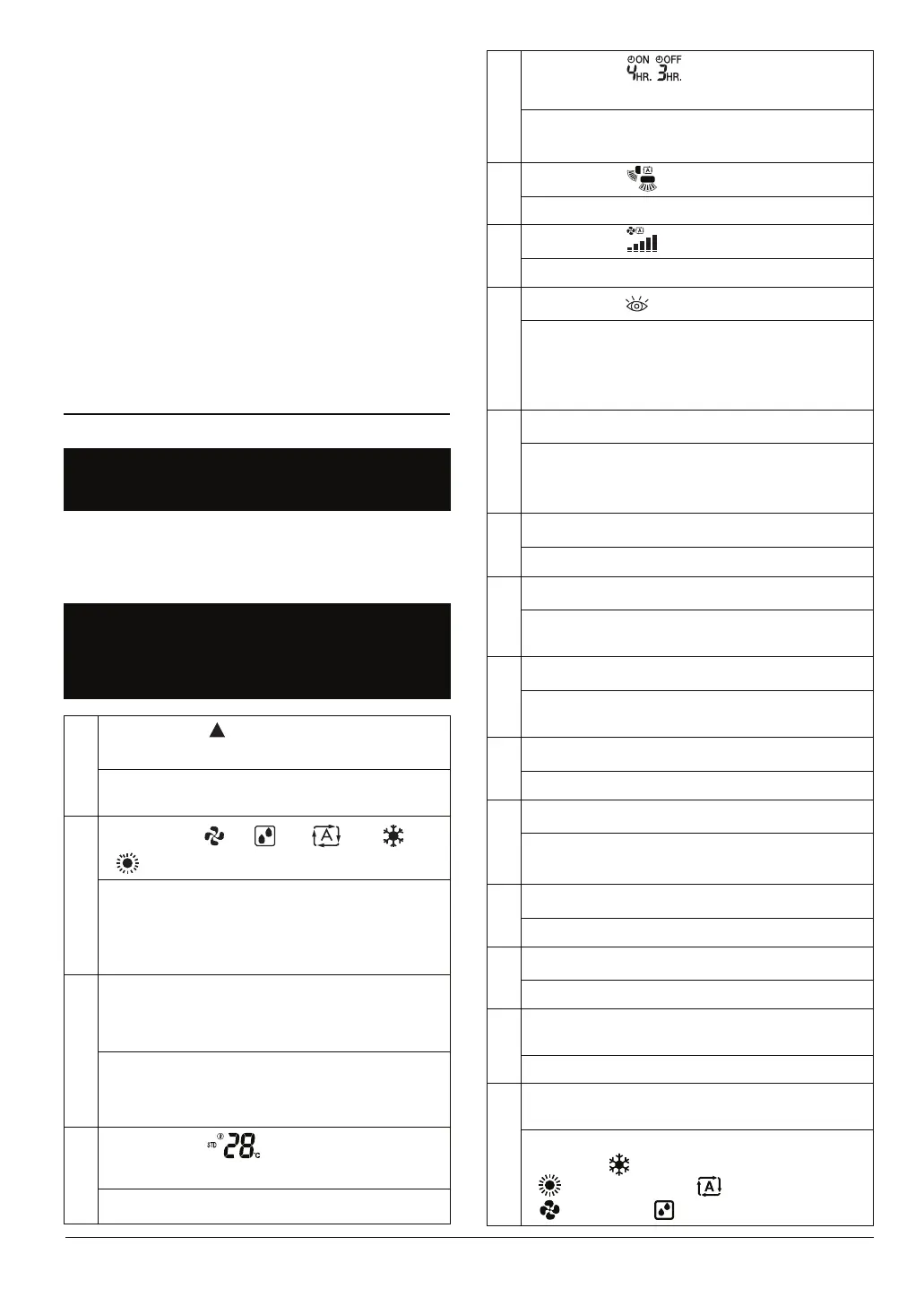
3. NAMES AND FUNCTIONS
OF THE OPERATING
SECTION (Fig. 1, 2)
1
DISPLAY “ ”
(SIGNAL TRANSMISSION)
This blinks when a signal is being
transmitted.
2
DISPLAY “ ” “ ” “ ” “ ”
“ ” (OPERATION MODE)
This display shows the current
OPERATION MODE. Operation modes
supported depend on the model that is
connected.
3
DISPLAY “NOT AVAILABLE”
(displayed when operation is not
supported)
When a button for a function that is not
supported on the connected model is
pressed, this displays for 2 seconds.
4
This display shows the set temperature.
5
6
7
8
9
10
11
12
13
14
15
16
2. WHAT TO DO BEFORE
OPERATION
Refer to the operation manual attached to
the indoor unit.
DISPLAY “ ”
(SET TEMPERATURE)
DISPLAY “ ”
(PROGRAMMED TIME)
This display shows PROGRAMMED
TIME of the air conditioner start or stop.
DISPLAY “
” (AIRFLOW BLADE)
Refer to page 11, 12.
DISPLAY “
” (FAN SPEED)
The display shows the set fan speed.
DISPLAY “
” (INSPECTION)
When the INSPECTION BUTTON is
pressed, the display shows the system
mode is in. Do not operate this button
during normal use.
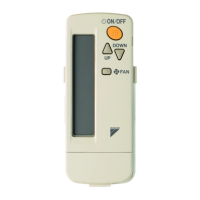
ON/OFF BUTTON
FAN SPEED CONTROL BUTTON
Press this button to select the fan speed.
TEMPERATURE SETTING BUTTON
Use this button for SETTING
TEMPERATURE.
BACKLIGHT BUTTON
Press this button to turn the backlight
on or off.
SIGNAL TRANSMITTER
This sends the signals to the indoor unit.
PROGRAMMING TIMER BUTTON
Use this button for programming
“START and/or STOP” time.
TIMER MODE ON/OFF BUTTON
Refer to page 12, 13.
TIMER RESERVE/CANCEL BUTTON
Refer to page 13.
17
AIRFLOW DIRECTION ADJUST
BUTTON
Refer to page 11, 12.
18
OPERATION MODE SELECTOR
BUTTON
Press the button and the air conditioner
will start. Press the button again and
the air conditioner will stop.



 To Next Page