English 11
Installation
6 Functionality Check
■ BRP069A41
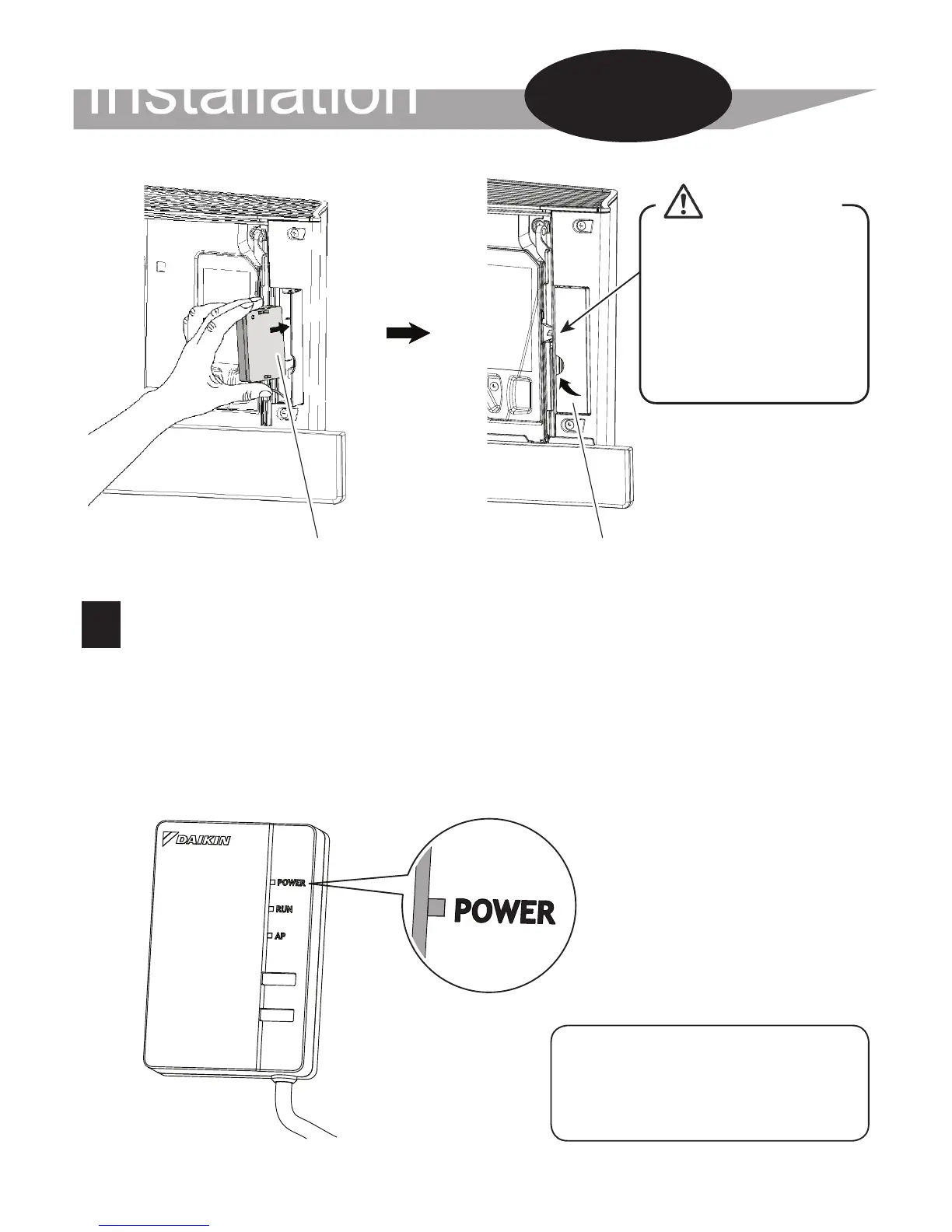
Turn on the power supply, wait until the initialization is completed
(the lower panel is in the CLOSED position). Open the door, remove the
WLAN adapter and check that the [POWER] lamp for the product lights.
After checking, return the WLAN adapter into the unit and close the door.
Installation
Work
Close this door before
operating the unit. When
turning the power supply
to the unit panels will
open. If the door is not
closed, panel will hit the
door and damage can
occur.
CAUTION
Adapter case Close
When turning on the
power, always attach
the adapter case (top).



 To Next Page