English 17
Troubleshooting
The following table provides brief descriptions of how to handle trouble or
uncertainties when you install the product or make connection settings.
Refer to the FAQ on the homepage for more details.
When this happens Explanation and where to check
None of the lamps light. → Check the installation.
The product is behaving incorrectly.
→ Turn off the air conditioner power
and restart it.
The system
(air conditioner) is not
listed on the system list
screen.
→ Check that the power is on.
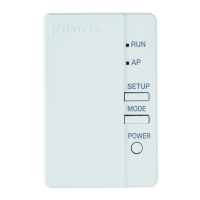
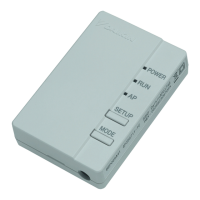
→ Check that the RUN/AP lamp is lit.
→ Retry to connect the adapter to the
wireless network.
→ Move the router (wireless LAN
access point) closer to the product
→ It is possible that you are using
a smartphone, access point or
wireless router that is not supported.
→ Make sure that the smartphone or
tablet is connected to the same
wireless LAN network as the WLAN
adapter.
See the homepage for details.
When trying to make a
direct connection to the
adapter ([AP] mode),
the adapter is not visible
in the available Wi-Fi
networks list of the
phone/tablet.
When in [AP] mode, go back to [RUN]
mode and return to [AP] mode by
pressing the [MODE] button for about
2 seconds, this to switch to another
Wi-Fi channel. Repeat if necessary.



 To Next Page