English 14
Configuration
The SSID and KEY
The [SSID] and [KEY] listed on the (B) serial number seal in
the accessory parts are necessary when connecting the air
conditioner and the smart phone using Wireless LAN.
Affix the (B) serial number seal for the accessory
parts here, and store in a safe place.
Setting Details
If connections cannot be done simply using [WPS],
connect using the following method.
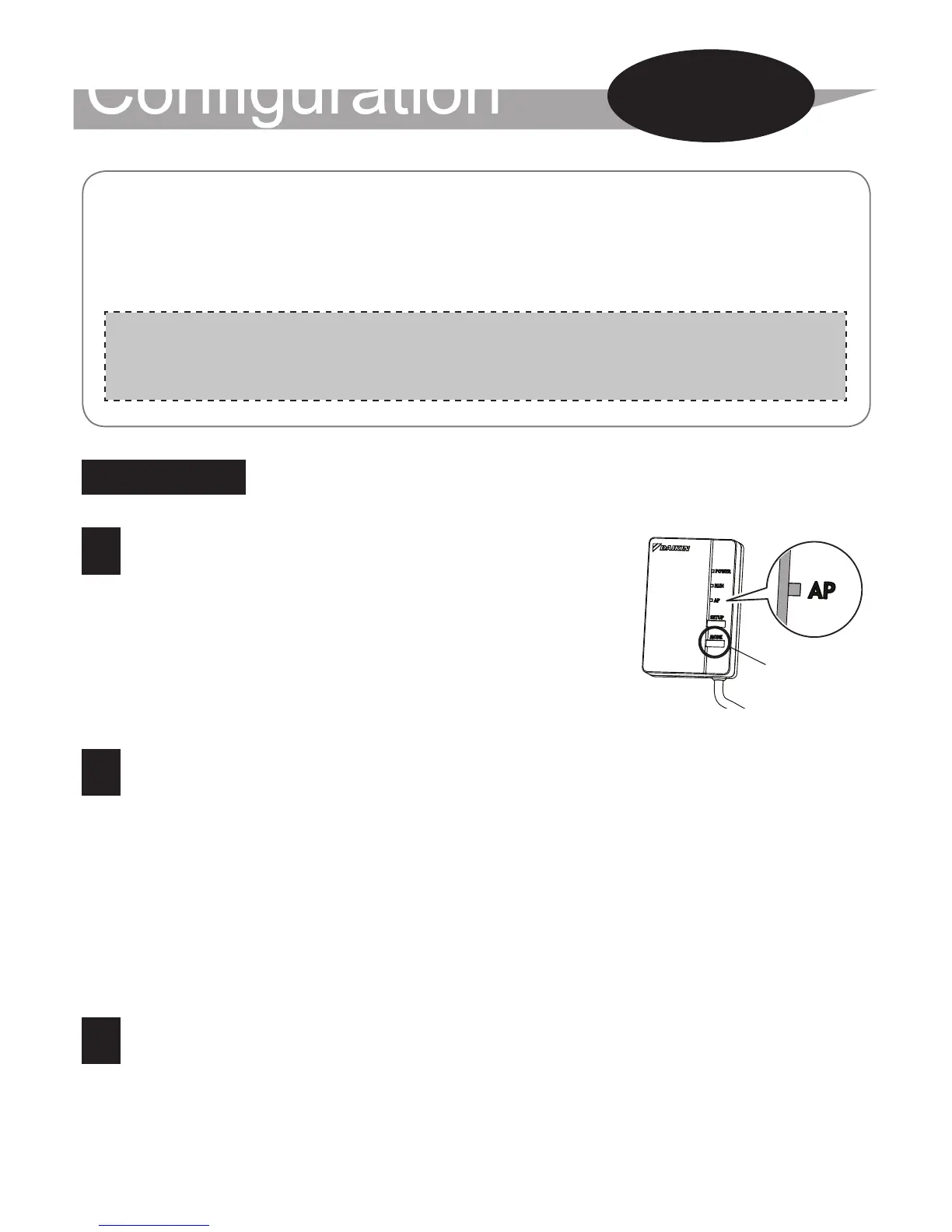
1 Hold down the [MODE] button
on the product for approxima-
tely two seconds, then wait for
up to 10 seconds until the [AP]
lamp lights.
2 Directly connect the smartphone (tablet PC)
and adapter to the Wireless LAN without going
through the router (Wireless LAN access
point).
Select SSID (DaikinAP *****) listed on the "Wi-Fi" (B) serial
number seal using the smartphone settings, or the Wireless LAN
connecting adapter, and enter the KEY.
3 Tap [Online controller] that was installed.
[MODE]
button
Connection
Settings
Section



 To Next Page