12
WPS
SETUP
Wi-Fi PROTECTED
The customer is responsible for providing the following:
•
Additional devices such as smartphones, tablets, desktop PCs, laptops or other devices that
Configuration
Configuration
Wireless Connection
Set ing Section
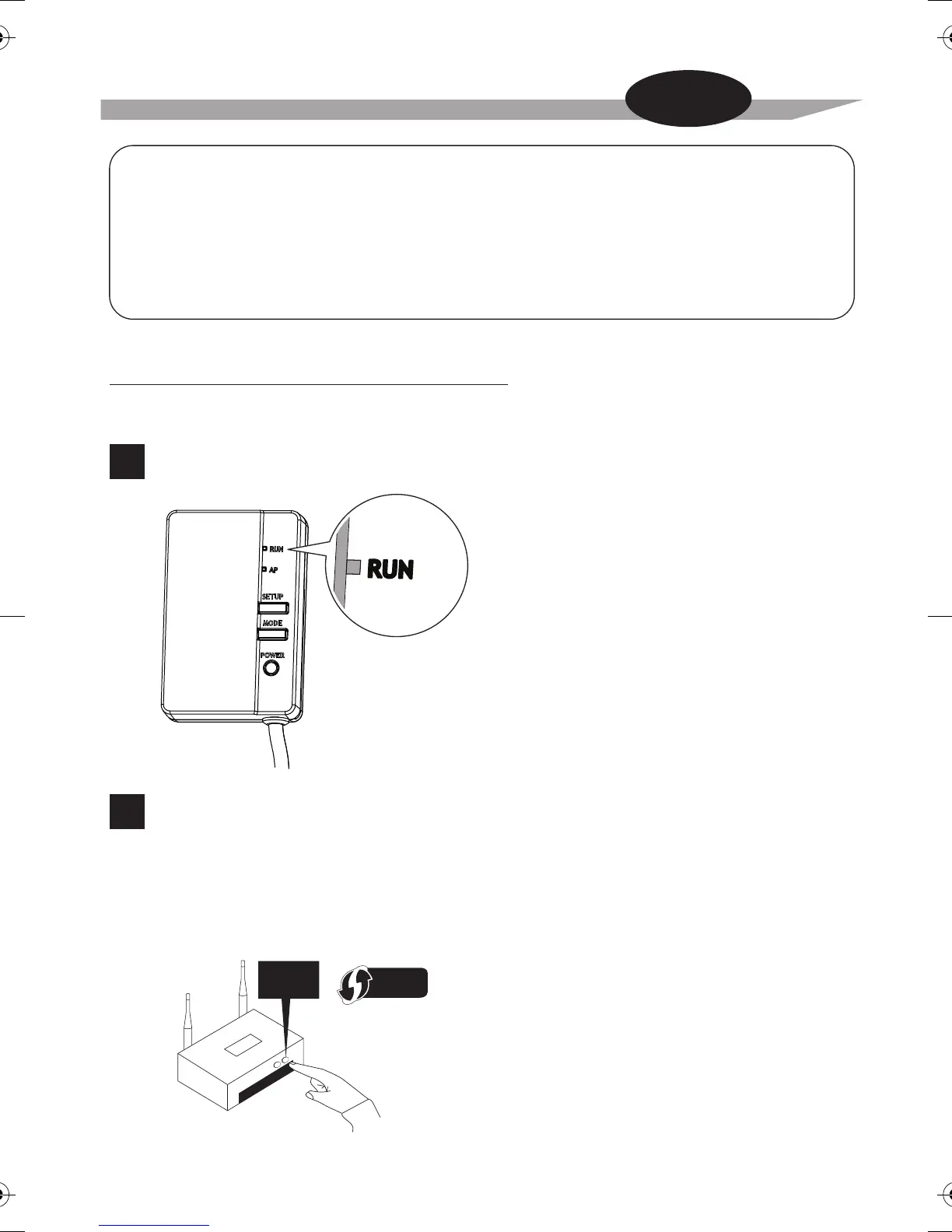
The setup is simple if there is a [WPS] button on the router (Wireless LAN access point).
Simple Wireless Connection Setting
Check that the [RUN] lamp is blinking.
Push the [WPS] button on the router
(Wireless LAN access point).
•
Operation of the [WPS] differs according to the router
(Wireless LAN access point).
•
Please refer to the documentation that comes with your router for more information.
1
2
Does your router have a [WPS] button?
For more information, see the manual of your router.
can be used as the interface between the Home gateway controller and the Wireless LAN
connecting adapter
•
Communication devices (modem/routers or similar devices) which are able to connect
between the Home gateway controller and the Wireless LAN connecting adapter


 To Next Page