7
Installation
Installation
Installation
Work
3
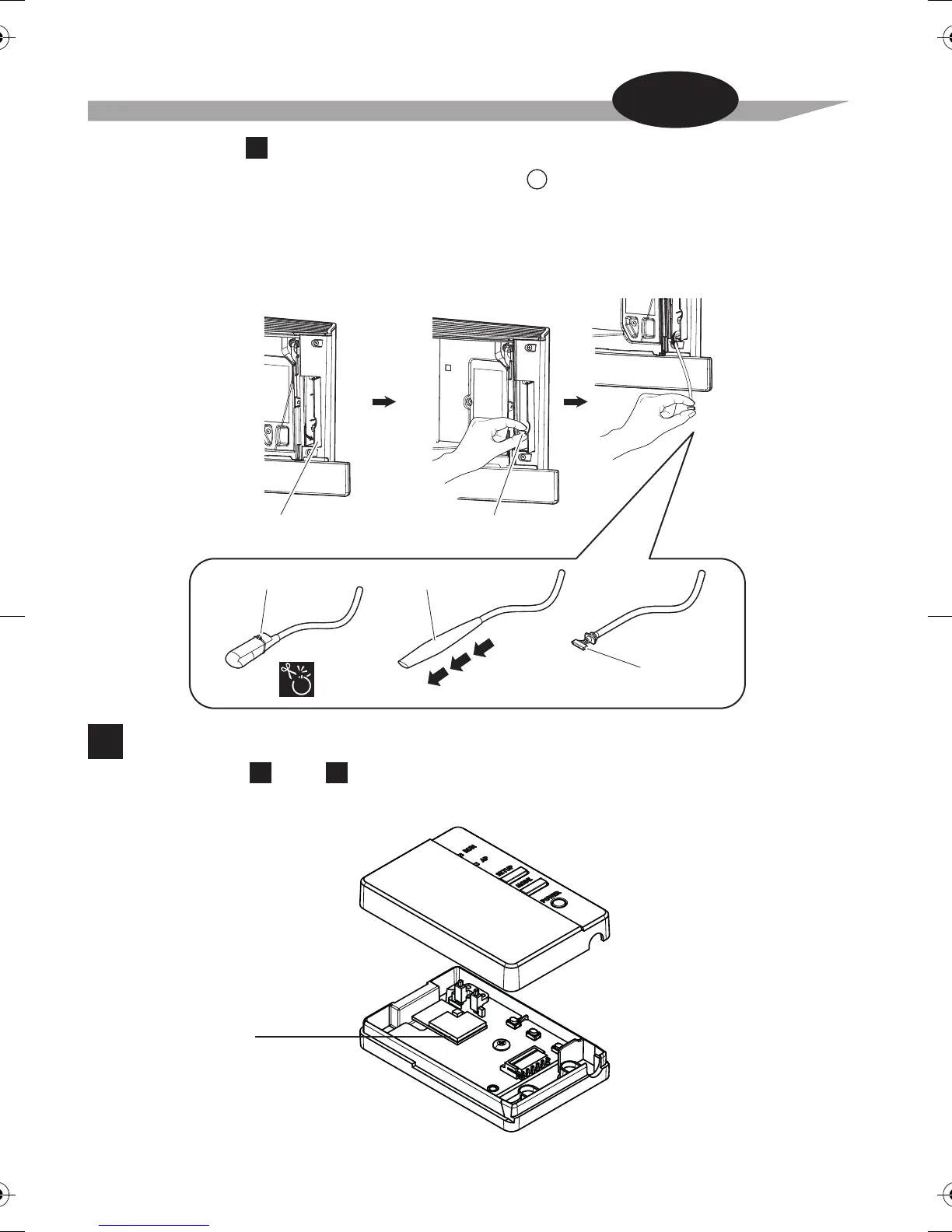
Remove the Wireless LAN connecting adapter case (upper).
Remove the upper case of the Wireless LAN connecting adapter.
Wireless LAN
connecting adapter
printed circuit board
Wireless LAN connecting
adapter case (upper)
Wireless LAN connecting
adapter case (lower)
Open the door Grab the
wire harness assembly
Binding band
Insulation tube
Connector
(white)
D
•
Some models already have the wire harness assembly
installed in the indoor unit.
In such a case,
please proceed with the installation as below.
Remove the upper front panel from the indoor unit and open the door, grab the wire harness
assembly with your fingers and pull it out, then remove the binding band and pull the insulation
tube off the wire harness assembly.
• Refer to your air conditioner’s installation manual for details on removing the upper front panel.
In the case of
B
(For both and .)
A B


 To Next Page