6 Hand-over to the user
Installation Manual
22
D2CNL024A1AA
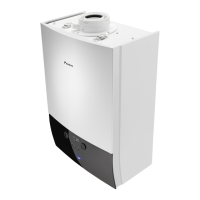
Wall-mounted condensing boiler
3P469346-12R – 2021.09
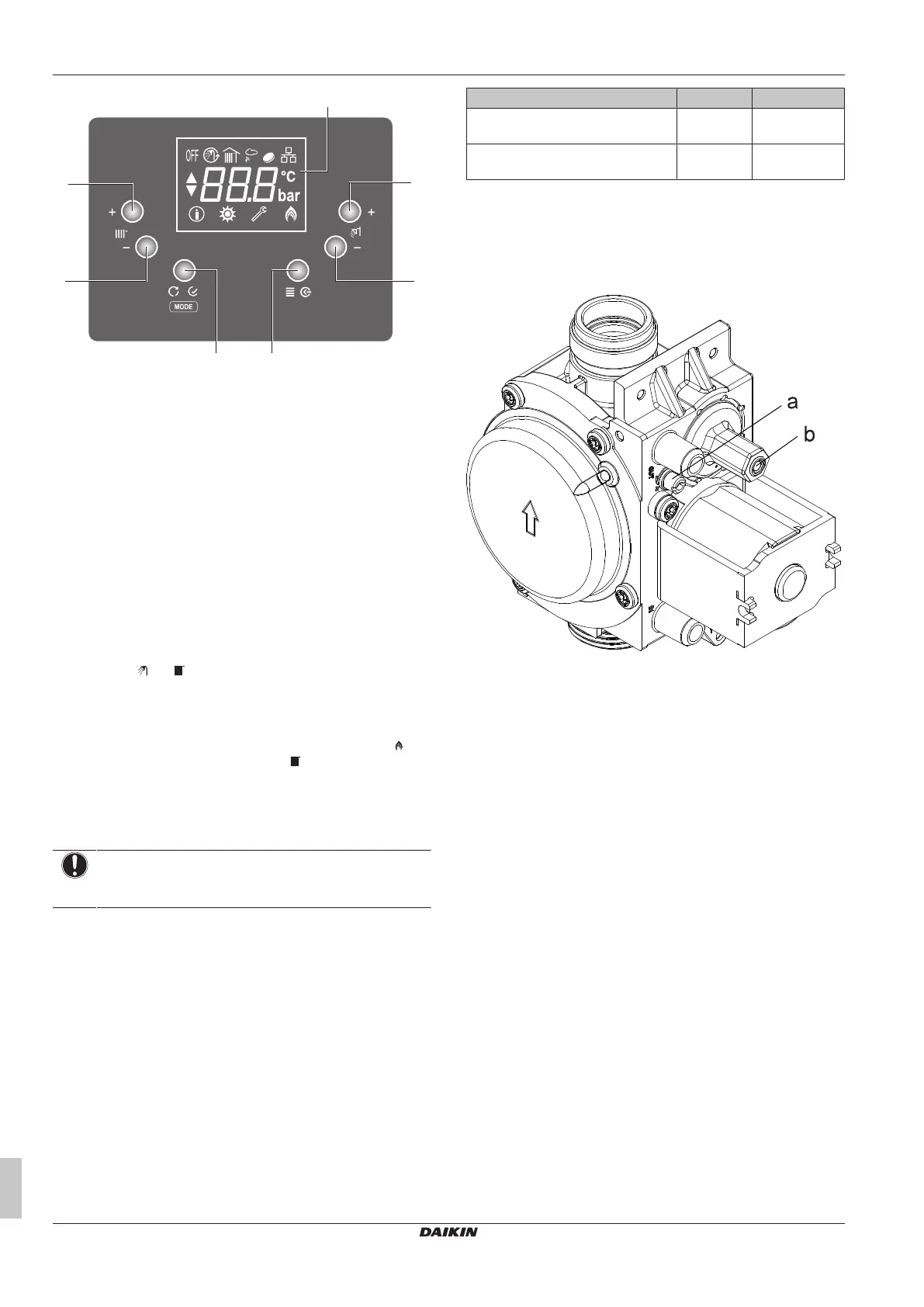
a CH+
b CH-
c Mode / Enter / Reset
d Menu / Back
e DHW-
f DHW+
g LCD Screen
1 Make sure the system is filled with water and fully vented as
described in this manual.
2 Check that the central heating and domestic hot water isolating
valves are open.
3 Check that gas service valve is open.
4 Connect the unit to the main power supply. The user interface
will be energized.
5.3.1 To commission the central heating
1 Set mode to winter mode via "Mode" button on the user
interface. ( and icons are displayed on the screen.)
2 Set central heating set temperature to maximum value via CH+
button. If connected, make sure all external controls such as
outdoor sensor and room thermostat are calling for heat.
The boiler control now go through its ignition sequence. The icon
will be displayed if flame is established. icon will be displayed
when central heating is active.
5.3.2 To measure the flue emissions to make
gas-air ratio adjustment
NOTICE
Make sure all the radiator valves are opened and water
circulation is allowed.
1 Open the unit. See "4.1 To open the unit" [4 8] to reach the
inside of the boiler.
2 Before activating the sweeper mode, gas analyzer device
should be mounted to its place on the flue.
3 To activate the sweeper mode, press "CH+" and "CH-" buttons
together 3 seconds. With sweeper mode, boiler can be
operated at maximum and minimum capacity independent of
heat demand.
4 When the sweeper mode is activated, boiler is operating at
minimum capacity. "Lo" caption will appear on screen. Check
the CO2 values at minimum capacity.
5 Press "CH+" to switch to maximum capacity. "Hı" caption will
appear on screen. Check the CO2 values at maximum capacity.
6 To quit sweeper mode, press "Reset" button.
The CO
2
values should be in limits as shown in below table.
CO
2
emissions Unit Value
CO
2
Emission at maximum heat input
(G20)
% 9.3 ± 0.2
CO
2
Emission at minimum heat input
(G20)
% 8.7 ± 0.2
If emission at maximum heat input is not in limits, turn the
adjustment screw (a) anticlockwise to increase CO2 or clockwise to
decrease CO2.
If emission at minimum heat input is not in limits, turn the adjustment
screw (b) anticlockwise to decrease CO2 or clockwise to increase
CO2.
5.3.3 To commission the central heating
capacity setting
The boiler's central heating capacity can be adjusted form the
control panel. If the heat loss of installation is much less than that of
the boiler nominal capacity, it is recommended to reduce the boiler
nominal capacity to the installation capacity. Refer to service
instructions for this operation.
5.3.4 To commission the domestic hot water
1 Set the domestic hot water set the temperature to its maximum
value via “DHW+” button.
2 Open the hot water taps fully and ensure that water flows freely
from them.
3 Measure the domestic hot water inlet temperature (cold water
drawn off from taps).
4 Check that the domestic hot water temperature rise is around
30°C.
6 Hand-over to the user
After completing the installation and commissioning of the system
the installer should hand over to the householder.
▪ Hand the operation manual to the householder and inform them
about his/her responsibilities under the relevant national
regulations.
▪ Explain and demonstrate the lighting and shutting down
procedures.
▪ Explain the function and the use of the boiler heating and
domestic hot water controls.



 To Next Page