This document serves as a user reference guide for the Daikin Altherma Low Temperature Split system, covering models EHBH/X04~16CB and EHVH/X04~16S18+26CB. It provides detailed instructions for operation, maintenance, and troubleshooting, ensuring optimal performance and user safety.
Function Description
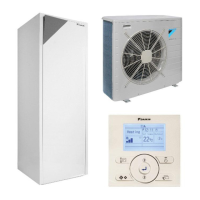
The Daikin Altherma Low Temperature Split system is a heat pump designed for space heating and cooling, and domestic hot water production. Depending on the specific model and installation, the system can:
- Heat a space: Provides warmth to living areas.
- Cool a space: Offers cooling if a heating/cooling heat pump model is installed.
- Produce domestic hot water (DHW): Heats water for household use if a DHW tank is installed.
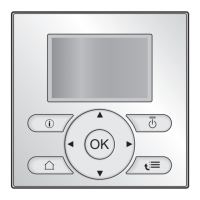
The system is controlled via a user interface, which allows users to monitor and adjust various settings. It supports different operation modes for space heating/cooling (Heating, Cooling, Automatic) and domestic hot water (Reheat, Scheduled, Scheduled + Reheat).
Important Technical Specifications
The manual lists several models, including:
- Indoor Hydrobox (Heating Only): EHBH04CB, EHBH08CB, EHBH11CB, EHBH16CB
- Indoor Hydrobox (Heating/Cooling): EHBX04CB, EHBX08CB, EHBX11CB, EHBX16CB
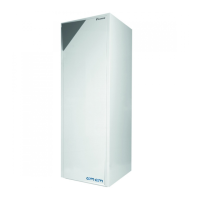
- Indoor Hydrobox (Heating Only) with Integrated DHW Tank: EHVH04S18CB, EHVH08S18CB, EHVH08S26CB, EHVH11S18CB, EHVH11S26CB, EHVH16S18CB, EHVH16S26CB
- Indoor Hydrobox (Heating/Cooling) with Integrated DHW Tank: EHVX04S18CB, EHVX08S18CB, EHVX08S26CB, EHVX11S18CB, EHVX11S26CB, EHVX16S18CB, EHVX16S26CB
Refrigerant: The system uses R410A, a fluorinated greenhouse gas with a Global Warming Potential (GWP) value of 2087.5.
Power Supply: The manual indicates a "Preferential kWh rate power supply" setting, suggesting compatibility with variable electricity tariffs for energy optimization.
Booster Heater: Models may include a booster heater with capacities ranging from 0 kW, with step 1 and step 2 depending on the model.
Bottom Plate Heater: Some models may include a bottom plate heater with a power of 0 W.
Temperature Control: The system supports various temperature control methods, including room thermostat control (linked or not linked to leaving water temperature), leaving water temperature control, and external room thermostat control.
Units of Measurement: The user interface can display decimal points as Dot or Comma, temperature in °C or °F, produced energy in kWh or MBtu, and flow in l/min or GPM.
Usage Features
The user interface is designed for ease of use, offering both basic and advanced functionalities:
Basic Usage:
- Home Pages: Allow quick access to daily settings like room temperature, leaving water temperature, and DHW tank temperature. Users can read out actual and desired values and make immediate adjustments.
- Menu Structure: Provides access to more detailed configuration settings not meant for daily adjustments. Breadcrumbs help users navigate the menu.
- ON/OFF Controls: Users can turn ON or OFF room temperature control, leaving water temperature control, and domestic hot water control.
- Space Heating/Cooling Control:
- Operation Mode: Users can select Heating, Cooling, or Automatic mode. Automatic mode adjusts based on outdoor and indoor temperatures, and monthly restrictions.
- Temperature Control: Adjusting desired room temperature or leaving water temperature.
- Temporary Overrule: Temporarily override schedules for a set period (e.g., for a party or when away).
- Domestic Hot Water Control:
- Reheat Mode: Continuously heats the DHW tank to a set temperature.
- Scheduled Mode: Heats DHW according to a programmed schedule, often optimized for off-peak hours.
- Scheduled + Reheat Mode: Combines scheduled heating with a reheat function to maintain a minimum hot water temperature at all times.
- DHW Tank Booster Mode: Allows immediate heating of the DHW tank to the preset comfort value, useful when hot water runs out unexpectedly. This consumes extra energy.
Advanced Usage:
- User Permission Levels: Users can switch between "End user" (default) and "Advanced end user" to access more detailed information and settings.
- Quiet Mode: Reduces the sound of the outdoor unit, but may decrease heating/cooling capacity. Multiple quiet mode levels are available (Level 1, 2, 3) depending on the model.
- Holiday Mode: Allows deviation from normal schedules during holidays, saving energy while preventing the house from freezing. Users can configure settings for "stay at home" or "go away" scenarios.
- Information Read-out: Access sensor information, energy metering data (produced energy, consumed electricity/gas), error history, actuator status, operation modes, running hours, and system version.
- Configuration Settings: Adjust date, time, units of measurement, user interface contrast, and backlight time.
- User Profile and Home Pages: Configure user profiles (Basic or Detailed) to customize the information displayed on home pages and select which home pages are available.
- Locking Functions: Child lock prevents children from changing settings, while function lock prevents unauthorized changes to specific functions (e.g., Room On/OFF, LWT On/OFF, DHW pump).
- Preset Values: Define and use preset values for various controls (e.g., Comfort, Eco) to simplify schedule programming and temperature adjustments.
- Schedules: Select and program user-defined or predefined schedules for room temperature, leaving water temperature, DHW tank temperature, booster heater allowance, and DHW pump operation.
Maintenance Features
The manual outlines essential maintenance guidelines to ensure the longevity and efficiency of the Daikin Altherma system:
- Annual Maintenance: An authorized installer should perform yearly maintenance.
- User Maintenance:
- Cleanliness: Keep the area around the unit clean.
- User Interface Cleaning: Clean the user interface with a soft, damp cloth; avoid detergents.
- Water Pressure Check: Regularly check the water pressure indicated on the manometer, ensuring it is above 1 bar.
- Refrigerant Handling: The product contains fluorinated greenhouse gases (R410A). Users are warned NOT to vent gases into the atmosphere. Periodical inspections for refrigerant leaks may be required based on applicable legislation. Users should contact their installer for more information.
Troubleshooting Features
The system includes features to help users identify and resolve common issues:
- Malfunction Indication: If a malfunction occurs, an icon is displayed on the home pages, and pressing it provides more information.
- Error History: Users can check the error history via the menu structure (Information > Error handling > Error history).
- Warning History: Users can check the warning history via the menu structure (Information > Error handling > Warning history).
- Symptom-Based Troubleshooting: The manual provides specific corrective actions for common symptoms:
- Feeling too cold (hot) in the living room: Adjust desired room temperature, increase/decrease preset values, or adjust room temperature schedules.
- Water at the tap is too cold: Activate DHW tank booster mode, overrule scheduled temperature, or adjust DHW tank temperature preset values and schedules.
- Heat pump failure: Press the malfunction icon for a description, press again to confirm, select OK to allow the backup heater to take over, or call a local dealer.
The manual emphasizes contacting an authorized installer for any problems that cannot be resolved using the provided troubleshooting steps. The contact/helpdesk number can be found through the user interface.


 To Next Page


 General