10 | Configuration
Installer reference guide
145
EPRA08~12EAV3+W1 + ETVH12SU18+23EA6V
Daikin Altherma 3 H MT F
4P644482-1 – 2021.03
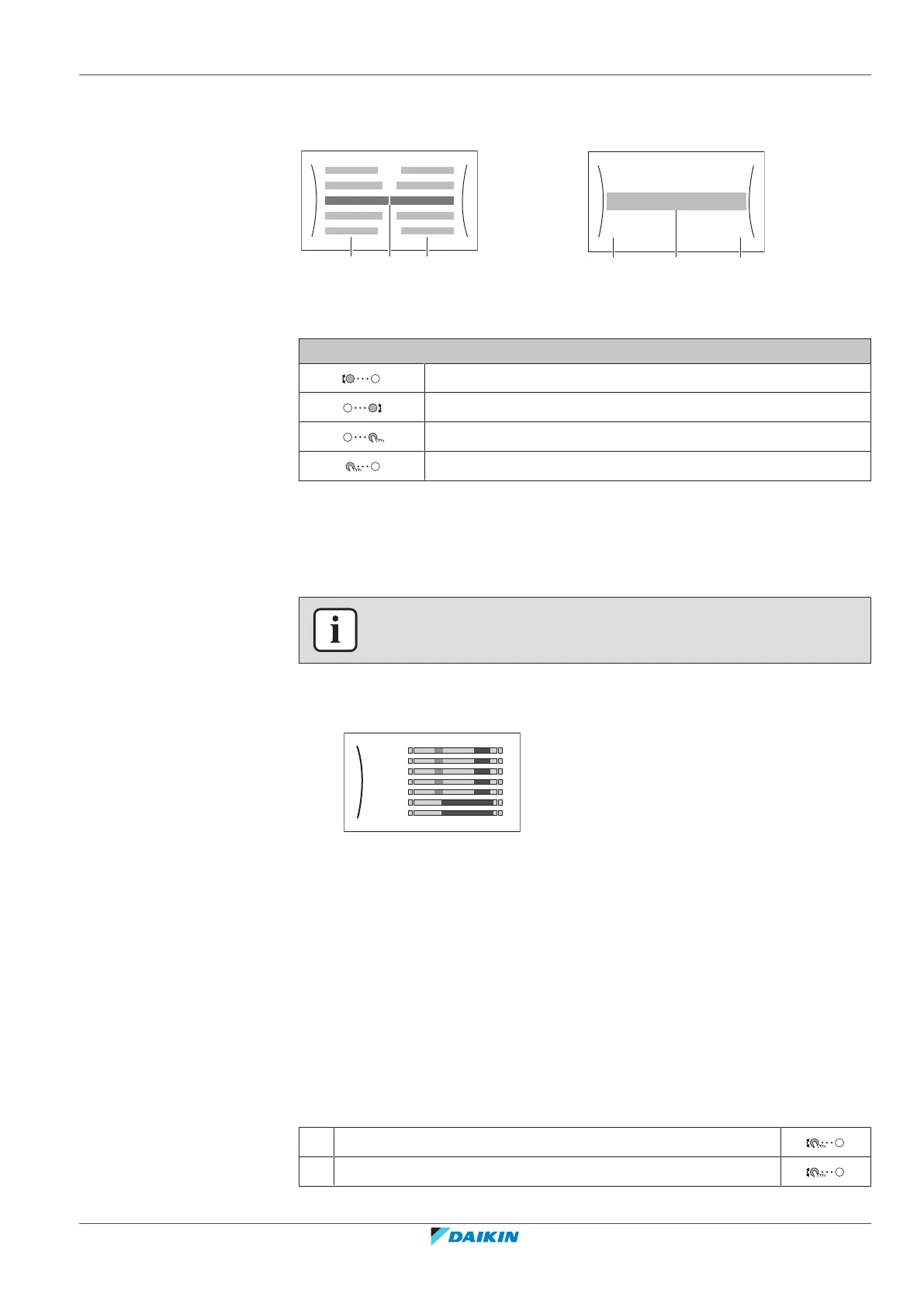
10.3.6 Detailed screen with values
Example:
Time/date
Hours
11
30
Minutes
a Settings
b Values
c Selected setting and value
Possible actions on this screen
Go through the list of settings.
Change the value.
Go to the next setting.
Confirm changes and proceed.
10.3.7 Schedule screen: Example
This example shows how to set a room temperature schedule in heating mode for
the main zone.
INFORMATION
The procedures to program other schedules are similar.
To program the schedule: overview
Example: You want to program the following schedule:
Mon
Sat
Wed
Fri
Thu
Tue
Sun
User defined 1
Prerequisite: The room temperature schedule is only available if room thermostat
control is active. If leaving water temperature control is active, you can program
the main zone schedule instead.
1 Go to the schedule.
2 (optional) Clear the content of the whole week schedule or the content of a
selected day schedule.
3 Program the schedule for Monday.
4 Copy the schedule to the other weekdays.
5 Program the schedule for Saturday and copy it to Sunday.
6 Give the schedule a name.
To go to the schedule
1 Go to [1.1]: Room > Schedule.
2 Set scheduling to Yes.



 To Next Page