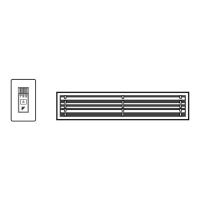
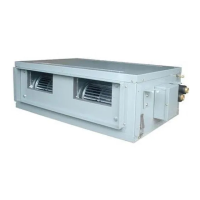
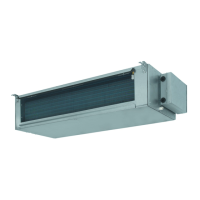
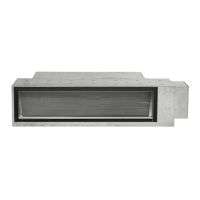
This document serves as an operation manual for Daikin Room Air Conditioners, specifically covering models FDXS25CVMB, FDXS35CVMB, CDXS50CVMB, CDXS60CVMB, FDXS25CAVMB, and FDXS35CAVMB, along with their corresponding FDKS variants. It provides comprehensive instructions for safe and efficient use, operation, and maintenance of the air conditioning units.
Function Description
The Daikin Room Air Conditioner is designed to provide comfortable indoor environments through various operation modes. It supports AUTO, DRY, COOL, HEAT, and FAN modes, allowing users to select the most suitable setting for their comfort needs. The unit also features a POWERFUL operation mode for rapid cooling or heating, and an OUTDOOR UNIT QUIET operation to reduce outdoor unit noise, which is particularly useful during nighttime. For enhanced convenience, the HOME LEAVE operation allows users to pre-record preferred temperature and airflow settings, enabling the unit to maintain a comfortable environment when they are away or sleeping. The system also incorporates TIMER functions, including ON TIMER and OFF TIMER, for automatic scheduling of operation, and a NIGHT SET MODE to prevent excessive cooling or heating during sleep.
For multi-system setups, the manual details how to select the operation mode, manage priority room settings, and utilize the NIGHT QUIET Mode and OUTDOOR UNIT QUIET operation effectively across multiple indoor units connected to a single outdoor unit. The Cooling / Heating Mode Lock feature is available for heat pump models, allowing the unit to be forcibly set to either Cooling or Heating Mode across all indoor units.
Usage Features
The air conditioner is operated primarily via a remote controller, which features a display for current settings, temperature adjustment buttons, and dedicated buttons for each operation mode (AUTO, DRY, COOL, HEAT, FAN). The remote controller also includes buttons for POWERFUL, QUIET, HOME LEAVE, ON TIMER, OFF TIMER, TIMER Setting, TIMER CANCEL, and CLOCK functions. An indoor unit ON/OFF switch is also available on the unit itself for basic operation if the remote controller is unavailable.
Setting the Clock: Users can set the current time on the remote controller by pressing the "CLOCK button" and using the "TIMER setting button" to adjust the time.
Starting Operation: To begin, users press the "MODE selector button" to choose an operation mode (AUTO, DRY, COOL, HEAT, or FAN), then press the "ON/OFF button." The operation lamp on the indoor unit will light up.
Temperature Adjustment: Temperature settings can be changed using the "TEMPERATURE adjustment buttons." In DRY or FAN mode, temperature adjustment is not available as the unit automatically controls these functions.
Air Flow Rate Setting: The "FAN setting button" allows users to select from five levels of air flow rate. An "Indoor unit quiet operation" setting is also available to reduce indoor unit noise, though this may slightly reduce capacity.
POWERFUL Operation: This mode maximizes cooling or heating effect for 20 minutes, after which the unit reverts to previous settings. It is activated by pressing the "POWERFUL button." Some functions may be unavailable in this mode, and it cannot be used simultaneously with QUIET Operation.
OUTDOOR UNIT QUIET Operation: Activated by the "QUIET button," this function lowers the outdoor unit's noise level by adjusting frequency and fan speed. It is available in COOL, HEAT, and AUTO modes and cannot be used with POWERFUL operation.
HOME LEAVE Operation: Users can record their preferred temperature and air flow rate settings for this mode. Once set, pressing the "HOME LEAVE button" will activate these pre-recorded settings, providing a comfortable environment when away or sleeping. This feature is available in COOL and HEAT modes.
TIMER Operation: The ON TIMER and OFF TIMER functions allow for automatic scheduling of the air conditioner's operation. Users can set specific times for the unit to turn on or off. The "NIGHT SET MODE" automatically adjusts temperature settings during OFF TIMER operation to ensure comfortable sleep.
Multi System Operation: In multi-system setups, priority is given to the first indoor unit turned on. Other units should be set to the same operation mode. The manual also explains how to manage priority room settings for POWERFUL and OUTDOOR UNIT QUIET operations in a multi-system environment.
Maintenance Features
Regular care and cleaning are essential for maintaining the air conditioner's performance and longevity.
Safety Precautions: Before any cleaning or maintenance, users must stop operation and turn off the breaker. Only qualified service personnel should perform maintenance.
Cleaning the Air Filter: The air filter should be cleaned regularly, approximately every two weeks, to prevent inefficient operation and energy waste. To clean, remove the filter by pulling it over the bends, remove dust with a vacuum cleaner, and rinse gently with cool water. Avoid using detergents or hot water to prevent shrinking or deformation. After cleaning, dry the filter in the shade before reattaching.
Cleaning the Drain Pan: The drain pan should be cleaned periodically by a Daikin dealer to prevent clogging and water leakage.
General Checks: Users should regularly check the outdoor unit's base, stand, and fittings for decay or corrosion. Ensure that air inlets and outlets of both indoor and outdoor units are not blocked. During COOL or DRY operation, verify that drain water flows smoothly from the drain hose; if not, stop operation and consult a service shop.
Before a Long Idle Period: If the air conditioner will not be used for an extended period, such as in spring or autumn, it is recommended to operate the unit in "FAN only" mode for several hours on a fine day to dry out the interior. After this, turn off the breaker, clean the air filters, and remove batteries from the remote controller.
Trouble Shooting: The manual includes a troubleshooting section to address common issues that are not necessarily malfunctions. This includes situations like delayed start-up, unusual sounds, water or steam emission from the outdoor unit, mist from the indoor unit, odors, and unexpected stops. For more complex issues or abnormalities, users are advised to call a service shop immediately. The remote controller also features a fault diagnosis function, displaying specific codes (e.g., U0, A1, E5) that correspond to different system issues, aiding in diagnosis.
Important Information Regarding Refrigerant: The product uses R410A refrigerant, a fluorinated greenhouse gas. Periodical inspections for refrigerant leaks may be required based on local legislation.
By following these guidelines, users can ensure the safe, efficient, and long-lasting operation of their Daikin Room Air Conditioner.



 To Next Page


 General