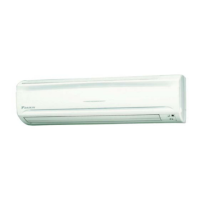
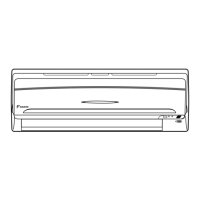
This document is an operation manual for Daikin room air conditioners, specifically models FTN50FV1B, FTYN50FV1B, FTN60FV1B, and FTYN60FV1B. It provides comprehensive instructions for safe operation, maintenance, and troubleshooting of the units.
Function Description
The Daikin room air conditioner is designed to provide comfortable indoor climate control through various operation modes: AUTO, DRY, COOL, HEAT, and FAN. Users can select their preferred mode to achieve optimal temperature and humidity levels. The unit also features a POWERFUL operation for quick maximization of cooling or heating effects, and a TIMER function for automated on/off scheduling.
Important Technical Specifications
Operation Modes: AUTO, DRY, COOL, HEAT, FAN.
Temperature Adjustment: Via remote controller buttons.
Air Flow Rate Settings: Five levels, plus an automatic setting.
Timer Functions: OFF TIMER and ON TIMER, can be combined.
Refrigerant Type: R410A.
GWP (Global Warming Potential) Value: 1975.
Remote Controller: ARC433A72, A73 series, with a maximum communication distance of approximately 7m.
Batteries: Two AAA dry batteries for the remote controller.
Power Consumption (Idle): 15-35 watts.
Operating Conditions (Temperature and Humidity Ranges):
- COOL Mode:
- Outdoor temperature: -10 to 46°C
- Indoor temperature: 18 to 32°C
- Indoor humidity: 80% max.
- HEAT Mode:
- Outdoor temperature: -15 to 18°C
- Indoor temperature: 14 to 28°C
- DRY Mode:
- Outdoor temperature: -10 to 46°C
- Indoor temperature: 18 to 32°C
- Indoor humidity: 80% max.
Recommended Temperature Settings for Energy Saving:
- Cooling: 26°C - 28°C
- Heating: 20°C - 24°C
Usage Features
Remote Controller: The primary interface for controlling the air conditioner. It features an ON/OFF button, MODE selector, TEMPERATURE adjustment, FAN setting, SWING button for flap adjustment, ON TIMER, OFF TIMER, TIMER Setting, TIMER CANCEL, CLOCK, and RESET buttons. The display shows current settings.
Indoor Unit ON/OFF Switch: A manual switch on the indoor unit (Item 13) allows basic operation (start/stop) if the remote controller is unavailable. For FTN models, COOL mode is set to 22°C with AUTO airflow. For FTYN models, AUTO mode is set to 25°C with AUTO airflow.
Clock Setting: The remote controller allows users to set the current time, which is essential for timer operations.
Operation Modes:
- AUTO: The system automatically selects COOL or HEAT based on room temperature and adjusts settings to reach a user-defined level.
- DRY: Reduces room humidity while maintaining temperature as much as possible. Temperature and fan strength are automatically controlled.
- COOL: Cools the room by discharging hot air outside.
- HEAT: Heats the room by taking heat from outdoor air. Heating capacity may decrease in lower outdoor temperatures, and defrosting operation may occur.
- FAN: Circulates air without heating or cooling.
Air Flow Direction Adjustment:
- Horizontal Blade (Flap): Adjustable using the SWING button on the remote controller. The flap swings within a range that varies by operation mode (e.g., approx. 10°~40° for COOL/DRY, 15°~55° for HEAT/FAN).
- Vertical Blades (Louvers): Manually adjustable by holding the knob on the left and right side blades. Caution is advised due to the high-speed rotating fan inside.
POWERFUL Operation: Maximizes cooling or heating effect for 20 minutes. Some functions may be unavailable during this mode. It automatically reverts to previous settings after 20 minutes.
TIMER Operation:
- OFF TIMER: Automatically stops the unit after a set period.
- ON TIMER: Automatically starts the unit at a set time.
- Combination: Both ON and OFF timers can be set together for programmed operation.
- NIGHT SET MODE: When OFF TIMER is active, the system slightly adjusts temperature (0.5°C up in COOL, 2.0°C down in HEAT) for comfortable sleep.
Energy Saving Tips:
- Avoid excessive cooling or heating.
- Maintain moderate temperature settings.
- Cover windows with blinds or curtains to block sunlight.
- Clean air filters every two weeks.
- Turn off the breaker if the unit will not be used for a long period.
Maintenance Features
General Cleaning:
- Wipe indoor unit, outdoor unit, and remote controller with a dry, soft cloth.
- Front Panel: Can be opened, removed, cleaned with a soft cloth soaked in water (using neutral detergent if needed), dried in the shade, and reattached.
Filter Cleaning:
- Air Filter: Pull out the air filters, wash with water or clean with a vacuum cleaner. If very dirty, use lukewarm water and neutral detergent, then dry in the shade. Recommended cleaning every two weeks.
- Titanium Apatite Photocatalytic Air-Purifying Filter: This filter is renewed by washing with water every 6 months. It is recommended to replace it every 3 years. To clean, remove the tabs, wash in water mixed with a neutral cleaning agent for 10-15 minutes, rinse, and dry in the shade. Do not wring out.
Pre-Long Idle Period Maintenance:
- Operate in "FAN only" mode for several hours to dry the inside of the unit.
- Turn off the breaker.
- Clean and reinstall air filters.
- Remove batteries from the remote controller.
Periodical Maintenance:
- Beyond regular user cleaning, periodical maintenance by a specialist is recommended after several seasons of use to address potential fouling inside the unit and maintain performance. Contact the dealer for this service.
Troubleshooting (Fault Diagnosis by Remote Controller):
- The remote controller can display error codes (e.g., U0, U2, A1, E5, F3, H6) by holding down the TIMER CANCEL button for 5 seconds. These codes correspond to specific system malfunctions (e.g., refrigerant shortage, transmission failure, fan motor fault, temperature sensor fault).
- A table of error codes and their meanings is provided to assist in diagnosis.
Safety Precautions:
- Keep the manual accessible.
- Do not operate with harmful or flammable gases nearby.
- Avoid prolonged exposure to airflow.
- Do not insert objects into air outlets/inlets.
- Do not attempt self-repair, relocation, modification, or reinstallation.
- Ensure proper earthing.
- Do not block air inlets/outlets.
- Do not stand or sit on the outdoor unit.
- Do not place moisture-sensitive items under the unit.
- Ventilate the room if using a burner appliance simultaneously.
- Turn off the breaker before cleaning.
- Use the specified power supply.
- Ensure smooth drain hose drainage.
- Keep the outdoor unit clear of objects and debris.
- Do not operate with wet hands.
- Do not wash the indoor unit with excessive water.
- Do not place water-containing vessels on the unit.
- Consult the dealer for installation in specific environments (oily, steamy, coastal, sulfide gas, snowy).
- Consider noise nuisance to neighbors when choosing an installation site.
- Use a separate power circuit for the air conditioner.
- Consult the dealer for system relocation.
- In case of abnormality (e.g., burning smell, abnormal sound, breaker trip), stop operation, turn off the breaker, and call for service.
- Do not attempt to repair or modify the unit yourself.
Disposal Requirements:
- Electrical and electronic products, including the air conditioner, should not be mixed with unsorted household waste.
- Dismantling, refrigerant treatment, and disposal of parts must be done by a qualified installer according to local and national legislation.
- Batteries from the remote controller must be removed and disposed of separately.


 To Next Page

 General