EasyManua.ls Logo

Daikin FTXR28EV1B - User Manual

Daikin FTXR28EV1B
30 pages
Print Icon
To Next Page IconTo Next Page
Loading...
Deutsch
Français
Nederlands
Español
Italiano
ΕλληνικÜ
Portugues
Рóссêий
English
Türkçe
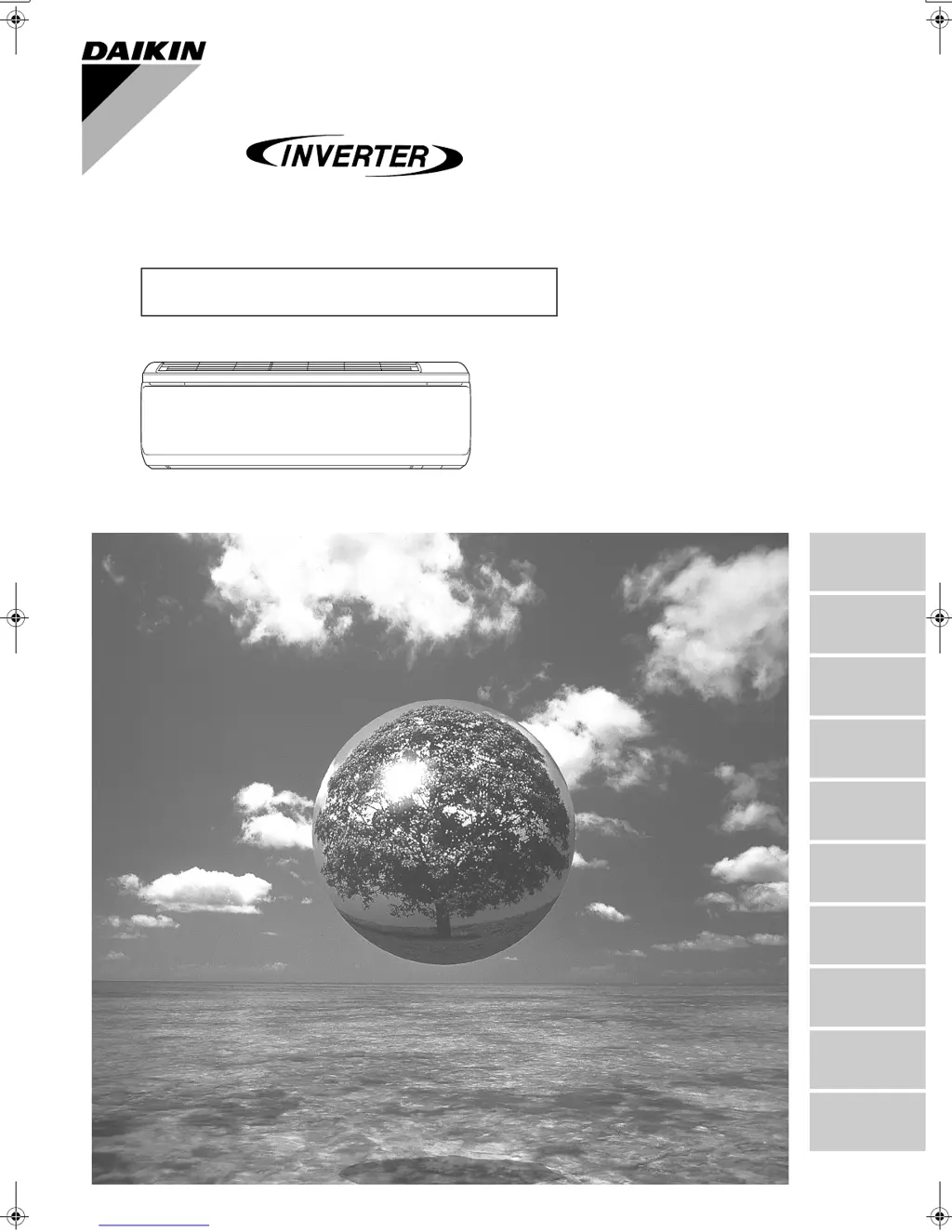
FTXR28EV1B9
FTXR42EV1B9
FTXR50EV1B9
MODELS
DAIKIN ROOM AIR CONDITIONER
Operation Manual
00_CV_3P190650-1D.fm Page 1 Tuesday, March 6, 2007 6:22 PM

Other manuals for Daikin FTXR28EV1B

Questions and Answers

Summary

Safety Precautions

Names of Parts

Indoor Unit Components

Identifies and describes components of the indoor unit, including sensors and indicators.

Outdoor Unit Components

Identifies and describes components of the outdoor unit, including sensors and piping.

Remote Controller Operation

Remote Controller Transmitter and Receiver

Details the transmitter/receiver function of the remote controller.

Remote Controller Display

Explains the various displays shown on the remote controller screen.

Remote Controller Buttons and Functions

Details the functions of various buttons on the remote controller for operation.

Preparation Before Operation

Setting the Remote Controller Batteries

Instructions for installing batteries into the remote controller.

Using the Remote Controller

Guidance on how to operate the remote controller effectively.

Installing the Remote Controller Holder

Steps for mounting the remote controller holder on a wall or pillar.

Attaching Air Filters

Instructions for attaching air filters to the indoor unit.

Turning on the Power Breaker

Procedure for turning on the main power supply to the unit.

Setting the Clock

Energy Saving Tips

Provides advice on operating the air conditioner efficiently to save energy.

Operating Conditions and Specifications

Details the recommended operating temperature and humidity ranges for optimal performance.

Reachable Humidity Levels

Explains how humidity capability varies with outdoor temperature and humidity.

Cooling and Sarara Drying Operation

Cooling Operation Mode

Instructions for operating the unit in cooling mode to lower temperature.

Sarara Drying Operation Mode

Instructions for operating the unit in Sarara Drying mode to lower humidity.

Adjusting Airflow for Cooling;Drying

How to adjust airflow direction and rate during cooling and drying operations.

Stopping Cooling and Drying Operation

Procedure for stopping the cooling or drying operation.

Setting Temperature and Humidity

How to adjust temperature and humidity settings for cooling and drying.

Heating and Ururu Humidifying Operation

Heating Operation Mode

Instructions for operating the unit in heating mode to raise temperature.

Ururu Humidifying Operation Mode

Instructions for operating the unit in Ururu Humidifying mode to raise humidity.

Adjusting Airflow for Heating;Humidifying

How to adjust airflow direction and rate during heating and humidifying.

Stopping Heating and Humidifying Operation

Procedure for stopping the heating or humidifying operation.

Setting Temperature and Humidity

How to adjust temperature and humidity settings for heating and humidifying.

Auto Operation Mode

Adjusting Airflow in Auto Mode

How to adjust airflow direction and rate when the unit is in auto mode.

Stopping Auto Operation

Procedure for stopping the auto operation mode.

Setting Temperature in Auto Mode

How to adjust the temperature setting during auto operation.

Moisturizing Operation Mode

Setting Temperature for Moisturizing

How to adjust temperature settings for moisturizing operation.

Adjusting Airflow for Moisturizing

How to adjust airflow direction during moisturizing operation.

Canceling Moisturizing Operation

Procedure for deactivating the moisturizing operation mode.

Airflow Adjustment and Modes

Adjusting Vertical and Horizontal Airflow

How to change the direction of airflow vertically and horizontally.

Fixing Airflow Direction

Steps to manually fix the airflow direction.

Using 3-D Airflow

Instructions for activating and using the 3-D airflow feature.

Canceling 3-D Airflow

Procedure for deactivating the 3-D airflow feature.

Comfort Airflow and Cooling Breeze Modes

Explanation and use of Comfort Airflow and Cooling Breeze modes.

Adjusting Airflow Rate

How to adjust the fan speed or airflow rate.

Flash Streamer and Fresh Air Supply

Adjusting Airflow for Streamer;Fresh Air

How to adjust airflow direction and rate for these functions.

Home Leave Ventilation

Setting Home Leave Ventilation Stop Time

How to set the duration for the home leave ventilation.

Adjusting Airflow for Home Leave

How to adjust airflow direction during home leave ventilation.

Canceling Home Leave Ventilation

Procedure for deactivating home leave ventilation.

Timer Operation Modes

Countdown Off Timer

How to set a timer to automatically stop the unit.

On;Off Timer Operation

How to set timers for automatically turning the unit on or off.

Canceling Timer Operations

Procedure for canceling any set timer functions.

Comfort Sleep Operation

Setting Wake-up Time for Comfort Sleep

How to set the desired wake-up time for comfort sleep.

Canceling Comfort Sleep Operation

Procedure for deactivating the comfort sleep mode.

Powerful Operation Mode

Adjusting Airflow in Powerful Mode

How to adjust airflow direction during powerful operation.

Canceling Powerful Operation

Procedure for stopping the powerful operation mode.

Setup and Customization

Child Proof Lock Setting

How to enable or disable the child lock feature for the remote controller.

Mold Proof Setting

How to enable or disable the mold proof operation.

Monitor Brightness Adjustment

How to adjust the brightness of the indoor unit display.

Beep Volume Setting

How to adjust the volume of the unit's beep sounds.

Remote Controller Contrast Setting

How to adjust the contrast of the remote controller's LCD screen.

Mold Proof Operation

Mold Proof Operation Movement

Describes the unit's movements and indicator lights during mold proof operation.

Automatic Mold Proof Operation

Details when the mold proof operation runs automatically.

Manual Mold Proof Operation

Instructions for manually starting and stopping mold proof operation.

Mold Shock Out Operation

Mold Shock Out Operation Movement

Describes the unit's movements and indicator lights during mold shock out.

Stopping Mold Shock Out Operation

Procedure for stopping the mold shock out operation.

Information Display Function

Displaying Unit Information

How to view indoor/outdoor temperature and humidity readings.

Care and Cleaning

Quick Reference for Cleaning

A summary table of parts and cleaning recommendations.

Resetting Filter Cleaning Indicator

How to reset the indicator after cleaning the air filters.

Front Panel Removal and Attachment

Opening the Front Panel

Steps to open the front panel of the indoor unit.

Removing the Front Panel

Instructions for detaching the front panel from the unit.

Attaching the Front Panel

Instructions for reattaching the front panel to the unit.

Upper Panel Removal and Attachment

Removing the Upper Panel

Instructions for detaching the upper panel of the indoor unit.

Attaching the Upper Panel

Instructions for reattaching the upper panel to the unit.

Cleaning Specific Parts

Cleaning the Air Filter

Opening Front Panel for Filter Access

Steps to open the front panel to access the air filters.

Removing the Air Filters

Instructions for pulling out the air filters from the unit.

Cleaning the Air Filter

Methods for cleaning the air filters, including washing and vacuuming.

Reinstalling the Air Filter

Instructions for reinstalling the air filter and closing the front panel.

Resetting Filter Cleaning Indicator

How to reset the indicator after cleaning the air filters.

Streamer Unit and Filter Maintenance

Removing Streamer Unit and Filters

Instructions for removing the streamer unit and air filters.

Removing the Deodorizing Filter

Steps to remove the deodorizing filter for the streamer.

Removing the Streamer Unit

Instructions for pulling out the streamer unit.

Removing the Photocatalytic Air-Purifying Filter

Steps to remove the Titanium apatite photocatalytic air-purifying filter.

Attaching Streamer Unit and Filters

Instructions for reattaching the streamer unit and air filters.

Cleaning Streamer Unit and Filters

Cleaning Deodorizing and Photocatalytic Filters

How to clean the deodorizing and photocatalytic filters.

Cleaning the Streamer Unit

Detailed instructions for cleaning the streamer unit, including disassembly.

Filter and Streamer Unit Replacement

Replacing the Deodorizing Filter

Instructions for replacing the deodorizing filter for the streamer.

Replacing the Photocatalytic Air-Purifying Filter

Instructions for replacing the Titanium apatite photocatalytic air-purifying filter.

Streamer Unit Disassembly and Assembly

Disassembling the Streamer Unit

Steps for safely disassembling the streamer unit for cleaning or repair.

Assembling the Streamer Unit

Instructions for correctly reassembling the streamer unit.

Air Supply Filter Care

Cleaning and Replacing the Air Supply Filter

Instructions for cleaning and replacing the air supply filter.

Cleaning Indoor Unit and Remote Controller

Pre-Operation Check

Preparation for Long Idle Periods

Troubleshooting Common Issues

Unit Does Not Start Immediately

Reasons why the unit may not start immediately after power-on or mode change.

Delayed Hot Air Flow During Heating

Explanation for the delay in hot air output at the start of heating.

Unit Noise Explanations

Descriptions of various normal operating sounds the unit may make.

Fizzing Sounds During Humidifying;Ventilating

Explanation for fizzing sounds during humidifying or ventilating operations.

Humidifying Operation Sounds

Explanation for sounds during humidifying operation.

Post-Humidifying Operation Noise

Reasons for noise from the indoor unit after humidifying stops.

Unit Stops During Heating with Water Sound

Explanation for unit stoppage and water sounds during heating.

Outdoor Unit Emitting Water or Steam

Explanation for water or steam emission from the outdoor unit.

Mist from Indoor Unit

Explanation for mist appearing from the indoor unit.

Indoor Unit Odor Issues

Reasons for odors emitted from the indoor unit.

Cold Air at Start of Sarara Drying

Explanation for cold air discharge at the beginning of Sarara Drying.

Outdoor Fan Rotation When Unit is Off

Reasons for the outdoor fan rotating when the unit is not operating.

Sudden Operation Stop (Indicator Lamp On)

Explanation for sudden stops with the indicator lamp illuminated.

Sudden Stop During Timer Mode

Reasons for sudden stops when an ON timer is active.

Unit Operates with Indicator Lamp Off

Explanation for unit operation when the indicator lamp is off.

Continuous Operation After Stopping Modes

Reasons for continued operation after stopping specific modes.

Room Lamp Flickering During Humidifying

Possible cause for room lamp flickering during humidifying operation.

Troubleshooting Checklist

Unit Not Operating (Lamp Off)

Checks to perform if the unit does not operate and the indicator lamp is off.

Unit Not Operating (Lamp Flashing)

Checks to perform if the unit does not operate and the indicator lamp flashes.

Sudden Stop With Flashing Lamp

Checks to perform if the unit stops suddenly with a flashing indicator lamp.

Poor Cooling or Heating Effect

Checks to perform if the cooling or heating performance is insufficient.

Abnormal Operation During Use

Checks to perform for general abnormal functioning during operation.

Front Panel Not Opening (Lamp Flashing)

Checks to perform if the front panel does not open and the lamp flashes.

Lamp Flashes During Streamer Air Purifying

Checks to perform if the indicator lamp flashes during streamer air purifying.

Product Disposal Requirements

Recommended Periodical Maintenance

Refrigerant Information

Call Service Shop Immediately

Symptoms Requiring Service Call

List of symptoms indicating a need to contact a service shop.

Indicator Lamp Blinking During Operation

Explanation for indicator lamp blinking during operation, possibly indicating sensor issues.

Behavior After Power Failure

How the unit behaves after a power failure and what to expect.

Lightning Protection Measures

Advice on protecting the unit during lightning.

Remote Controller Fault Diagnosis

Error Codes and Meanings

Lists error codes displayed by the remote controller and their corresponding meanings.

Summary

Safety Precautions

Names of Parts

Indoor Unit Components

Identifies and describes components of the indoor unit, including sensors and indicators.

Outdoor Unit Components

Identifies and describes components of the outdoor unit, including sensors and piping.

Remote Controller Operation

Remote Controller Transmitter and Receiver

Details the transmitter/receiver function of the remote controller.

Remote Controller Display

Explains the various displays shown on the remote controller screen.

Remote Controller Buttons and Functions

Details the functions of various buttons on the remote controller for operation.

Preparation Before Operation

Setting the Remote Controller Batteries

Instructions for installing batteries into the remote controller.

Using the Remote Controller

Guidance on how to operate the remote controller effectively.

Installing the Remote Controller Holder

Steps for mounting the remote controller holder on a wall or pillar.

Attaching Air Filters

Instructions for attaching air filters to the indoor unit.

Turning on the Power Breaker

Procedure for turning on the main power supply to the unit.

Setting the Clock

Energy Saving Tips

Provides advice on operating the air conditioner efficiently to save energy.

Operating Conditions and Specifications

Details the recommended operating temperature and humidity ranges for optimal performance.

Reachable Humidity Levels

Explains how humidity capability varies with outdoor temperature and humidity.

Cooling and Sarara Drying Operation

Cooling Operation Mode

Instructions for operating the unit in cooling mode to lower temperature.

Sarara Drying Operation Mode

Instructions for operating the unit in Sarara Drying mode to lower humidity.

Adjusting Airflow for Cooling;Drying

How to adjust airflow direction and rate during cooling and drying operations.

Stopping Cooling and Drying Operation

Procedure for stopping the cooling or drying operation.

Setting Temperature and Humidity

How to adjust temperature and humidity settings for cooling and drying.

Heating and Ururu Humidifying Operation

Heating Operation Mode

Instructions for operating the unit in heating mode to raise temperature.

Ururu Humidifying Operation Mode

Instructions for operating the unit in Ururu Humidifying mode to raise humidity.

Adjusting Airflow for Heating;Humidifying

How to adjust airflow direction and rate during heating and humidifying.

Stopping Heating and Humidifying Operation

Procedure for stopping the heating or humidifying operation.

Setting Temperature and Humidity

How to adjust temperature and humidity settings for heating and humidifying.

Auto Operation Mode

Adjusting Airflow in Auto Mode

How to adjust airflow direction and rate when the unit is in auto mode.

Stopping Auto Operation

Procedure for stopping the auto operation mode.

Setting Temperature in Auto Mode

How to adjust the temperature setting during auto operation.

Moisturizing Operation Mode

Setting Temperature for Moisturizing

How to adjust temperature settings for moisturizing operation.

Adjusting Airflow for Moisturizing

How to adjust airflow direction during moisturizing operation.

Canceling Moisturizing Operation

Procedure for deactivating the moisturizing operation mode.

Airflow Adjustment and Modes

Adjusting Vertical and Horizontal Airflow

How to change the direction of airflow vertically and horizontally.

Fixing Airflow Direction

Steps to manually fix the airflow direction.

Using 3-D Airflow

Instructions for activating and using the 3-D airflow feature.

Canceling 3-D Airflow

Procedure for deactivating the 3-D airflow feature.

Comfort Airflow and Cooling Breeze Modes

Explanation and use of Comfort Airflow and Cooling Breeze modes.

Adjusting Airflow Rate

How to adjust the fan speed or airflow rate.

Flash Streamer and Fresh Air Supply

Adjusting Airflow for Streamer;Fresh Air

How to adjust airflow direction and rate for these functions.

Home Leave Ventilation

Setting Home Leave Ventilation Stop Time

How to set the duration for the home leave ventilation.

Adjusting Airflow for Home Leave

How to adjust airflow direction during home leave ventilation.

Canceling Home Leave Ventilation

Procedure for deactivating home leave ventilation.

Timer Operation Modes

Countdown Off Timer

How to set a timer to automatically stop the unit.

On;Off Timer Operation

How to set timers for automatically turning the unit on or off.

Canceling Timer Operations

Procedure for canceling any set timer functions.

Comfort Sleep Operation

Setting Wake-up Time for Comfort Sleep

How to set the desired wake-up time for comfort sleep.

Canceling Comfort Sleep Operation

Procedure for deactivating the comfort sleep mode.

Powerful Operation Mode

Adjusting Airflow in Powerful Mode

How to adjust airflow direction during powerful operation.

Canceling Powerful Operation

Procedure for stopping the powerful operation mode.

Setup and Customization

Child Proof Lock Setting

How to enable or disable the child lock feature for the remote controller.

Mold Proof Setting

How to enable or disable the mold proof operation.

Monitor Brightness Adjustment

How to adjust the brightness of the indoor unit display.

Beep Volume Setting

How to adjust the volume of the unit's beep sounds.

Remote Controller Contrast Setting

How to adjust the contrast of the remote controller's LCD screen.

Mold Proof Operation

Mold Proof Operation Movement

Describes the unit's movements and indicator lights during mold proof operation.

Automatic Mold Proof Operation

Details when the mold proof operation runs automatically.

Manual Mold Proof Operation

Instructions for manually starting and stopping mold proof operation.

Mold Shock Out Operation

Mold Shock Out Operation Movement

Describes the unit's movements and indicator lights during mold shock out.

Stopping Mold Shock Out Operation

Procedure for stopping the mold shock out operation.

Information Display Function

Displaying Unit Information

How to view indoor/outdoor temperature and humidity readings.

Care and Cleaning

Quick Reference for Cleaning

A summary table of parts and cleaning recommendations.

Resetting Filter Cleaning Indicator

How to reset the indicator after cleaning the air filters.

Front Panel Removal and Attachment

Opening the Front Panel

Steps to open the front panel of the indoor unit.

Removing the Front Panel

Instructions for detaching the front panel from the unit.

Attaching the Front Panel

Instructions for reattaching the front panel to the unit.

Upper Panel Removal and Attachment

Removing the Upper Panel

Instructions for detaching the upper panel of the indoor unit.

Attaching the Upper Panel

Instructions for reattaching the upper panel to the unit.

Cleaning Specific Parts

Cleaning the Air Filter

Opening Front Panel for Filter Access

Steps to open the front panel to access the air filters.

Removing the Air Filters

Instructions for pulling out the air filters from the unit.

Cleaning the Air Filter

Methods for cleaning the air filters, including washing and vacuuming.

Reinstalling the Air Filter

Instructions for reinstalling the air filter and closing the front panel.

Resetting Filter Cleaning Indicator

How to reset the indicator after cleaning the air filters.

Streamer Unit and Filter Maintenance

Removing Streamer Unit and Filters

Instructions for removing the streamer unit and air filters.

Removing the Deodorizing Filter

Steps to remove the deodorizing filter for the streamer.

Removing the Streamer Unit

Instructions for pulling out the streamer unit.

Removing the Photocatalytic Air-Purifying Filter

Steps to remove the Titanium apatite photocatalytic air-purifying filter.

Attaching Streamer Unit and Filters

Instructions for reattaching the streamer unit and air filters.

Cleaning Streamer Unit and Filters

Cleaning Deodorizing and Photocatalytic Filters

How to clean the deodorizing and photocatalytic filters.

Cleaning the Streamer Unit

Detailed instructions for cleaning the streamer unit, including disassembly.

Filter and Streamer Unit Replacement

Replacing the Deodorizing Filter

Instructions for replacing the deodorizing filter for the streamer.

Replacing the Photocatalytic Air-Purifying Filter

Instructions for replacing the Titanium apatite photocatalytic air-purifying filter.

Streamer Unit Disassembly and Assembly

Disassembling the Streamer Unit

Steps for safely disassembling the streamer unit for cleaning or repair.

Assembling the Streamer Unit

Instructions for correctly reassembling the streamer unit.

Air Supply Filter Care

Cleaning and Replacing the Air Supply Filter

Instructions for cleaning and replacing the air supply filter.

Cleaning Indoor Unit and Remote Controller

Pre-Operation Check

Preparation for Long Idle Periods

Troubleshooting Common Issues

Unit Does Not Start Immediately

Reasons why the unit may not start immediately after power-on or mode change.

Delayed Hot Air Flow During Heating

Explanation for the delay in hot air output at the start of heating.

Unit Noise Explanations

Descriptions of various normal operating sounds the unit may make.

Fizzing Sounds During Humidifying;Ventilating

Explanation for fizzing sounds during humidifying or ventilating operations.

Humidifying Operation Sounds

Explanation for sounds during humidifying operation.

Post-Humidifying Operation Noise

Reasons for noise from the indoor unit after humidifying stops.

Unit Stops During Heating with Water Sound

Explanation for unit stoppage and water sounds during heating.

Outdoor Unit Emitting Water or Steam

Explanation for water or steam emission from the outdoor unit.

Mist from Indoor Unit

Explanation for mist appearing from the indoor unit.

Indoor Unit Odor Issues

Reasons for odors emitted from the indoor unit.

Cold Air at Start of Sarara Drying

Explanation for cold air discharge at the beginning of Sarara Drying.

Outdoor Fan Rotation When Unit is Off

Reasons for the outdoor fan rotating when the unit is not operating.

Sudden Operation Stop (Indicator Lamp On)

Explanation for sudden stops with the indicator lamp illuminated.

Sudden Stop During Timer Mode

Reasons for sudden stops when an ON timer is active.

Unit Operates with Indicator Lamp Off

Explanation for unit operation when the indicator lamp is off.

Continuous Operation After Stopping Modes

Reasons for continued operation after stopping specific modes.

Room Lamp Flickering During Humidifying

Possible cause for room lamp flickering during humidifying operation.

Troubleshooting Checklist

Unit Not Operating (Lamp Off)

Checks to perform if the unit does not operate and the indicator lamp is off.

Unit Not Operating (Lamp Flashing)

Checks to perform if the unit does not operate and the indicator lamp flashes.

Sudden Stop With Flashing Lamp

Checks to perform if the unit stops suddenly with a flashing indicator lamp.

Poor Cooling or Heating Effect

Checks to perform if the cooling or heating performance is insufficient.

Abnormal Operation During Use

Checks to perform for general abnormal functioning during operation.

Front Panel Not Opening (Lamp Flashing)

Checks to perform if the front panel does not open and the lamp flashes.

Lamp Flashes During Streamer Air Purifying

Checks to perform if the indicator lamp flashes during streamer air purifying.

Product Disposal Requirements

Recommended Periodical Maintenance

Refrigerant Information

Call Service Shop Immediately

Symptoms Requiring Service Call

List of symptoms indicating a need to contact a service shop.

Indicator Lamp Blinking During Operation

Explanation for indicator lamp blinking during operation, possibly indicating sensor issues.

Behavior After Power Failure

How the unit behaves after a power failure and what to expect.

Lightning Protection Measures

Advice on protecting the unit during lightning.

Remote Controller Fault Diagnosis

Error Codes and Meanings

Lists error codes displayed by the remote controller and their corresponding meanings.

Daikin FTXR28EV1B Specifications

General IconGeneral
BrandDaikin
ModelFTXR28EV1B
CategoryAir Conditioner
LanguageEnglish

Related product manuals