19
MOLD PROOF Operation
NOTE
Notes on MOLD PROOF operation
•WhenyouwanttostopMOLDPROOFoperationmidway,press
.
•AfterDRYorCOOLoperationstops,theairconditionerstartsMOLDPROOFoperationautomatically,andthenstops
automatically60minuteslater.
•Thisfunctionisnotdesignedtoremoveexistingdustormold.
•MOLDPROOFoperationisnotavailablewhentheunitisturnedoffusingtheOFFTIMER.
MOLDPROOFoperationisafunctionwhichreducesthespreadofmoldbyusing
FANoperationtolowerthehumidityinsidetheindoorunit.
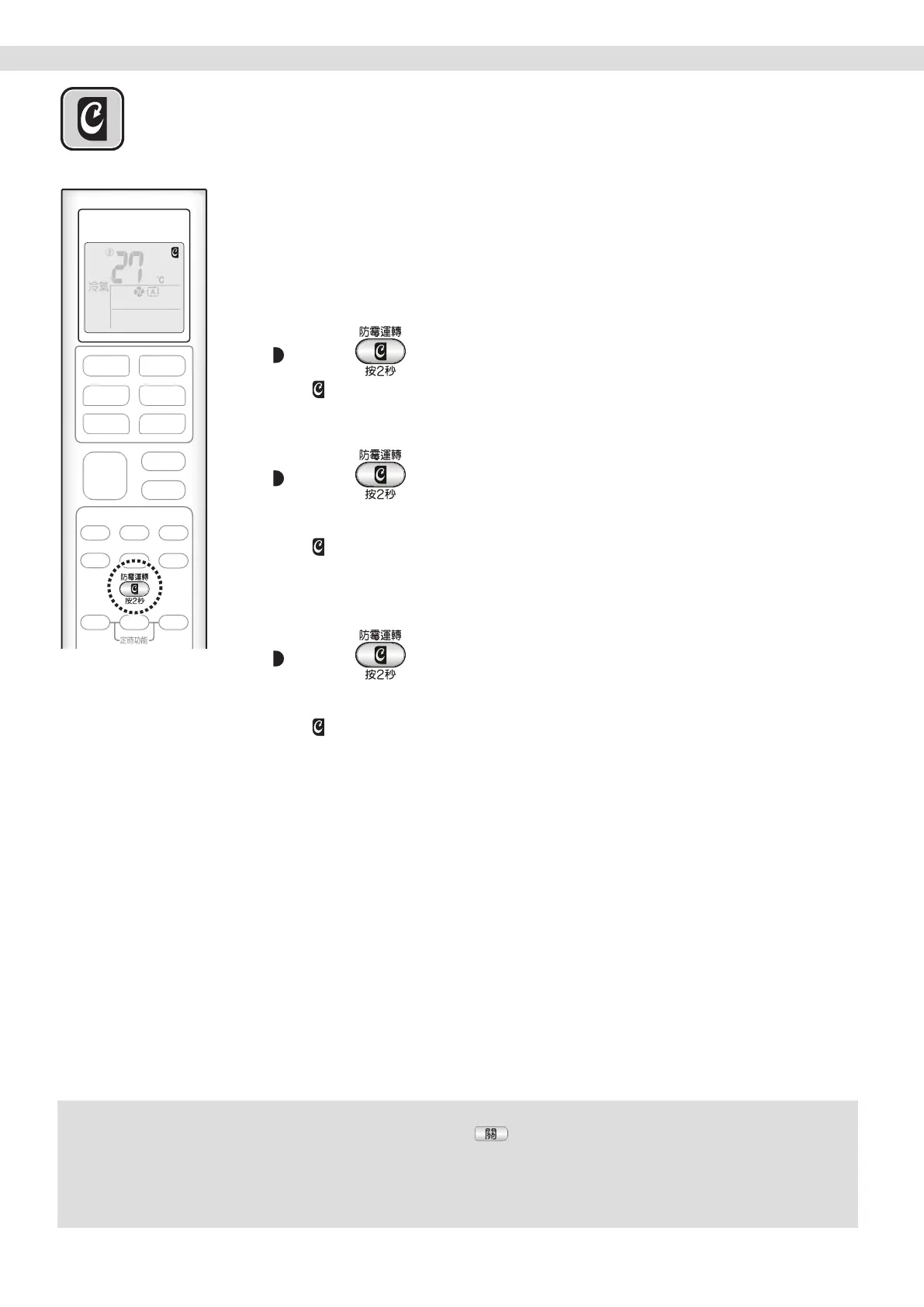
[To automatically operation]
To start
Press
and hold the button for two seconds.
•“ ”appearsontheLCD.
To cancel
Press
and hold the button for two seconds
one more time.
•“ ”disappearsfromtheLCD.
[To manually operation]
Press
for about 2 seconds while the unit is not
operation.
•“ ”blinksontheLCD,andthedisplayreturnstonormalafterawhile.
Useful Functions TIMER Operation
01_EN_3P492259-18L.indd 19 12/13/2019 2:08:22 PM



 To Next Page