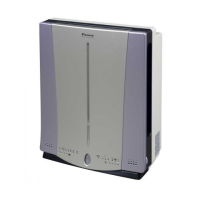
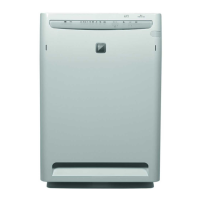
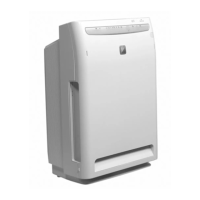
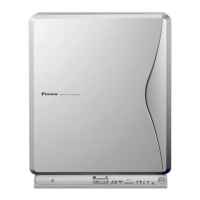
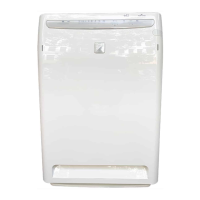
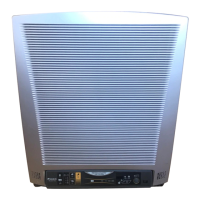
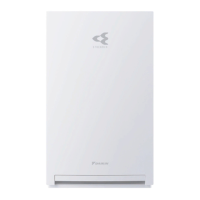
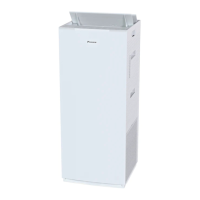
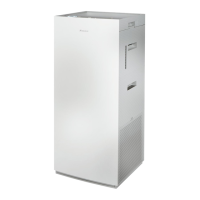
This document is the operation manual for the Daikin MC704AVM Photocataytic Air Purifier.
Function Description
The Daikin MC704AVM is a photocatalytic air purifier designed to improve indoor air quality. Its primary functions include:
- Photodecomposition, deodorization, and viral resistance: Utilizes a titanium apatite photocatalytic filter to decompose and eliminate odors, bacteria, and viruses.
- Plasma dust collection: Effectively removes cigarette smoke and pollen from the air.
- Negative ions: Generates negative ions, which are abundant in natural environments like forests and mountains, creating a refreshing atmosphere.
- Pre-cut Titanium apatite photocatalytic filter roll: Features a durable filter designed for long-lasting performance.
- Quiet operation: Engineered for secure and quiet operation.
The air purifier operates by drawing in air through an air intake sensor, where it detects dust. The air then passes through a pre-filter, which removes large dust particles. A plasma ionizer further collects very small dust not caught by the pre-filter. The titanium apatite photocatalytic filter roll, activated by a special inverter lamp, deodorizes and provides viral resistance by decomposing organic substances and harmful gases like carbon monoxide. Finally, negative ions are released to create a fresh environment.
Important Technical Specifications
- Model: MC704AVM
- Required power supply: 1e220-240/220-230V, 50/60Hz
- Outer dimensions (W x D x H): 400 x 498 x 198 mm
- Rated power consumption (W): 52/52 (Turbo mode)
- Air flow rate (m³/h):
- HH (High High): Turbo 420/450
- H (High): 300/310, 270/270
- M (Standard): 210/210
- L (Low): 150/150
- LL (Quiet): 60/60
- Applicable room area: ~41m²
- Weight: ~7.0 kg
- Titanium apatite photocatalytic filter roll: 7 sheets / roll
- Wireless remote controller: Coin type battery CR2025 set included
Usage Features
The air purifier is designed for ease of use with a remote controller and clear display indicators.
Operation Modes:
- ON/OFF: Powers the unit on or off.
- AUTO: Automatically adjusts airflow rate based on dust detection.
- LL (Quiet): Lowest airflow for quiet operation.
- L (Low): Low airflow.
- M (Standard): Standard airflow.
- H (High): High airflow.
- HH (Turbo): Highest airflow for rapid purification.
- POLLEN: Special mode for pollen collection.
- RELAY: Releases negative ions.
- BRIGHTNESS: Adjusts the brightness of the photo operation lamp and clean monitor.
- OFF TIMER: Sets a timer for automatic shutdown (1, 2, 4 hours).
- LOCK: Locks the remote controller to prevent accidental changes.
Display Indicators:
- Air intake for dust sensor: Lit during child lock.
- Clean monitor (Dust): Detects and indicates the level of dust (Weak, Strong) and odors (Weak, Strong) with corresponding LED colors (Green, Yellow, Orange, Red).
- Airflow rate indicator: Lit during automatic airflow rate.
- Pollen mode/Turbo mode indicator: Lit during pollen and turbo mode.
- Photo operation lamp: Lit during photo operation.
- Child lock lamp: Lit during child lock.
- Negative ion mode indicator: Lit during negative ion operation.
- OFF timer setting indicator: Indicates the set OFF timer time.
- Clean indicator: Indicates when cleaning of the plasma ionizer is necessary.
- Titanium apatite photocatalytic filter roll / Reset indicator: Flashes when the filter needs replacement; press the reset button after replacement.
- Air intake for odor sensor: Lit when an odor is detected.
- Clean monitor (Odor): Detects and indicates odor levels.
Installation:
- Placement: Place the air purifier on a flat, stable surface, at least 10 cm from the wall, ensuring sufficient space behind it. Avoid placing it near heat sources, direct sunlight, or areas with high humidity. Maintain at least 1 meter distance from TVs, radios, and other electronic devices to prevent interference.
- Wall-hanging: The unit can be wall-mounted. Ensure the wall is sufficiently strong and has a pillar behind it.
- Filter installation: Install the titanium apatite photocatalytic filter roll by cutting one piece from the perforation, placing it into the hooks, and ensuring the dark colored surface faces up.
Maintenance Features
Regular maintenance is crucial for optimal performance and longevity of the Daikin MC704AVM air purifier.
Cleaning Schedule:
- Pre-filter: Clean every 2 weeks. Remove dust with a vacuum cleaner or soft brush, or wash with water and dry in the shade.
- Dust sensor: Clean every 2 weeks using a vacuum cleaner nozzle for small spaces or an electric vacuum cleaner.
- Titanium apatite photocatalytic filter roll: Replace once a year. The "Replace filter" indicator will flash on the main unit display when replacement is due.
- Plasma ionizer: Clean every 2 weeks. Remove the plasma ionizer and gently wipe the ionizer line and surrounding parts with a tissue.
- Opposing pole plates: Clean every 2 weeks. Remove the plates and clean with a vacuum cleaner or a neutral household cleaner. If heavily soiled, wash with water and dry thoroughly.
- Air intake for dust sensor: Clean every 2 weeks.
Cleaning Procedures:
- Cleaning the front panel:
- Remove the front panel by pulling the panel removal knobs (two locations, left and right) and pulling the panel toward you.
- Wipe with a soft cloth. Do not use abrasive cleaners, thinners, or polishing powder.
- Reattach the front panel by aligning the hooks and pushing it into the main unit.
- Cleaning the pre-filter:
- Remove the pre-filter by pulling it upward while holding down the plasma ionizer.
- Clean with a vacuum cleaner or wash with water and dry in the shade.
- Reinstall the pre-filter in its original position.
- Replacing the Titanium apatite photocatalytic filter roll:
- Unplug the power plug.
- Remove the front panel and plasma ionizer.
- Remove the old titanium apatite photocatalytic filter roll from the receiver.
- Cut one piece of the new titanium apatite photocatalytic filter roll along the perforation.
- Install the new filter into the hooks of the receiver, ensuring the dark colored surface faces up.
- Reinstall the plasma ionizer and front panel.
- Plug in the power cord and press the "Reset" button on the main unit display.
- Cleaning the plasma ionizer:
- Remove the front panel and plasma ionizer.
- Gently wipe the ionizer line and surrounding parts with a tissue.
- Reinstall the plasma ionizer and front panel.
- Cleaning the opposing pole plates:
- Remove the front panel and plasma ionizer.
- Remove the opposing pole plates by pulling the knobs (two on each side) of the plasma ionizer toward the outside.
- Clean with a vacuum cleaner or a neutral household cleaner. If heavily soiled, wash with water and dry thoroughly.
- Securely insert the opposing pole plates into the hooks (two at center) of the plasma ionizer.
- Reinstall the plasma ionizer and front panel.
Safety Precautions:
- Always unplug the power cord before cleaning or maintenance.
- Do not wash the main unit with water.
- Do not use volatile substances like paint thinner or benzene for cleaning.
- Be careful not to scratch the front or damage the rear protrusions of the removed front panel, as these are safety switches.
- Ensure all components are dry before reassembly.
Troubleshooting:
The manual provides a detailed troubleshooting guide for common issues such as:
- Device not operating.
- Airflow rates not displaying correctly.
- Air not coming out.
- Cleaning effect not obtained.
- Television screen distortion.
- Cracking/buzzing sound during operation.
- Odor coming from the air outlet.
- Clean monitor (Dust) is red and does not change.
- Clean monitor (Dust) is green and does not change.
For each issue, it suggests checks (e.g., power plug, front panel, remote controller battery, filter status) and corresponding measures (e.g., securely insert, replace, remove obstruction, clean/replace filter, contact Daikin dealer).

 Need help?
 General

 To Next Page