EasyManua.ls Logo

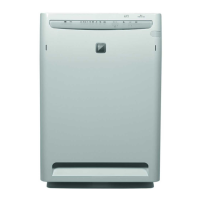
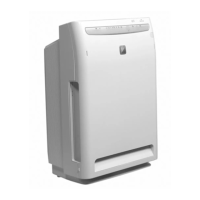
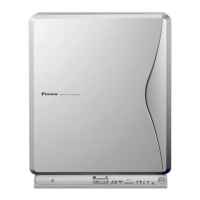
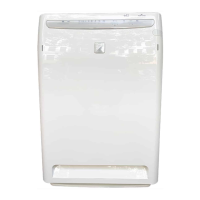
Daikin MC704VM - User Manual

Daikin MC704VM
14 pages
Print Icon
To Next Page IconTo Next Page
Loading...
OPERATION MANUAL
MODEL
MC704VM
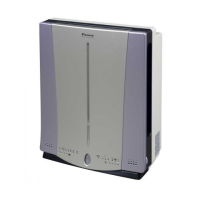
PHOTOCATALYTIC AIR PURIFIER
English
Deutsch
Français
Nederlands
Español
Italiano
ÅëëçíéêÜ
Portugues
Russian
00_CV_3P068886-5G.fm Page 1 Thursday, November 14, 2002 7:56 PM

Questions and Answers

  • J
    Jared SerranoJul 30, 2025
    What to do if Clean monitor (Dust) is red on Daikin Air Cleaner?
    • M
      Matthew RiosJul 30, 2025
      If the Clean monitor (Dust) on your Daikin Air Cleaner is red and doesn't change, it's likely due to dust clogging the dust sensor. Use the nozzle attachment of an electric vacuum cleaner to remove dust from the dust sensor air intake. After removing the dust, operate the unit manually for about half a day to restore it to normal.
  • L
    Leonard StevensAug 3, 2025
    Why is my Daikin MC704VM not cleaning properly?
    • J
      Jennifer FrankAug 3, 2025
      If your Daikin Air Cleaner isn't cleaning effectively, it might be due to an obstruction near the unit or improper airflow. Try removing any obstructions that might be blocking the airflow. Also, check the pre-filter or filter roll for excessive dust and clean or replace them as needed.
  • C
    Christina DavisAug 7, 2025
    Why does my Daikin MC704VM Air Cleaner smell?
    • D
      Dennis RobertsAug 7, 2025
      If you notice an odor coming from the air outlet of your Daikin Air Cleaner, it could be due to a large amount of odor being generated temporarily, such as from smoking or grilling. In this case, the odor should gradually disappear with continued operation. Alternatively, the pre-filter or plasma ionizer might be dirty. Try cleaning these components.
  • J
    Jennifer HoffmanAug 12, 2025
    What to do if my Daikin MC704VM Air Cleaner does not turn on?
    • A
      Adam VaughnAug 12, 2025
      If your Daikin Air Cleaner is not operating, ensure that it is securely inserted and set. Also, check the remote controller's batteries and replace them if they are dead.
  • H
    hsawyerAug 16, 2025
    How to fix a distorted TV screen caused by my Daikin MC704VM?
    • B
      Brandi AlvaradoAug 16, 2025
      If your television screen is distorted when the Daikin Air Cleaner is running, it might be due to the proximity of the devices. Ensure that the television, radio, and indoor antenna are at least 2 meters away from the air cleaner. Also, keep the power cord and antenna of the television or radio as far away from the air cleaner as possible.
  • E
    edwardsjamesAug 20, 2025
    Why is my Daikin MC704VM Air Cleaner making a crackling sound?
    • J
      johnsoncurtisAug 20, 2025
      If you hear a crackling or buzzing sound during the operation of your Daikin Air Cleaner, ensure that the plasma ionizer is securely set. Also, check the ionizing line of the plasma ionizer (resin part) for dust and clean the plasma ionizer if necessary.
  • A
    Angela AlvarezAug 25, 2025
    What does it mean when all airflow lights are flashing on my Daikin Air Cleaner?
    • E
      Ethan SmithAug 26, 2025
      If the four airflow rate displays on your Daikin Air Cleaner are flashing simultaneously, check for any foreign matter in the air outlet and remove it. For any other issues, it is recommended to contact a Daikin dealer.

Summary

Safety Precautions

Names and Operation of Each Part

Main Unit Display Overview

Preparation Before Operation

Remote Controller Operations

Covers remote controller setup, storage, usage, and battery replacement.

Filter Roll Installation

Filter Roll Installation Steps

Detailed steps for cutting, inserting, and storing the filter roll.

Plasma Ionizer and Front Panel Installation

Instructions for installing the plasma ionizer and mounting the front panel.

Main Unit Installation Guidelines

Installation Environment Requirements

Specifies indoor temperature and humidity conditions for proper operation.

How to Operate

Basic Operation and Airflow Control

Covers turning the unit on/off and manually adjusting airflow rates.

Special Operation Modes

Details on using Turbo, Anti-Pollen, and Negative Ion modes.

Timer and Brightness Settings

Instructions for setting the operation timer and adjusting display brightness.

Child Lock and Main Unit Operation

Enabling child lock and operating the unit via main unit buttons.

Care and Cleaning

Cleaning the Pre-filter

Instructions for removing, cleaning, and reinstalling the pre-filter.

Replacing the Filter Roll

Procedure for replacing the filter roll when the indicator is lit.

Cleaning the Plasma Ionizer

Steps for cleaning the plasma ionizer when the clean indicator flashes.

Cleaning the Front Panel and Dust Sensor

Maintenance for the front panel and the dust sensor intake.

Troubleshooting Guide

Daikin MC704VM Specifications

General IconGeneral
BrandDaikin
ModelMC704VM
CategoryAir Cleaner
LanguageEnglish

Related product manuals