2
3
4
5
1
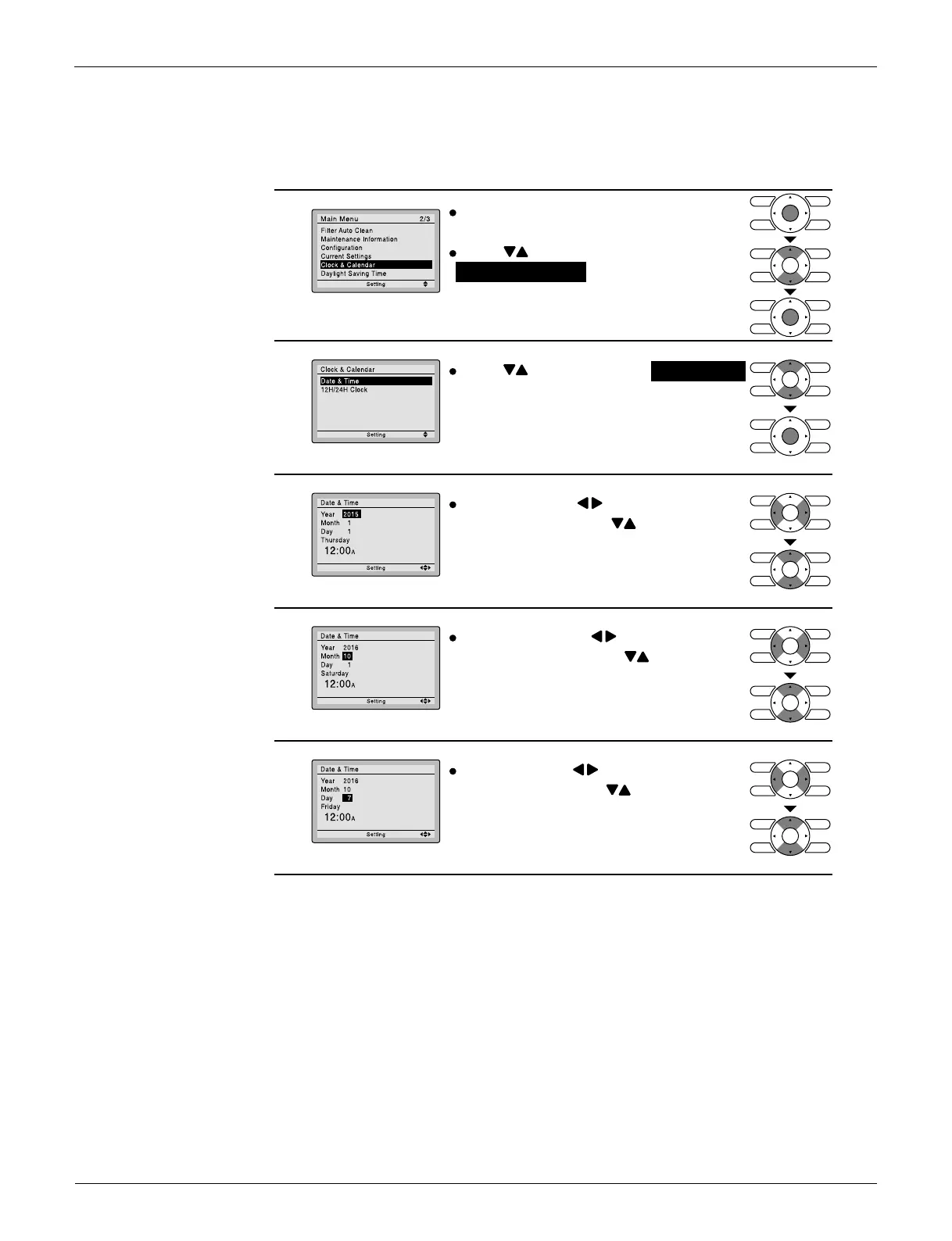
Press buttons to select Date & Time
on the clock & calendar screen.
Press Men
u/OK button to display the
date & time screen.
Select Year with buttons.
Change the year with buttons.
Holding down the button causes the
number to change continuously.
Press buttons to select
Clock & Calendar on the main menu
screen.
Press Men
u/OK button to display the
clock & calendar screen.
Select Month with buttons.
Change the month with buttons.
Holding down the button causes the
number to change continuously.
Select Day with buttons.
Change the day with buttons.
Holding down the button causes the
number to change continuously.
Days of the week change automatically.
(R24368)
Press Menu/OK button to
display the main menu screen.



 To Next Page