EasyManua.ls Logo

DAITEM SC902AU - Handset Keys and Display Overview; Handset Component Description

DAITEM SC902AU
36 pages
Print Icon
To Next Page IconTo Next Page
To Previous Page IconTo Previous Page
Loading...
4
1. Overview of handset keys and display
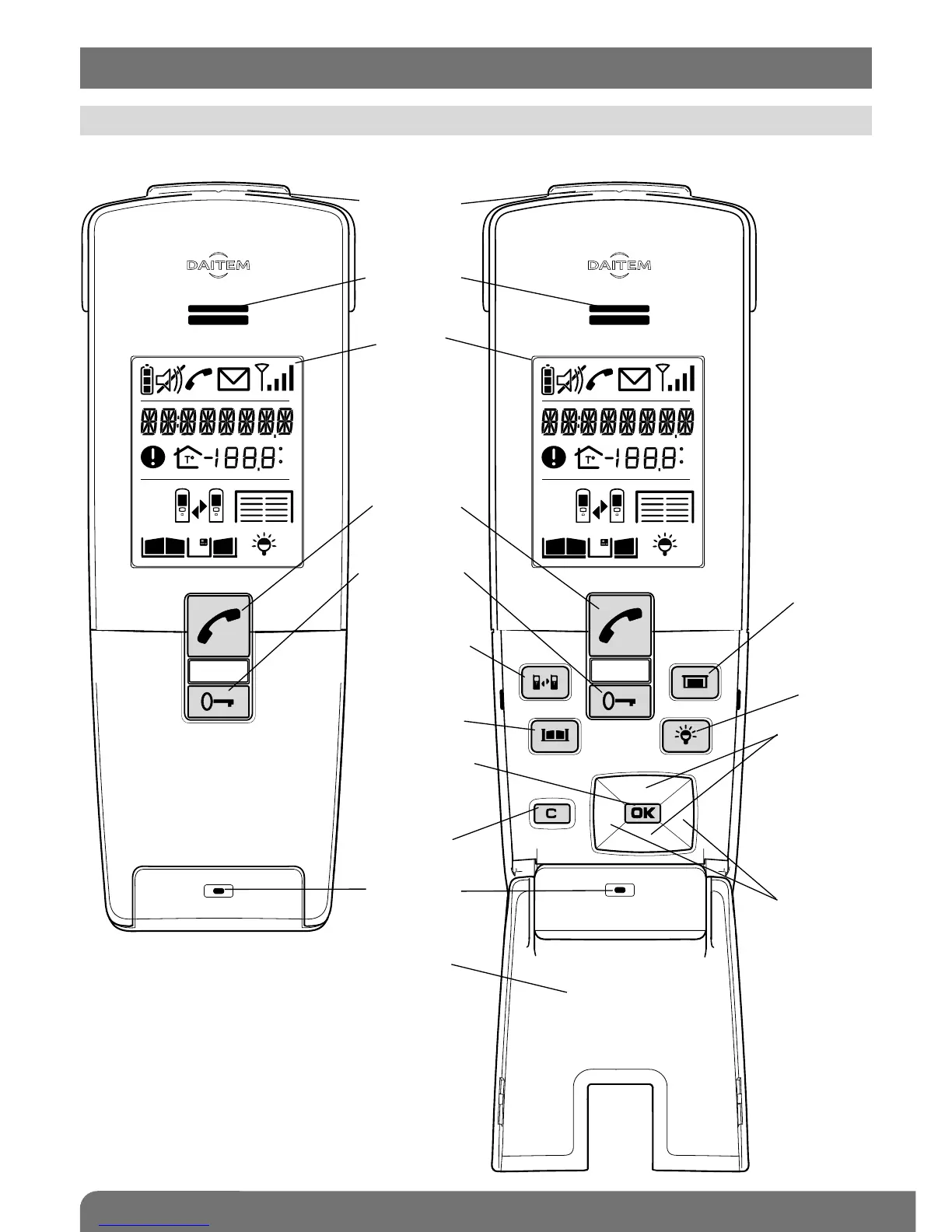
1.1 Description of handset
C
F
C
F
Cover closed Cover open
Removable
belt clip
Loudspeaker
Display
Communication
button
Flip cover
Microphone
Cancel
button
Validate button
(OK)
Gate control
button
Inter-handset
communication
button
Latch/side
gate control
button
Garage
control button
(1)
Lighting
control button
(1)
Up and down
scroll keys
Left and right
scroll keys
Backlighting is activated
whenever a button is pressed.
It goes out again after 5 seconds
when no other button is pressed.
(1) These functions require a relay output receiver
to be installed.

Other manuals for DAITEM SC902AU

Related product manuals