GB
143
“beeep”
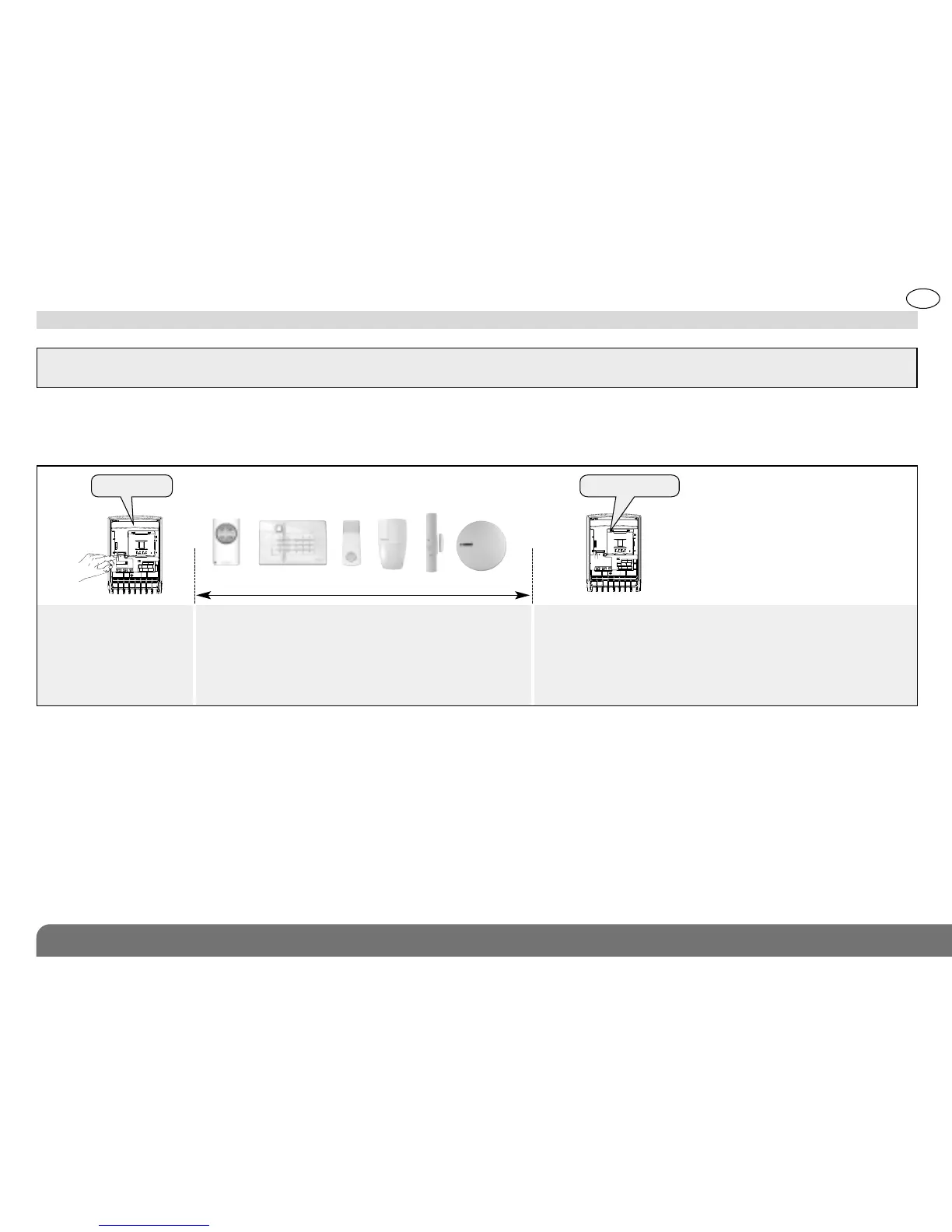
3.2 Programming a product to be recognised by a receiver
IMPORTANT: if you wish to use other products directly with the receiver as well as the alarm control panel, the receiver must first be
programmed for recognition by the control panel and then the products must be programmed for recognition.
Briefly press the receiver
“test” button
Press and hold:
• the “OFF” button on the remote control or keypad (in
installation mode)
• or the pushbutton on the pendant
• or the “Test” button on the detector
• or the 0 programming button on the smoke detector
until the receiver responds
10 s max.
)))))
“beep”
The receiver issues
a beep to validate
recognition programming
A maximum of 16 products (remote controls, detectors, etc.) can be programmed for direct recognition by the receiver.
The channel and operating mode must then be allocated to the output concerned (see 4.2 Setting the parameters of a
receiver recognised by another product).


 To Next Page