EasyManua.ls Logo

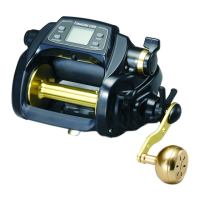
Daiwa SEABORG 1000 MT - User Manual

Daiwa SEABORG 1000 MT
40 pages
Print Icon
To Next Page IconTo Next Page
Loading...
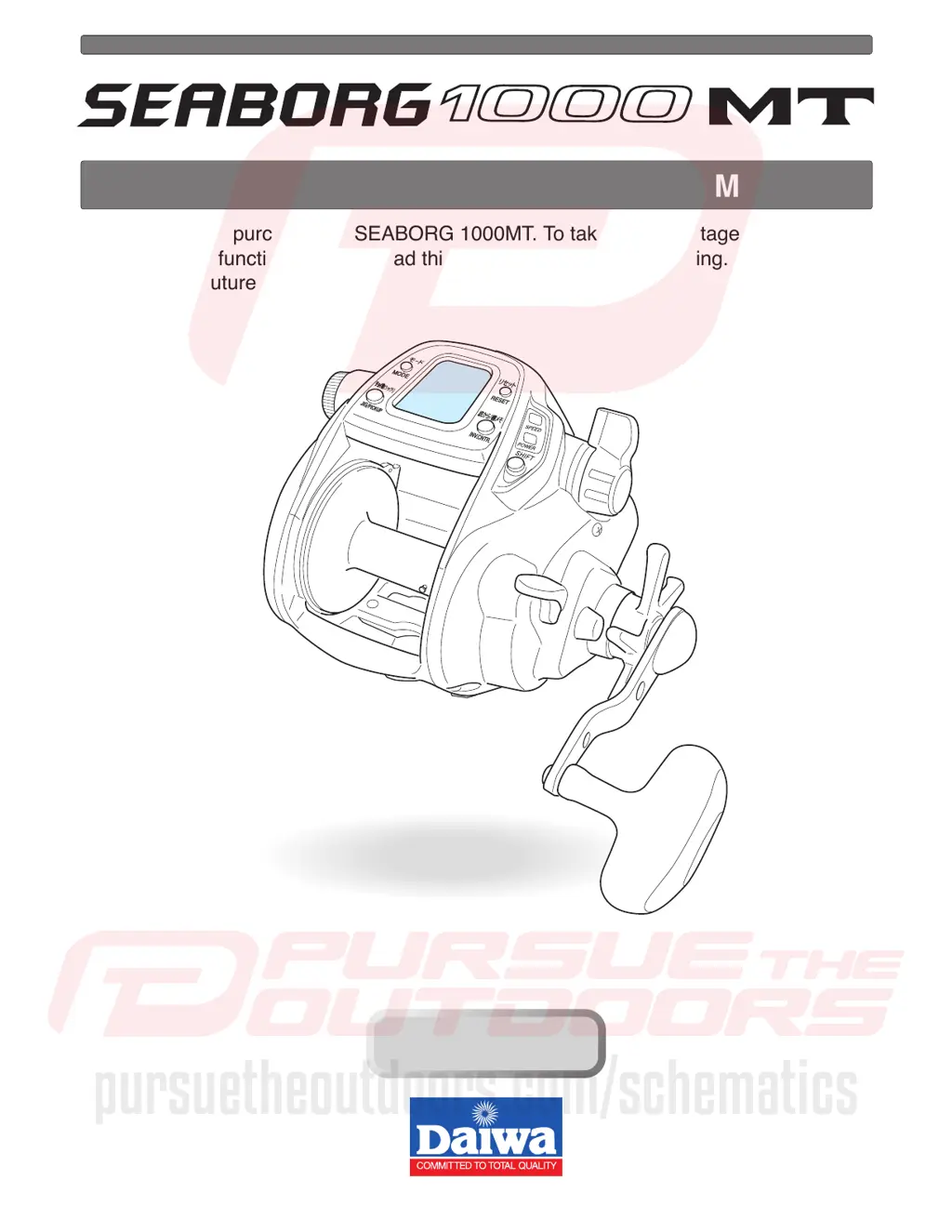
Thank you for purchasing a SEABORG 1000MT. To take full advantage of the reels
many useful functions, please read this manual carefully before using. Retain this
manual for future reference.
OPERATING MANUAL
Reference
Reference
pursuetheoutdoors.com/schematics

Questions and Answers

  • C
    Christine BautistaAug 13, 2025
    What to do if my Daiwa SEABORG 1000 MT Fishing Equipment motor does not respond to the power lever?
    • M
      Megan SaundersAug 13, 2025
      If the motor of your Daiwa Fishing Equipment does not respond to the power lever, there might be a few reasons. First, check if the counter displays 0.0 m, which is normal to prevent over-winding; press the RESET BUTTON to continue. Second, ensure the lever is pulled to the OFF position before moving it forward to start winding. Finally, the power source might be unstable; try using another power source like electric reel specific batteries.
  • J
    Jason AnthonyAug 17, 2025
    Why auto stop function does not work on my Daiwa SEABORG 1000 MT Fishing Equipment?
    • C
      Christine DuffyAug 17, 2025
      The auto stop function on your Daiwa Fishing Equipment might not work due to several reasons. First, ensure you've pressed the RESET BUTTON at the surface to reset the depth to zero. Second, the settings for sinker weight or boat rocking might need adjustment. Lastly, if the line is elongated, reset the depth counter at the surface.
  • C
    Candice SanchezAug 20, 2025
    How to fix a Daiwa Fishing Equipment when counter display does not appear?
    • L
      Lori PhillipsAug 20, 2025
      If the counter display on your Daiwa Fishing Equipment does not appear, the battery charge might be low, so try recharging it. Alternatively, the cord could be worn or corroded, requiring replacement. Also, verify that the battery is connected correctly.
  • J
    Jason HawkinsAug 25, 2025
    What to do if jigging function does not respond on Daiwa Fishing Equipment?
    • J
      Joseph MartinAug 25, 2025
      If the jigging function on your Daiwa Fishing Equipment isn't responding, make sure the power lever isn't at OFF; push it forward. Also, check if pickup mode is selected; if so, use the MODE BUTTON to select the jigging mode.
  • B
    Breanna MichaelAug 27, 2025
    How to resolve counter errors on Daiwa SEABORG 1000 MT Fishing Equipment?
    • P
      Patricia Marshall MDAug 28, 2025
      Counter errors on your Daiwa Fishing Equipment can occur if the line length has increased due to stretching. To resolve this: reset the counter, revise the display, and re-enter the line data.
  • T
    Taylor ThompsonSep 1, 2025
    Why inverse counter does not appear on my Daiwa SEABORG 1000 MT Fishing Equipment?
    • K
      Kimberly WilliamsonSep 1, 2025
      If the inverse counter doesn't appear on your Daiwa Fishing Equipment, it could be because you didn't press the INVERSE COUNTER BUTTON, which is normal. Also, the inverse counter might be OFF by default; use the MODE BUTTON to change this setting.
  • C
    Cheryl BurnsSep 4, 2025
    What to do if pickup does not respond on Daiwa SEABORG 1000 MT?
    • H
      Hayley JohnsonSep 4, 2025
      If the pickup on your Daiwa Fishing Equipment isn't responding, the speed setting might be at zero. Press the MODE BUTTON to select a winding speed setting.
  • L
    ljamesSep 8, 2025
    Why does my Daiwa SEABORG 1000 MT Fishing Equipment reel jig on its own?
    • M
      Michael HillSep 8, 2025
      If your Daiwa Fishing Equipment reel jigs on its own, it's likely due to low power voltage. Replace the battery with a recharged one.

Summary

Caution

Precautions

Warnings and advice for safe operation, including electromagnetic waves and moving parts.

Power Source

Connecting the Reel to the Power Source

Step-by-step guide for connecting the reel to a 12V DC power source.

Power Source Details

Details on acceptable voltage and potential issues with unstable power sources.

Battery Indicator

Explanation of how the battery indicator works and what low voltage signifies.

Using the Reel

Counter Display Readability

Conditions that may affect the readability of the reel's digital display.

Maintenance

About Maintenance

General statement about the reel being washable and the need to remove salt and grit.

Maintenance Procedure

Detailed steps for washing and oiling the reel, including precautions.

Power Cord Maintenance

Guidelines for proper handling, cleaning, and storage of the power cord.

Other Maintenance Points

Precautions regarding disassembly, power connector protection, and cord replacement.

Buttons and Display Overview

Mode Button Functionality

How to use the MODE button to navigate displays and adjust values.

Reset Button Functionality

Function of the RESET button for resetting depth and preventing accidental resets.

Inverse Counter Button Functionality

Function of the INVERSE COUNTER button for resetting the lower counter.

Jig;Pickup Button Functionality

How to use the JIG/PICKUP button for pickup and jigging functions.

Shift Button and Indicators

Use of the SHIFT button to switch between Speed and Power range modes.

Display Functions (Mode, Depth, Inverse, Jigging, Chumming)

Explanation of various mode displays, depth, inverse counter, jigging, and chumming timers.

Reel Parts and Functions

Free Spool and Drag Adjustment

Adjusts brake tension on the spool and drag to prevent line breakage.

Power Lever Operation

Adjusts winding power/speed, sets numerical values, and enables winding.

Clutch and Levelwind

How to engage/disengage clutch and how levelwind distributes line.

Included Reel Accessories

List of items included with the reel.

Line Data Input: Known Length

Preparation and Connection

Connecting the reel to the power source and preparing the line.

Setting Mode to P1

Setting the mode to P1 by pressing and holding the MODE SETTING BUTTON.

Winding Line to End

Winding the line to its end while setting tension.

Finalizing Line Data Input

Completing the setting by pressing the RESET BUTTON.

Line Data Input: With Backing Line 1

Preparation and Mode Setting

Connecting battery, preparing line, and setting mode to P1 and P2.

Winding and Setting Backing Line 1

Winding backing line according to color coding and setting values.

Line Data Input: With Backing Line 2

Preparation and Mode Setting

Connecting battery and setting mode to P1 and P3 for backing line 2.

Winding and Setting Backing Line 2

Pulling 50m line and resetting counters to complete the procedure.

Mode Setting Display Operation

Accessing and Setting Functions

Overview of accessing and setting various functions using the mode button.

Setting Jig;Pickup and Jigging Parameters

Setting jig/pickup pattern, jigging pattern, length, speed, wait time, and range.

Adjusting Numerical Values

Using the power lever to adjust numerical values in setting displays.

Completing Mode Settings

Locking in settings and returning to the depth counter.

Shift Button Operation

Speed Range Mode

Using Speed range mode for speed over power.

Power Range Mode

Using Power range mode for power over speed.

Mode Change Indicators

How lamps indicate mode changes and the SHIFT button's behavior.

Before Fishing Setup

Surface Depth Setting

Setting the counter to zero at the water's surface for accurate depth readings.

Line Break Procedure

Procedure for revising data if the main line breaks.

Auto Stop Function

Auto Stop Setting

Setting the auto stop depth for convenience and safety.

Auto Stop Operation

How the auto stop function automatically brings the rig to the surface.

Line Feeding Function

Line Feeding Operation

Using the motor to assist the spool for line feeding.

Pickup Speed Setting

Pickup Speed Preference

Setting the preferred pickup speed for winding.

Inverse Counter Function

Inverse Counter Usage

Utilizing two counters, one from the surface and one from the bottom.

Jigging Operation

Jigging Function Overview

Using the jigging function with adjustable speed and patterns.

Jigging Master Settings

Choosing jigging pattern, range, waiting time, and length.

Jigging Length and Waiting Time

Selecting line length per action and waiting time between jigs.

Jigging Range Setting

Setting the depth range for jigging.

Winding Speed Indicator

Winding Speed Display

Displaying winding speed in the lower counter.

Remaining Time to Auto Stop

Displaying Remaining Time

Showing the remaining time until the auto stop position is reached.

Chumming Timer

Chumming Timer Winding

Automatic winding after a pre-determined time.

Chumming Timer Usage

A timer function for bait presentation, jigging timing, or reeling.

Display Recalibration

Display Revision Procedure

Recalibrating the counter for accurate depth readings.

Rod Clamp Usage

Fixing the Rod Clamp

Securing the reel with a rod clamp for heavy loads or large fish.

Useful Functions

Various Audible Alarms

Information indicated by audible alarms like power lever, auto stop, and voltage.

Display Backlight

Backlighting for easy reading in low light conditions.

Breaker System Indicator

Indication when the circuit breaker system stops automatic winding.

Reel Specifications

Specification List

Technical specifications of the SEABORG 1000MT reel.

Counter Display Details

Information on depth display ranges and usable temperature.

Parts List

SEABORG 1000 MT Parts

A detailed list of reel parts with corresponding numbers and names.

Troubleshooting

Motor Response Issues

Possible causes and solutions for the motor not responding to the power lever.

Display and Counter Issues

Possible causes and solutions for display, inverse counter, and general counter errors.

Jigging and Pickup Issues

Possible causes and solutions for jigging function and pickup not responding.

Auto Stop and Other Issues

Possible causes and solutions for auto stop function failure and reel operating on its own.

Reference Information

Daiwa Corporation Contact

Contact information for Daiwa Corporation.

Limited Warranty Terms

Warranty expiration conditions (one year or 200 hours).

Daiwa SEABORG 1000 MT Specifications

General IconGeneral
TypeElectric Reel
Power Supply12V
Gear Ratio2.3
Line Capacity (PE)No.8 - 1000 m
Retrieve per Crank85 cm

Related product manuals