EasyManua.ls Logo

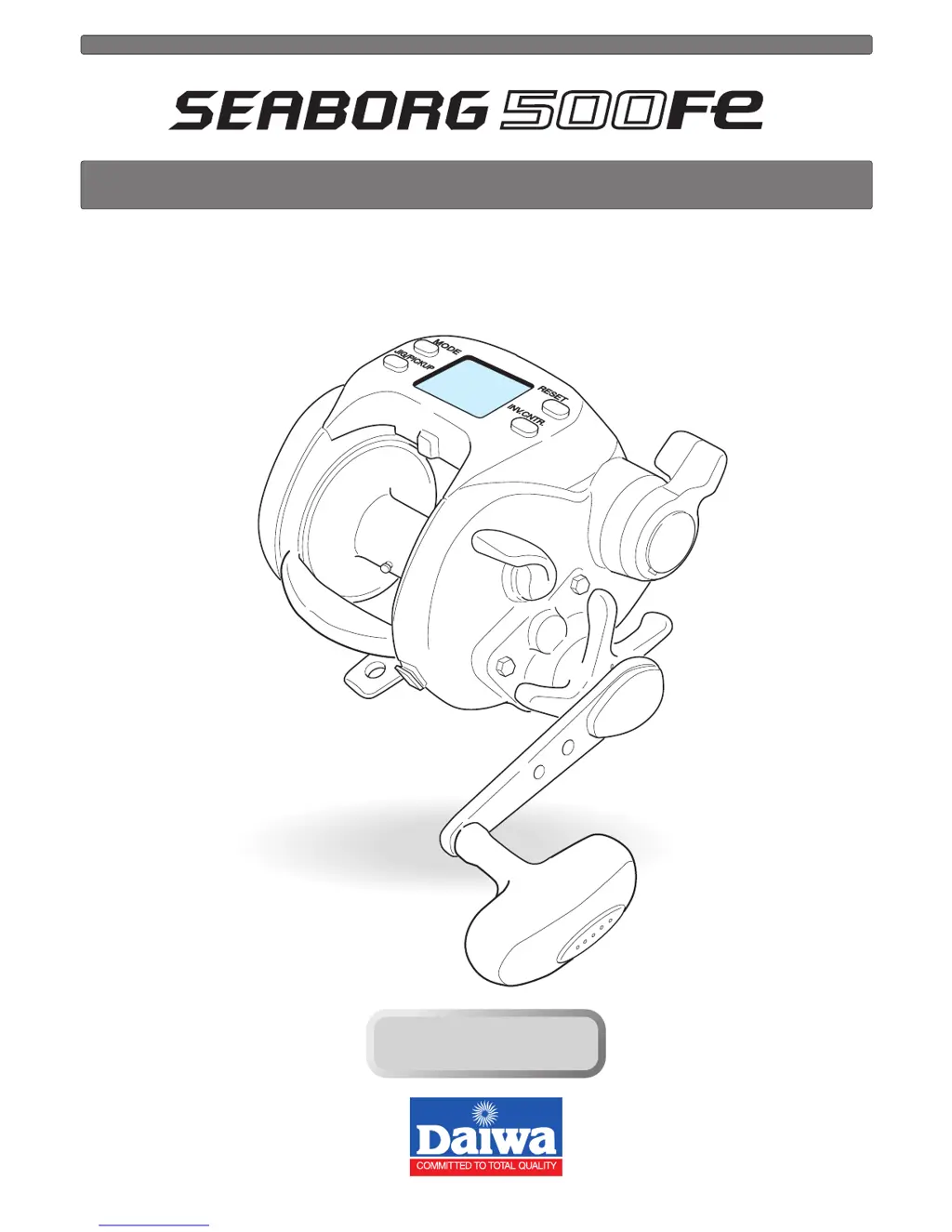
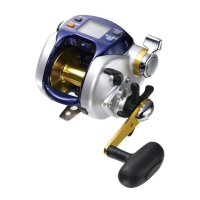
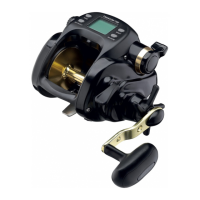
Daiwa Seaborg 500Fe - User Manual

Daiwa Seaborg 500Fe
36 pages
Print Icon
To Next Page IconTo Next Page
Loading...
Thank you for purchasing a SEABORG 500Fe. To take full advantage of the reels
many useful functions, please read this manual carefully before using. Retain this
manual for future reference.
OPERATING MANUAL
Reference
Reference

Questions and Answers

  • K
    Kathleen StephensJul 30, 2025
    What to do if Daiwa Seaborg 500Fe motor does not respond to the power lever?
    • K
      Karen KlineJul 31, 2025
      If your Daiwa Fishing Equipment motor isn't responding and the counter displays 0.0 m, this is normal to prevent over-winding. Press the RESET BUTTON to continue winding. Alternatively, ensure the lever is in the OFF position before moving it forward to start winding. As a last resort, try using a more stable power source, such as electric reel specific batteries.
  • K
    Kathryn ReyesAug 4, 2025
    Why does my Daiwa Fishing Equipment reel jig on its own?
    • E
      Erica JohnsonAug 4, 2025
      If your Daiwa Fishing Equipment reel jigs on its own, it might be due to low power voltage or an unstable power source. Try replacing the battery with a recharged one, and if the issue persists, use a different power source, like electric reel specific batteries.
  • K
    ksextonAug 8, 2025
    What to do if counter display does not appear on Daiwa Fishing Equipment?
    • J
      Jo JacksonAug 8, 2025
      If the counter display on your Daiwa Fishing Equipment does not appear, the battery charge may be low. Try recharging the battery. If that doesn't work, check the cord for wear or corrosion and replace if necessary. Also, ensure the battery is connected correctly.
  • Q
    qgrayAug 13, 2025
    Why auto stop function does not work on Daiwa Fishing Equipment?
    • T
      Teresa BuchananAug 13, 2025
      If the auto stop function on your Daiwa Fishing Equipment isn't working, start by pressing the RESET BUTTON with the rig at the surface to reset the depth to zero. Also, reset the depth counter at the surface if the line is elongated.
  • T
    Troy BennettAug 17, 2025
    What causes counter errors in Daiwa Seaborg 500Fe?
    • J
      John LopezAug 17, 2025
      If you are experiencing counter errors on your Daiwa Fishing Equipment, it could be due to the line stretching. Try resetting the counter. Also, revise the display, if there was a large tension change because of catch/loss of a fish.
  • S
    Sydney NortonAug 20, 2025
    What to do if jigging will not start on Daiwa Seaborg 500Fe?
    • R
      rodriguezamandaAug 20, 2025
      If jigging won't start on your Daiwa Fishing Equipment even when the JIGGING BUTTON is pressed, ensure that the power lever is not set to the OFF position. You need to set a jigging speed using the power lever.
  • R
    Richard HughesAug 26, 2025
    How to turn on inverse counter on Daiwa Seaborg 500Fe?
    • K
      Kevin JohnsonAug 26, 2025
      If the inverse counter does not appear on your Daiwa Fishing Equipment, it is normal. Just press the INVERSE COUNTER BUTTON.

Summary

SEABORG 500 Fe Reel Operating Manual

Welcome and Introduction

Provides a welcome message and an overview of the SEABORG 500Fe reel's operating manual.

Reel Safety Precautions

General Handling Warnings

Essential warnings for safe operation, including finger safety, line handling, and general reel care.

Power and Electrical Safety

Guidelines for using the correct power source and avoiding electrical hazards with the reel.

Maintenance and Disassembly Warnings

Precautions against disassembling the reel or touching moving parts during operation.

Power Source Connection and Management

Connecting the Reel to Power

Step-by-step instructions for connecting the reel to a 12V DC power source.

Power Source Requirements

Information on suitable power sources and voltage requirements for the reel.

Understanding Battery Indicator

How to interpret the battery indicator and its relation to reel performance.

Reel Operation Basics

Counter Display Readability

Factors affecting the visibility of the reel's counter display and how to mitigate them.

Reel Maintenance Procedures

Basic Reel Cleaning

Guidelines for washing the reel with detergent and a soft sponge after fishing.

Rinsing and Drying the Reel

Proper steps for rinsing the reel with water and ensuring it is completely dry.

Power Cord and Component Care

Power Cord Handling Guidelines

Instructions on how to handle the power cord to prevent damage and ensure longevity.

Power Cord Cleaning and Storage

Methods for cleaning, greasing, and properly storing the power cord.

Additional Maintenance Points

Key considerations for maintaining the reel's electrical components and cords.

Reel Controls and Display Layout

Identifying Reel Buttons

Explains the function and purpose of each button on the reel interface.

Understanding Reel Display Elements

Identifies and describes the various displays and indicators on the reel's screen.

Advanced Reel Functions and Displays

Jig;Pickup Button Operation

Details on using the JIG/PICKUP button for winding, jigging, and mode selection.

Mode Setting Display Functions

How to navigate and set reel functions using the mode display.

Depth and Inverse Counter Functions

Explanation of the depth and inverse counters for tracking fishing depth and distance.

Chumming Timer and Indicators

Understanding the chumming timer display and associated indicators for fishing.

Reel Component Identification

Key Reel Parts Overview

Identifies major parts of the reel, including adjustment knobs and levers.

Included Reel Accessories

Lists all accessories provided with the SEABORG 500Fe reel.

Detailed Reel Part Functions

Spool Adjustment and Drag System

Explains how to adjust the free spool and tournament drag for line control.

Power Lever and Clutch Operation

Details the functionality of the power lever for speed control and the clutch.

Levelwind Mechanism Function

Describes how the levelwind evenly distributes line onto the spool.

Line Data Input: Daiwa Braided Line

Spooling Daiwa Braided Line

Procedure for inputting line data when using Daiwa braided line for efficient spooling.

Line Data Input: Known Line Length

Entering Specific Line Lengths

Method for inputting line length when it is known prior to winding.

Line Data Input: Completing Length Entry

Setting and Confirming Line Length

Final steps to complete line length input, including error handling.

Line Data Input: With Backing Line

Spooling with Backing Line

Procedure for spooling the reel using backing line and Daiwa braided line.

Line Data Input: Completing Backing Line Setup

Setting Backing Line Parameters

Finalizing the input for backing line, including tension and length.

Functional Setting Operations Guide

Mode Setting Display Usage

Instructions on using the mode setting display to configure reel functions.

Setting Reel Functions

Adjusting Numerical Settings

How to use the power lever to set numerical values for various functions.

Preparing for Fishing

Surface Zero Depth Setting

How to set the counter to zero at the water surface for accurate depth measurement.

Handling Line Breakage Scenarios

Steps to take and data to reset if the fishing line breaks during use.

Auto Stop Feature Configuration

Setting the Auto Stop Depth

How to set a specific depth for the auto stop function to engage.

Auto Stop Functionality

Explains how the auto stop automatically brings the rig to the surface.

Inverse Counter Functionality

Using the Inverse Counter

How to use the inverse counter for tracking depth from the bottom and timing.

Live Lining Mode Setup

Activating Live Lining Mode

Steps to turn on and engage the Live Line Function for monitoring bait.

Live Line Alarm Configuration

How to set up and use the Live Line Alarm to detect strikes.

Live Lining Mode Features

Adjusting Live Line Alarm Sensitivity

How to adjust the sensitivity of the Live Line Alarm for better strike detection.

Live Out Alarm Function

Explains the Live Out Alarm that signals bait movement in currents.

Strike Zone Memory Usage

How to use Strike Zone Memory to record and recall specific fishing depths.

Pickup Speed Setting

Setting Pickup Speed Preference

Guide on setting and adjusting the pickup speed for optimal performance.

Jigging Function Setup

Operating the Jigging Function

Instructions on how to start and control the jigging function using reel controls.

Jigging Master Configuration

Selecting Jigging Patterns

How to choose different jigging patterns like one-step or master jigging.

Setting Jigging Length

How to set the length of line wound during each jigging action.

Jigging Timing Settings

Setting Jigging Waiting Time

How to set the interval time between jigs for effective bait presentation.

Line Feeding Functionality

Operating the Line Feeding Function

How the line feeding function uses the motor to assist in letting out line.

Chumming Timer Winding Setup

Setting the Chumming Timer

Procedure for setting the chumming timer for automatic line winding.

Chumming Timer Operational Details

Using the Chumming Timer

Explains the utility of the chumming timer for bait presentation and timing.

Display Recalibration Procedure

Revising Counter Accuracy

How to recalibrate the reel's counter for accurate depth readings.

Useful Reel Functions

Understanding Audible Alarms

Explains the various audible alarms indicating reel status and fishing events.

Display Backlight Feature

Information about the display backlight for improved visibility.

SEABORG 500 Fe Specifications

Reel Specification List

Comprehensive list of technical specifications for the SEABORG 500Fe reel.

Counter Display Specifications

Details on the depth display range and usable temperature range.

Reel Parts List and Diagram

Component Identification Chart

A detailed parts list with corresponding numbers for reel component identification.

Troubleshooting Reel Issues

Motor and Display Problems

Solutions for common issues like motor response and display errors.

Jigging and Auto Stop Malfunctions

Troubleshooting steps for problems with jigging activation and auto stop functionality.

Counter Error Resolution

How to fix counter errors caused by line stretch or tension changes.

Reference and Warranty Information

Company Contact and Warranty

Provides company contact details and limited warranty terms for the reel.

Daiwa Seaborg 500Fe Specifications

General IconGeneral
TypeElectric Reel
Power SourceBattery
Retrieve per Crank90 cm
Battery Voltage12 V
Motor TypeBrushless
Line Capacity PE (braid)PE 5-8

Related product manuals