EasyManua.ls Logo

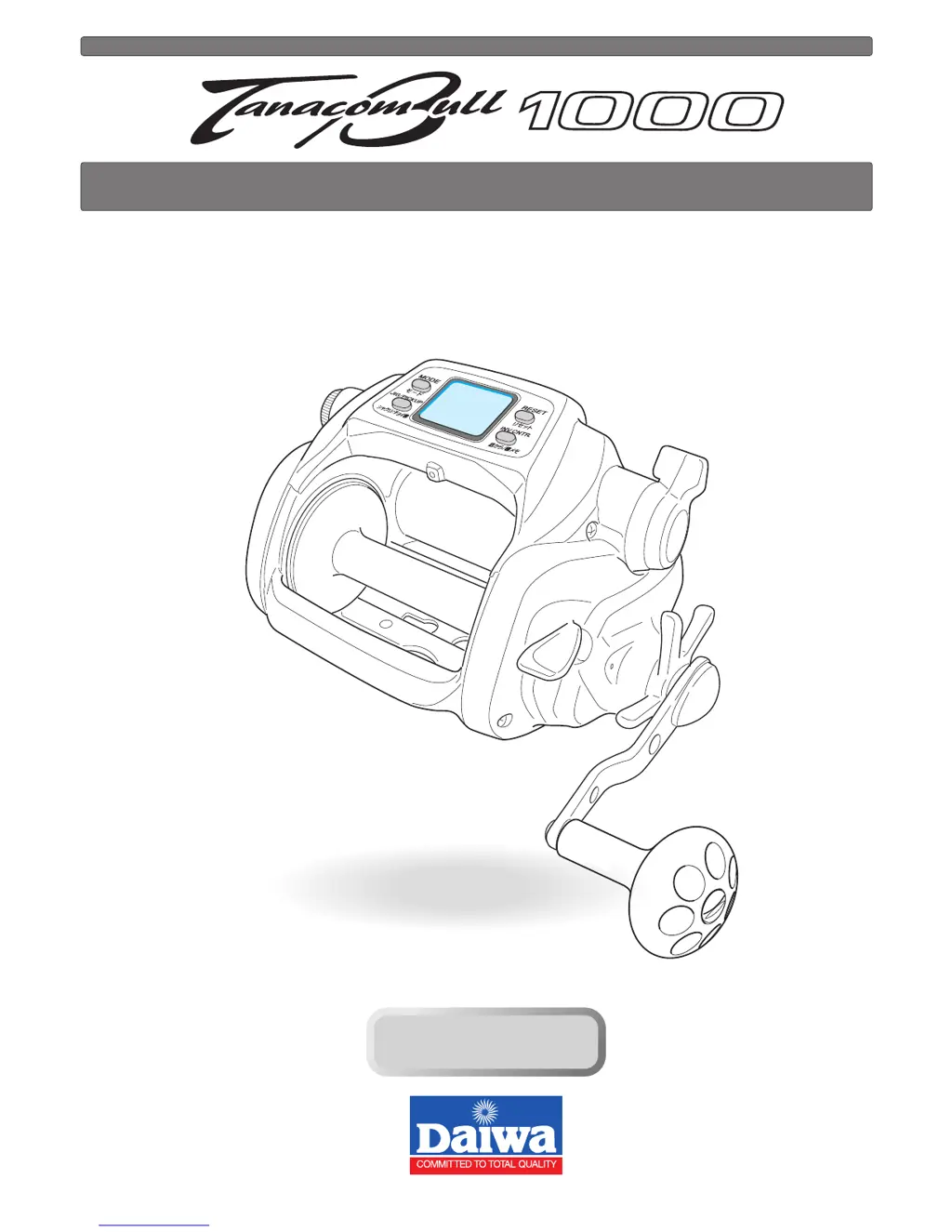
Daiwa TanacomBull 1000 - User Manual

Daiwa TanacomBull 1000
38 pages
Print Icon
To Next Page IconTo Next Page
Loading...
Thank you for purchasing a TANACOM BULL 1000. To take full advantage of the
reels many useful functions, please read this manual carefully before using. Retain
this manual for future reference.
OPERATING MANUAL
Reference
Reference

Questions and Answers

  • J
    jgreenAug 13, 2025
    What to do if Daiwa TanacomBull 1000 motor does not respond to the power lever?
    • C
      Cody DavisAug 13, 2025
      If the motor of your Daiwa Fishing Equipment does not respond to the power lever, it could be due to several reasons. First, if the counter displays 0.0 m, press the RESET BUTTON to continue winding, as this is a normal function to prevent over-winding. Second, ensure the lever is pulled to the OFF position before moving it forward to start winding. Lastly, unstable power source can be the cause, so try using another power source like electric reel specific batteries.
  • J
    Jeremy MarshallAug 17, 2025
    Why does auto stop function not work on my Daiwa TanacomBull 1000?
    • Q
      qgreenAug 17, 2025
      The auto stop function on your Daiwa Fishing Equipment might not work because you did not press the RESET BUTTON at the surface to reset the depth to zero. Also, errors due to sinker weight or boat rocking can interfere with the function, so adjust the auto stop settings accordingly. Finally, if the line is elongated, reset the depth counter at the surface.
  • M
    markboothAug 20, 2025
    What to do if Daiwa TanacomBull 1000 Fishing Equipment counter display does not appear?
    • M
      Mary HillAug 20, 2025
      If the counter display on your Daiwa Fishing Equipment does not appear, it could be due to a low battery charge, so recharge the battery. Alternatively, the cord might be worn or corroded, in which case you should replace it. Finally, check for an incorrect battery connection and ensure it is connected correctly.
  • A
    andrew22Aug 25, 2025
    Why is my Daiwa TanacomBull 1000 Fishing Equipment reel jigging on its own?
    • T
      timothystevensAug 25, 2025
      If your Daiwa Fishing Equipment reel is jigging on its own, it is likely due to low power voltage. Try replacing the battery with a recharged one.
  • R
    rcantrellAug 27, 2025
    How to fix counter errors on Daiwa TanacomBull 1000 Fishing Equipment?
    • A
      Ashley KramerAug 28, 2025
      Counter errors on your Daiwa Fishing Equipment can occur if the line length has increased due to stretching. To resolve this: - Reset the counter. - Revise the display. - Re-enter line data.
  • D
    David McintyreAug 31, 2025
    What to do if jigging function does not respond on Daiwa TanacomBull 1000?
    • A
      Anthony AllenAug 31, 2025
      If the jigging function on your Daiwa Fishing Equipment does not respond, first check that the power lever is not at OFF; push it forward. If that's not the issue, ensure that jigging mode is selected using the MODE BUTTON, as it might be set to pickup mode.
  • L
    lauramichaelSep 4, 2025
    Why inverse counter does not appear on my Daiwa Fishing Equipment?
    • A
      Ashley GeorgeSep 4, 2025
      If the inverse counter does not appear on your Daiwa Fishing Equipment, it might be because you did not press the JIG/PICKUP BUTTON; this is normal. Try pressing the INVERSE COUNTER BUTTON. Alternatively, the inverse counter might be OFF by default; use the MODE BUTTON to change this setting.
  • H
    harringtontheresaSep 8, 2025
    What to do if the pickup does not respond on Daiwa TanacomBull 1000 Fishing Equipment?
    • M
      mary12Sep 8, 2025
      If the pickup function does not respond on your Daiwa Fishing Equipment, it might be because the speed setting is at zero. Press the MODE BUTTON to select a winding speed setting.

Summary

Caution

Precautions

Important safety instructions and warnings to prevent injury or damage to the reel.

Power Source

Connecting and Managing the Power Source

Guide to connecting the reel, power source details, and battery indicator information.

Using the Reel

Counter Display Readability

Factors affecting the visibility of the reel's digital counter display.

Maintenance

Reel and Power Cord Care

Procedures for washing the reel and handling the power cord for optimal care.

Buttons and Display Overview

Identification of Reel Controls and Display

Identification and basic functions of the reel's buttons and display elements.

Reel Parts and Functions

Key Reel Components and Their Operations

Detailed explanations of reel components like free spool, power lever, drag, clutch, and levelwind.

Line Data Input Procedures

Inputting Line Length (Known)

Procedure to input line length when it is known before winding.

Inputting Line with Backing

Method for inputting line data using backing line with color coding.

Inputting Backing Line (Second Method)

Procedure to input line length after it has been wound, using a second method.

Functional Setting Operations

Mode Setting Display

How to set various reel functions using the MODE BUTTON and power lever.

Before Fishing Setup

Steps before fishing: surface depth setting and handling line breaks.

Auto Stop Function

Setting the auto stop depth for automatic rig retrieval.

Line Feeding Function

Enabling and setting the line feeding function for motor-assisted spooling.

Pickup Speed Setting

Setting the preferred pickup speed for winding line.

Inverse Counter

Using the inverse counter to track depth from the bottom or record fishing time.

Jigging Operation

Activating and setting up the jigging function, including pattern, length, and waiting time.

Jigging Details (Waiting Time & Range)

Setting jig waiting time and depth range for customized jigging.

Winding Speed Indicator

Displaying winding speed and remaining time until auto stop.

Remaining Time to Auto Stop

Displaying the estimated time remaining before reaching the auto stop position.

Chumming Timer

Setting and using the chumming timer for automatic winding at set intervals.

Display Recalibration

Recalibrating the counter for accurate depth readings compared to line markings.

Fixing the Rod Clamp

Instructions on how to securely attach the rod clamp to the rod.

Useful Functions

Audible Alarms and Indicators

Explanation of various audible alarms and the breaker display function.

Display Light

Information about the display's backlighting for improved visibility.

Reel Specifications

Technical Specifications List

Detailed technical specifications of the TANACOM BULL 1000 reel.

Counter Display Range

Details on the depth display range and usable temperature range.

Parts List

TANACOM BULL 1000 Parts Identification

List of all reel parts with corresponding part numbers for identification.

Trouble Shooting

Troubleshooting Common Issues

Guide to common reel problems, their causes, and solutions.

Reference Information

Company Contacts and Warranty

Daiwa company contact details and limited warranty terms.

Daiwa TanacomBull 1000 Specifications

General IconGeneral
BrandDaiwa
ModelTanacomBull 1000
CategoryFishing Equipment
LanguageEnglish

Related product manuals