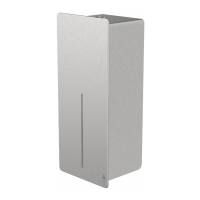
The DAN DRYER LOKI Hand Dryer, models 4000-4007, is a modern, no-touch hand drying solution designed for efficiency and hygiene in various environments. This user manual provides comprehensive guidance on its installation, operation, maintenance, and troubleshooting, ensuring optimal performance and user safety. The LOKI hand dryer is suitable for indoor use and is available in several finishes, including brushed stainless steel, white powder-coated stainless steel, black powder-coated stainless steel, and custom RAL colors, allowing it to blend seamlessly with diverse interior designs.
Function Description
The LOKI hand dryer operates on a no-touch principle, promoting a hygienic hand-drying experience. When hands are placed under the outlet, the infrared sensor detects their presence and automatically activates the warm air stream. The dryer is designed to efficiently remove excess water from hands, with users encouraged to rub their hands lightly and rapidly during operation for best results. The unit automatically stops once hands are removed from the sensor's range, conserving energy and preventing unnecessary operation.
The core function of the LOKI hand dryer revolves around its powerful motor and heating element, which work in conjunction to deliver a high-speed, warm air output. The air speed is adjustable, allowing for customization based on user preference or environmental conditions. Similarly, the heating element can be switched on or off, providing the flexibility of warm or ambient air drying. This adaptability makes the LOKI hand dryer suitable for different climates and user comfort levels. The sensor range is also adjustable, ensuring reliable activation across various installation heights and sink distances, minimizing false activations or missed detections.
Usage Features
The LOKI hand dryer is designed for straightforward and intuitive use. Its no-touch operation is a key feature, enhancing hygiene by eliminating the need to touch any surfaces to activate the dryer. To use the dryer, individuals simply need to shake off excess water from their hands and then place them under the air outlet. The infrared sensor will detect the hands and initiate the drying cycle. For optimal drying, users should rub their hands lightly and rapidly under the air stream. The dryer is equipped with an automatic shut-off mechanism that activates once hands are removed, ensuring energy efficiency and preventing continuous operation.
Installation of the LOKI hand dryer requires careful attention to safety and proper wiring. It must be installed by qualified personnel and connected to a 3-wire service with a ground wire. The manual provides recommended installation heights for various user groups, including men, women, children of different age ranges, and wheelchair users, ensuring accessibility and comfort for all. It is advised not to install the product less than 300 mm above a washbasin, tabletop, or other surface to ensure proper sensor function and prevent water splash issues. The unit's design allows for easy removal of the cover for internal adjustments and maintenance, which are crucial for its long-term performance.
The LOKI hand dryer offers several adjustable features to fine-tune its operation:
- Warm Air Speed Adjustment: The air speed output can be adjusted using a VR potentiometer located inside the unit. A Phillips screwdriver or flat notch can be used to turn the potentiometer clockwise to increase air speed or counterclockwise to decrease it. This allows for customization of the drying intensity.
- Heating Element Switch: The heating element can be toggled on or off via a switch located on the timer inside the unit. A flat screwdriver can be used to slide the switch to "ON" for warm air or "1" for ambient air (heating element off). This feature provides flexibility in energy consumption and user comfort, especially in different seasons or climates.
- Sensor Range Adjustment: The infrared sensor's activation range is adjustable between 100mm and 230mm, with a standard range of 130mm ± 20mm. This adjustment is made using a potentiometer, turning it clockwise to increase the sensor activation range and counterclockwise to decrease it. This allows installers to optimize the sensor's sensitivity based on the environment, such as ambient light conditions and the distance to the bottom of the sink, preventing unintended activations or ensuring reliable detection. It is important not to overturn the sensitivity adjustment.
Maintenance Features
Regular cleaning and maintenance are essential to ensure the longevity and optimal performance of the LOKI hand dryer. The manual outlines a clear procedure for maintenance, emphasizing safety precautions. Before any cleaning or maintenance, it is crucial to disconnect the electrical supply to the unit to prevent electrical shock.
The maintenance process involves:
- Removing the Cover: The two cover-mounting screws must be removed, allowing the cover to be detached.
- Internal Cleaning: Once the cover is off, the interior of the dryer should be cleaned to remove any accumulated dust or debris. This helps maintain airflow and prevents potential blockages that could affect performance.
- External Cleaning: The exterior of the dryer should be cleaned with a damp cloth and a mild cleaning solution. It is explicitly stated that abrasive cleaning detergents should never be used, as they can damage the finish of the unit. The dryer should also not be soaked in water.
- Replacing the Cover: After cleaning, the cover should be carefully replaced, and the mounting screws should be tightened. The manual advises against overtightening the screws to prevent damage to the unit.
Troubleshooting guidance is also provided to address common issues that may arise during the hand dryer's operation. These issues are categorized into problems encountered with first-time installed hand dryers and those with used hand dryers. For instance, if the dryer does not run, the first step is to check if the breaker supplying the dryer is operational. If the dryer cycles by itself or runs constantly, it suggests checking for obstructions on or in front of the IR sensor and cleaning the sensor lens. If the dryer is excessively loud or does not complete a full cycle, verifying the supply voltage is recommended, as incorrect voltage can lead to humming noises or damage to the PCB. Low airspeed issues also point to checking the supply voltage.
For used hand dryers, troubleshooting steps include replacing the PCB and IR sensor if the dryer does not run, and checking for obstructions or adjusting the sensitivity range of the IR sensor if it only detects close-range objects. If the dryer gets hot but produces no air stream, the blower/fan unit or motor may need replacement. If only cold air is blown during a full cycle, the thermostat or heating element should be checked for defects. Low air pressure issues may require checking the output nozzle for obstructions, cleaning the inlet, or inspecting the motor brushes for wear. These detailed instructions empower users or qualified technicians to diagnose and resolve common operational problems, ensuring the hand dryer remains in excellent working condition.


 To Next Page
 General