Installation Instructions
HOW TO INSTALL
(cont)
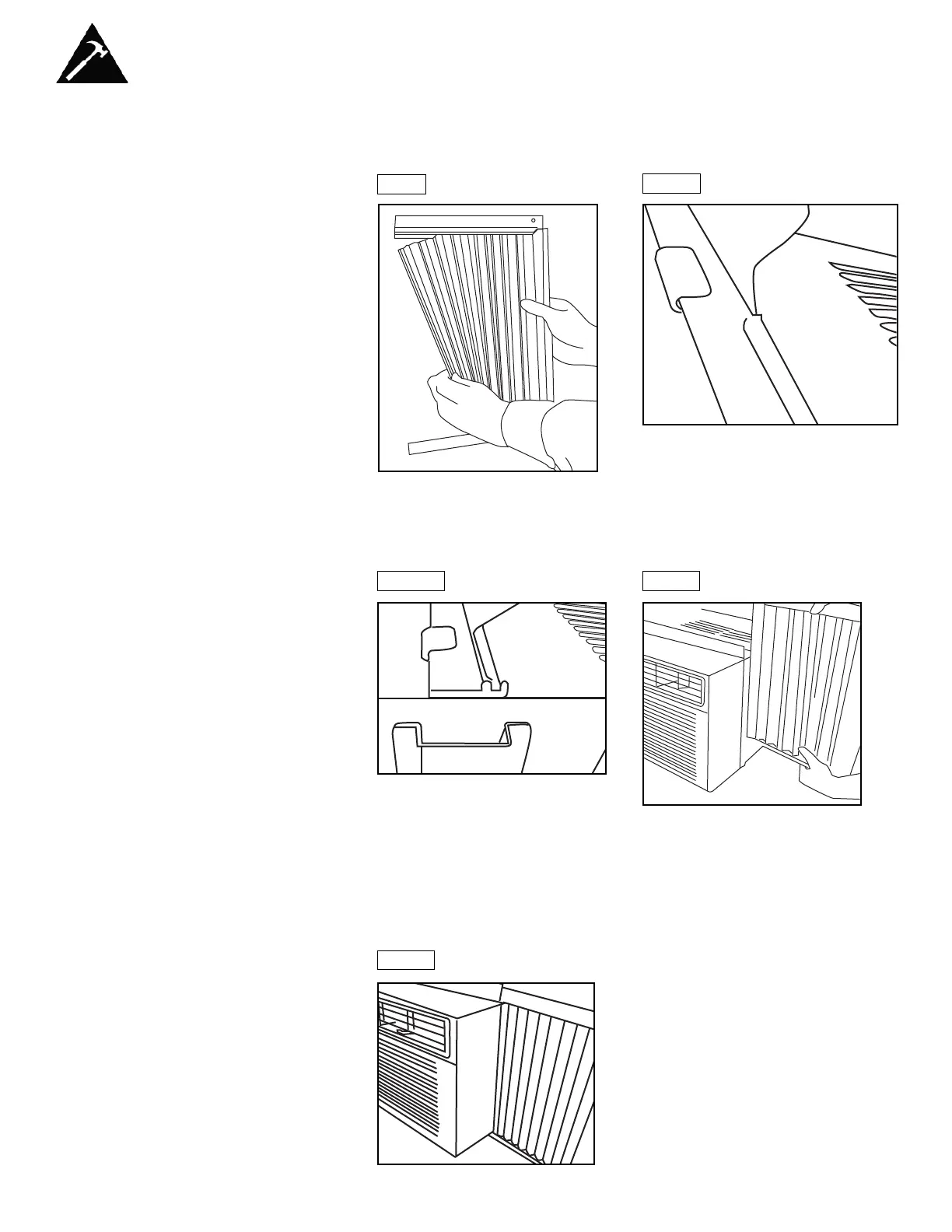
C. Hold the Accordion Panel in one hand and gently pull back the
center to free the open end. See Figure 2.
Fig. 2
Fig. 3A
D. Slide the free end (“I”section) of the panel into the cabinet as shown in
Figures 3A, 3B & 4. Slide the panel down. Be sure to leave enough
space to slip the top and bottom of the frame into the rails on the
cabinet.
Fig. 3B
Fig. 4
E. Once the panel has been installed on the side of the cabinet, make
sure it sits securely inside the frame channel by making slight
adjustments. Slide the top and bottom ends of the frame into the top
and bottom rails of the cabinet. Figure 5.
F. Slide the panel all the way in and repeat on the other side.
Fig. 5
6



 To Next Page