EasyManua.ls Logo

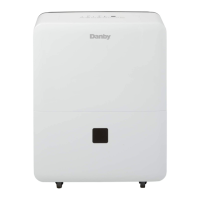
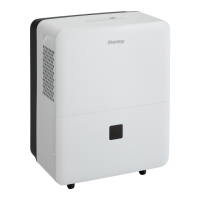
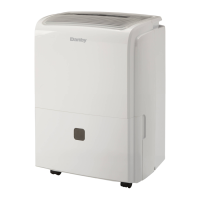
Danby DDR030BBCWDB - User Manual

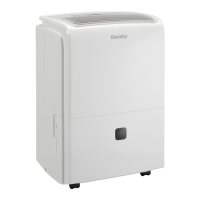
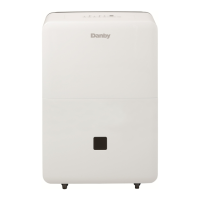
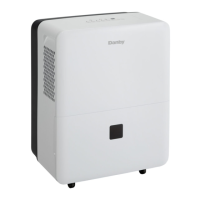
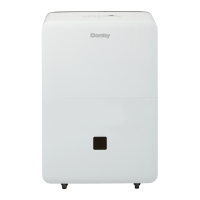
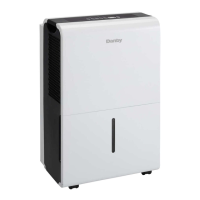
Danby DDR030BBCWDB
40 pages
Print Icon
To Next Page IconTo Next Page
Loading...
OWNER’S USE AND CARE GUIDE
GUIDE D’UTILISATION ET D'ENTRETIEN
02'(/02'Ê/(
DANBY PRODUCTS LIMITED, ONTARIO, CANADA N1H 6Z9
DANBY PRODUCTS INC., FINDLAY, OHIO, USA 45840
PORTABLE DEHUMIDIFIER
DESHUMIDIFICATEUR PORTATIF
DESHUMIDIFICADOR PORTÁTIL
2017.01.13
Model Modèle Modelo
DDR030BBCWDB / DDR045BBCWDB
DDR050BBWDB / DDR070BBWDB

Questions and Answers

  • M
    michael68Aug 12, 2025
    What to do if my Danby DDR030BBCWDB does not start?
    • S
      steven63Aug 12, 2025
      If your Danby Dehumidifier doesn't start, ensure the plug is fully inserted into the outlet. Also, check your house's fuse or circuit breaker and replace the fuse or reset the breaker if necessary. The bucket must be correctly placed for the unit to operate. Note that there's a protective time delay of up to 3 minutes to prevent compressor overload, so the unit might not restart immediately after being turned off. The unit also turns off automatically when the bucket is full or not in place; try emptying the bucket or changing to a lower setting.
  • B
    Brenda WilliamsAug 16, 2025
    What to do if Danby DDR030BBCWDB runs too much but does not collect water?
    • X
      xcoxAug 16, 2025
      If your Danby Dehumidifier runs excessively but doesn't collect water, set the humidity to 40% RH. Allow the bucket to fill, then empty it. After that, adjust the controller to your desired humidity percentage.
  • C
    Chelsea SotoAug 19, 2025
    Why can't I set the controls on my Danby DDR030BBCWDB?
    • A
      Abigail DeckerAug 19, 2025
      If you cannot set the controls on your Danby Dehumidifier, this is normal. Wait approximately 3 minutes, and then set the fan as desired.
  • L
    Lauren MasonAug 25, 2025
    Why is my Danby DDR030BBCWDB Dehumidifier not drying the air properly?
    • K
      kaylajuarezAug 25, 2025
      If your Danby Dehumidifier isn't drying the air as expected, allow at least 24 hours after initial setup for it to reach the desired dryness. Ensure that curtains, blinds, or furniture aren't blocking the front or back of the unit. Check that all doors, windows, and other openings are securely closed. For drier air, set the dehumidifier to a lower humidity percentage. Also, ensure that the dehumidifier is placed away from the dryer, and the dryer is vented to the outside. Note that moisture removal is most effective at higher room temperatures, above 5°C (41°F).
  • W
    webbteresaAug 27, 2025
    Why does my Danby DDR030BBCWDB run too much and collect water?
    • W
      williampotterAug 27, 2025
      If your Danby Dehumidifier runs excessively and collects water, it might be due to the dehumidifier's capacity being inadequate for the room size. Ensure that all doors and windows are closed to reduce the moisture load.
  • S
    Sabrina MartinezAug 31, 2025
    Why is there water on the floor near my Danby DDR030BBCWDB Dehumidifier?
    • J
      jacksonmatthewAug 31, 2025
      If you find water on the floor near your Danby Dehumidifier, check the hose connection. If you're using the bucket to collect water, disconnect the hose.
  • D
    Daniel OwenSep 3, 2025
    Why does frost appear on the coils of my Danby DDR030BBCWDB?
    • S
      Steven EdwardsSep 3, 2025
      The appearance of frost on the coils of your Danby Dehumidifier is normal and should disappear within 60 minutes.
  • I
    isaiah07Sep 7, 2025
    Why is my Danby DDR030BBCWDB making fan noise?
    • H
      Haley MullinsSep 7, 2025
      Fan noise from your Danby Dehumidifier is normal.

Summary

Important Safety Information

Electrical Requirements and Grounding

Covers electrical specs, grounding importance, and safe connection methods.

Safety Precautions

Essential safety rules to follow during dehumidifier use.

Installation Instructions

Location and Features

Guidance on selecting an appropriate location and identifying key dehumidifier components.

Castor Installation

Step-by-step instructions for attaching optional castors to the unit.

Control Panel and Operation

Control Panel Instructions

Explains the function of each button and indicator on the dehumidifier's control panel.

Operational Functions

Error Codes and Timer Functions

Lists error codes for troubleshooting and guides on programming timer functions.

Water Tank Operation

Describes water tank function and safety switch mechanism.

Dehumidifying Mode and Air Filter

Dehumidifying Mode Instructions

Instructions for selecting dehumidifying modes and fan speeds for optimal performance.

Air Filter Maintenance

Information on air filter role, cleaning, and maintenance for efficient operation.

Water Removal

Removing Collected Water

Details methods for removing collected water: by bucket or continuous drainage.

Operating Cautions

General Operating Cautions

Important warnings and precautions to follow during operation to prevent damage or injury.

Care and Maintenance

Cleaning Procedures

Procedures for cleaning the unit's grill, case, bucket, and air filter.

Troubleshooting

Warranty Information

Terms of Warranty

Outlines the duration and conditions for warranty coverage on the appliance.

Exclusions and Provisions

Lists warranty exclusions and general terms, conditions, and provisions.

Parts and Service

Danby DDR030BBCWDB Specifications

General IconGeneral
TypeDehumidifier
Capacity30 pints
Coverage Area1500 sq. ft.
Energy Star RatedYes
RefrigerantR134A
Automatic DefrostYes
Drainage OptionManual or Continuous
Operating Temperature41°F to 95°F
Water Removal30 pints per day
Noise Level51 dB
ColorWhite
Filter TypeWashable
Dehumidification Capacity at AHAM30 pints
Power Supply120V/60Hz
Warranty1 Year

Related product manuals