EasyManua.ls Logo

Danby DDR070BDPWDB - User Manual

Danby DDR070BDPWDB
48 pages
Print Icon
To Next Page IconTo Next Page
Loading...
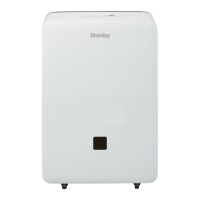
PORTABLE DEHUMIDIFIER
DESHUMIDIFICATEUR PORTATIF
DESHUMIDIFICADOR PORTÁTIL
DDR070BDPWDB
2016.11.14
OWNER’S USE AND CARE GUIDE
GUIDE D’UTILISATION ET D'ENTRETIEN
GUÍA DE UTILIZACIÓN Y CUIDADO PARA EL PROPIETARIO
MODEL • MODÈLE • MODELO
DANBY PRODUCTS LIMITED, ONTARIO, CANADA N1H 6Z9
DANBY PRODUCTS INC., FINDLAY, OHIO, USA 45840

Questions and Answers

  • S
    Shannon JohnsonAug 4, 2025
    What to do if my Danby Dehumidifier doesn't start?
    • T
      Tasha HerringAug 4, 2025
      If your Danby Dehumidifier isn't starting, here are a few things to check: * Ensure the dehumidifier is fully plugged into the outlet. * Check the house fuse or circuit breaker and replace the fuse or reset the breaker if needed. * The unit automatically turns off when it reaches its preset level or the bucket is full. Change to a lower setting or empty the bucket and replace it properly. * Make sure the bucket is correctly placed and securely seated. * If there was a power failure, there's a protective time delay (up to 3 minutes) to prevent compressor overload. The unit may not start normally for 3 minutes after being turned back on.
  • S
    Susan BeasleyAug 9, 2025
    Why does frost appear on the coils of my Danby Dehumidifier?
    • T
      Thomas ZunigaAug 9, 2025
      If you see frost on the coils of your Danby Dehumidifier, especially soon after turning it on or if the room temperature is below 5°C (41°F), this is normal. The frost should disappear within 60 minutes.
  • L
    linda05Aug 14, 2025
    Why can't I set the controls on my Danby Dehumidifier?
    • O
      ophillipsAug 14, 2025
      If you're having trouble setting the controls on your Danby Dehumidifier, it's normal for the compressor to turn off while the fan continues to run for about 3 minutes at a fixed setting. Wait approximately 3 minutes, and then set the fan as desired.
  • P
    Paul HubbardAug 19, 2025
    Why does my Danby DDR070BDPWDB run too much and collects water?
    • M
      Mark LoveAug 19, 2025
      If your Danby Dehumidifier runs excessively and collects water, it might be due to: the area being too large for the dehumidifier's capacity; or open doors and windows. To resolve this, close all doors and windows. If the issue persists, your dehumidifier's capacity may not be adequate for the space.
  • K
    kylepriceAug 25, 2025
    Why is there water on the floor near my Danby DDR070BDPWDB?
    • Y
      Yvonne PhillipsAug 25, 2025
      If you notice water on the floor near your Danby Dehumidifier, check the hose connection to ensure it's not loose. If you're using the bucket to collect water, disconnect the hose.
  • M
    Michelle EdwardsAug 29, 2025
    Why is my Danby DDR070BDPWDB not drying the air?
    • O
      Olivia ParkerAug 29, 2025
      Several factors can affect your Danby Dehumidifier's ability to dry the air: * If the unit was recently installed, allow at least 24 hours to achieve the desired dryness. * Ensure that curtains, blinds, or furniture aren't blocking the front or back of the unit. * The humidity control might not be set low enough. Try pressing the button and setting it to a lower percent value. * Check that all doors, windows, and other openings are securely closed. * Relocate the dehumidifier away from the clothes dryer, ensuring the dryer is vented outside. * Note that moisture removal is most effective at higher room temperatures. Lower temperatures reduce the removal rate.

Summary

Welcome

Important Safety Information

Electrical Requirements

Details electrical specifications and safety for operation.

Grounding Instructions

Explains proper grounding methods for electrical safety.

Installation Instructions

Location

Guidance on selecting a suitable and safe location for the unit.

Features

Identifies and illustrates the various parts and components of the dehumidifier.

Operating Instructions

Castor Installation

Steps for installing castors to protect floors.

Control Panel Instructions

Explains the function of each button on the control panel.

Indicator Light Functions

Describes the meaning of various indicator lights on the unit.

Error Codes

Lists common error codes and their troubleshooting steps.

Timer Functions

Details how to set auto-on and auto-off timer features.

Water Tank Operation

Explains the function of the water tank and safety switch.

Dehumidifying Modes

Guides on selecting dehumidifying modes and fan speed.

Air Filter Management

Information about the air filter's role and cleaning procedures.

Removing Collected Water

Provides methods for emptying the water tank.

Operating Cautions

Lists important cautions and warnings for operating the unit.

Care and Maintenance

Cleaning Procedures

Detailed steps for cleaning the unit's components and case.

Troubleshooting Guide

Limited Carry-in Appliance Warranty

Terms of Warranty

Outlines the duration and conditions of the product warranty.

Warranty Exclusions

Lists conditions under which the warranty is not applicable.

General Warranty Provisions

Covers general terms, conditions, and exclusions of the warranty.

Service and Parts Information

Danby DDR070BDPWDB Specifications

General IconGeneral
BrandDanby
ModelDDR070BDPWDB
CategoryDehumidifier
LanguageEnglish

Related product manuals