OPTIONAL EQUIPMENT, Continued
Backguard and Control Panel Features
Electrical Grounding lnstractions: 3his appliance, whert equipped with
I 01 " '
electdcal equipment, has a thtee-pron_, gI"oundmg ping for your protection
and should be plugged directly into a properfy grounded receptable, Do not
cut or remove ground prong,
The backguard equipment is optional, depettding on mode! se]eetioa, Tl_e range yon have
purchased may or may not be equipped with the I[eatures that a_ illustrated in _his section.
The c]oc_ have been placed into separate groups,
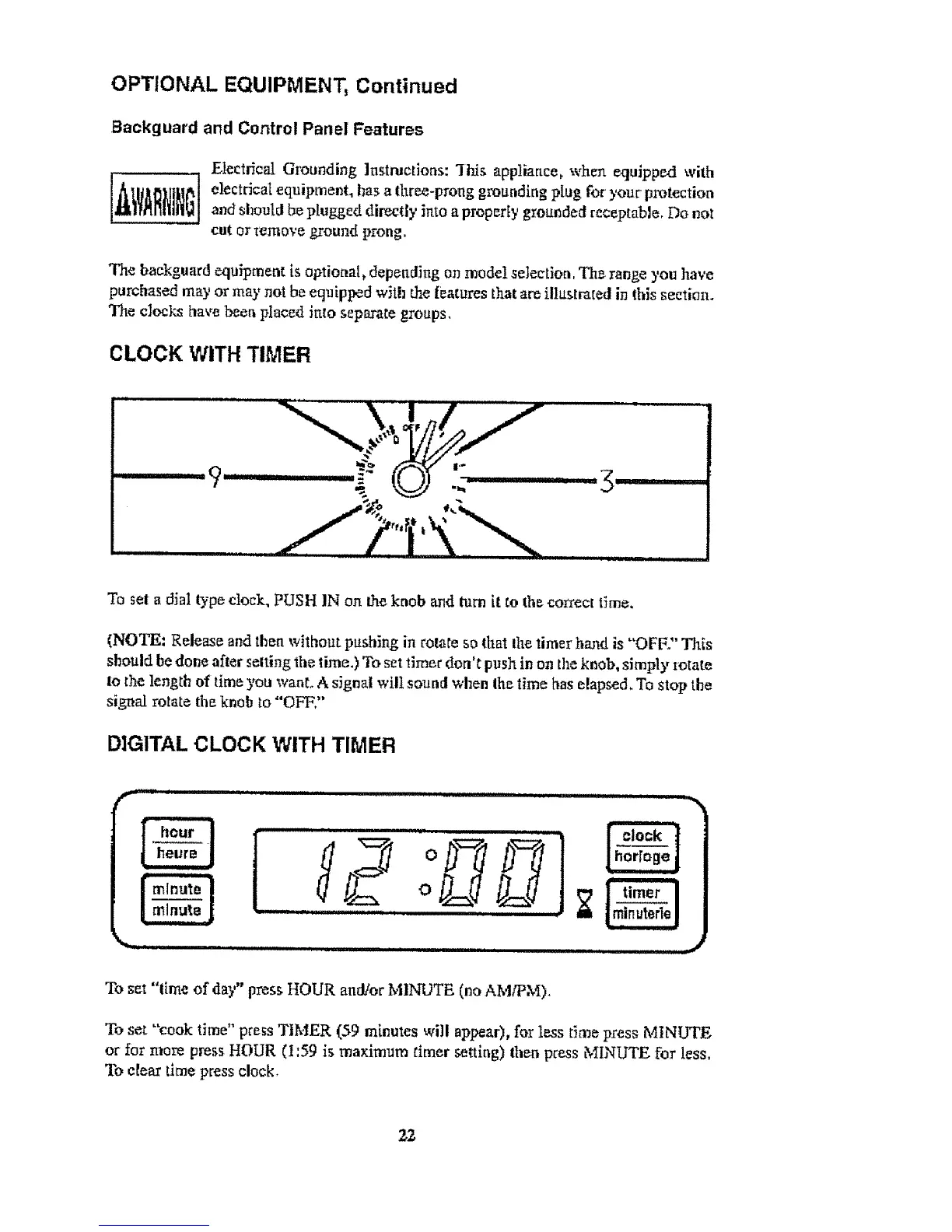
CLOCK WITH TIMER
To set a dial type clock. PUSH IN oft the knob and turn it to the coI_ect time.
(NOTE= Release and then without pushing in rotate so that lhe timer hand is "OFF." This
should he done afler setting 'the time.) To set _]mer don't push in on the knob, simply zotate
to the length of time yon wahl A signal will sound when the time has elapsed. To stop the
signal rotate the knob to "OFF,"
DIGITAL CLOCK WITH TIMER
I "i°
o
, ,,, ................... ,
....................
To set "lime of day" press HOUR and!or MINUTE (no AM/PM),
To set "'cook time" press TIMER (59 minutes will ap_ar), for less time press MINUTE
or for more press HOUR (I:59 is maximum timer setting) then press MINUTE for less,
To e{ear time press clock,


 To Next Page