1
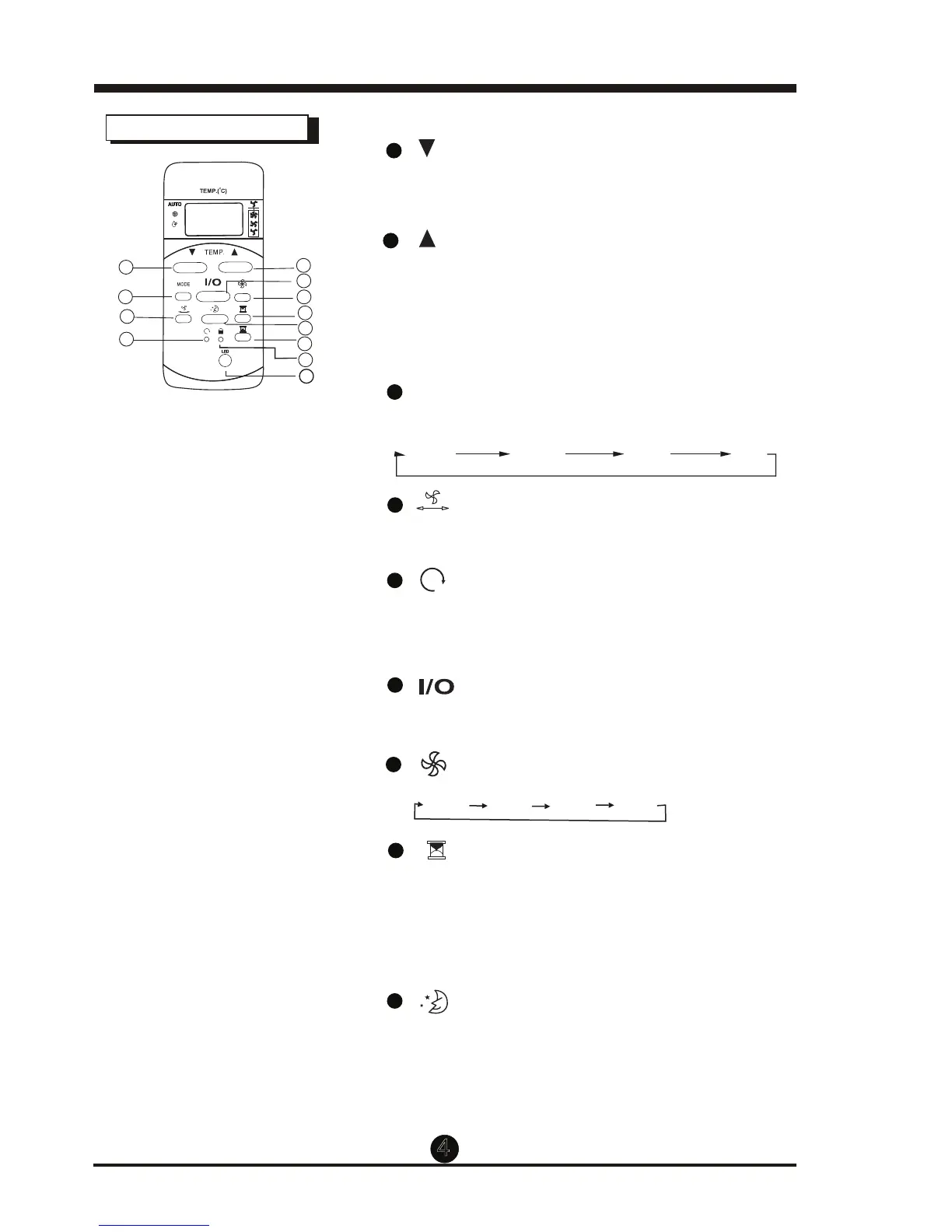
TEMP DOWN Button
Push this button to decrease the indoor temper-
ature setting by 1°C (2°F) increments to 30°C (86°F)
2
TEMP UP Button
Push this button to increase the indoor temper-
ature setting by 1°C (2°F) increments to 17°C (62°F)
Each time the button is pressed, the operation
mode changes in the following sequence:
3
MODE Button
4
4
Used to stop or start louver movement and
move the airflow direction up/down as desired.
5
6
Button
Once the recessed RESET button is pressed,
all of the current settings will be cancelled
and the controller will return to default settings.
7
Button
Operation starts when this button is pressed
and stops when the button is pressed again.
AUTO
COOL
DRY
FAN
Used to select the fan speed in four steps:
Auto Low Med High
Button
Button
8
Press this button to activate the Auto-on time
setting. Each time it’s pressed will increase the start
time by 30 minute increments, up to 10 hours, then
by 1 hour increments up to 24 hours. To cancel the
Auto-on time setting, just press the button until
the time setting is 0.0.
9
Button
Select this function if you want the unit to maintain
a comfortable setting and save energy while you sleep.
mode only.
1
2
4
3
6
5
7
8
9
10
11
12
Model: RG5 ECGB/64 I1
Button
This function is available on COOL, or AUTO
Press and hold the UP and DOWN buttons at the same
time for 3 seconds to alternate the temperature display
between °C and °F.
Function Buttons



 To Next Page