20
Chapter 3: Basic Setup
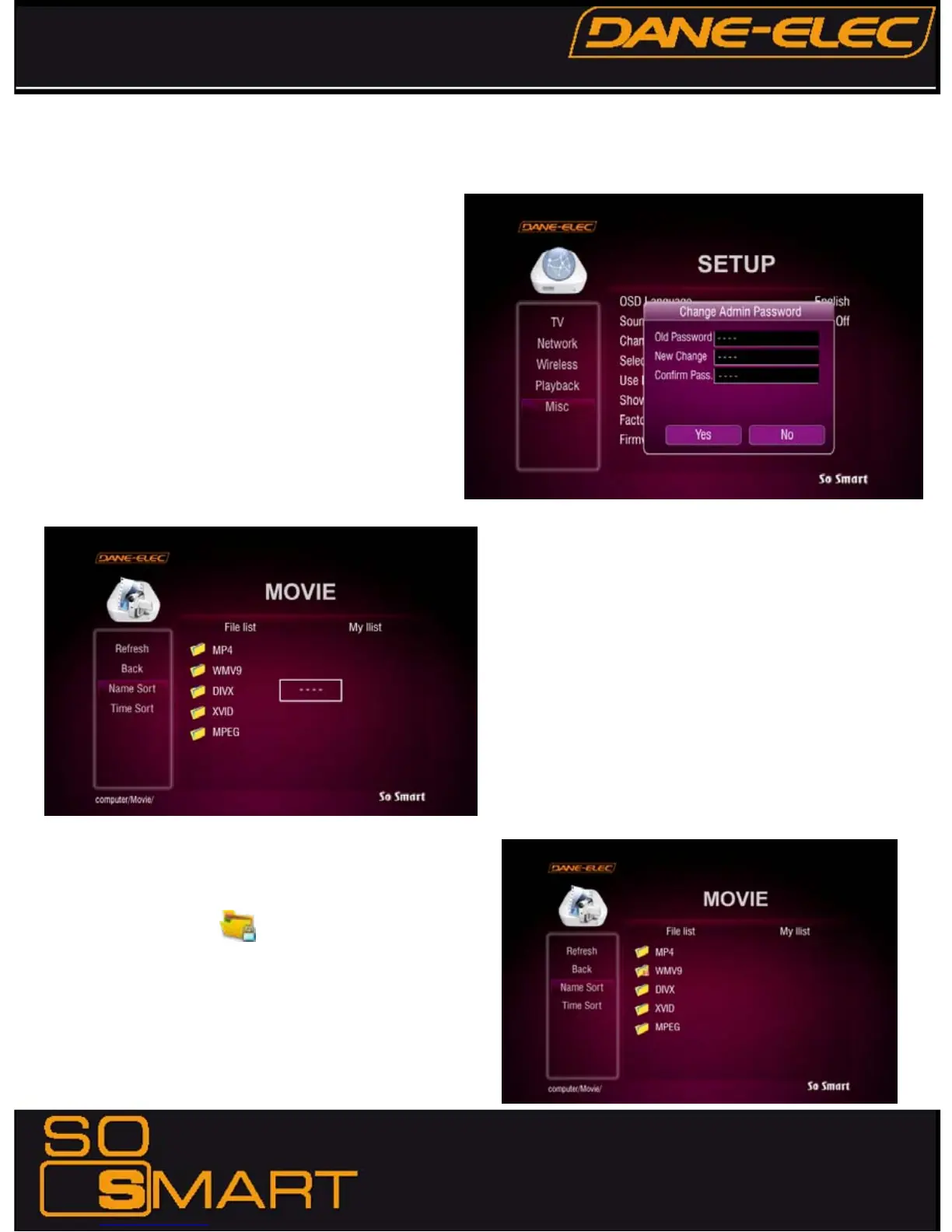
PASSWORD FUNCTIONS:
In order to password-protect folders, you will first need to
setup Admin Password.
Default Admin Password: 0000 (4-zeros)
Recommended: Change Admin Password when installing
the So Smart Unit.
ADMIN PASSWORD: _________________
(Use this space to write/safekeep new admin password)
Admin Password is also required for Factory Reset operation.
Perform a Hardware Reboot if Admin Password is lost
In order to password-protect individual folders:
1. Using navigation button on the So Smart Remote, select the
folder to protect.
2. Press LOCK button on your So Smart Remote
3. Enter the Admin Password
4. Set Folder Password
To remove/undo Folder Password:
1. Navigate to the folder and press LOCK.
2. Enter the Admin Password
3. Remove Folder Password
Password-protected folders are displayed with a lock icon










 To Next Page