45
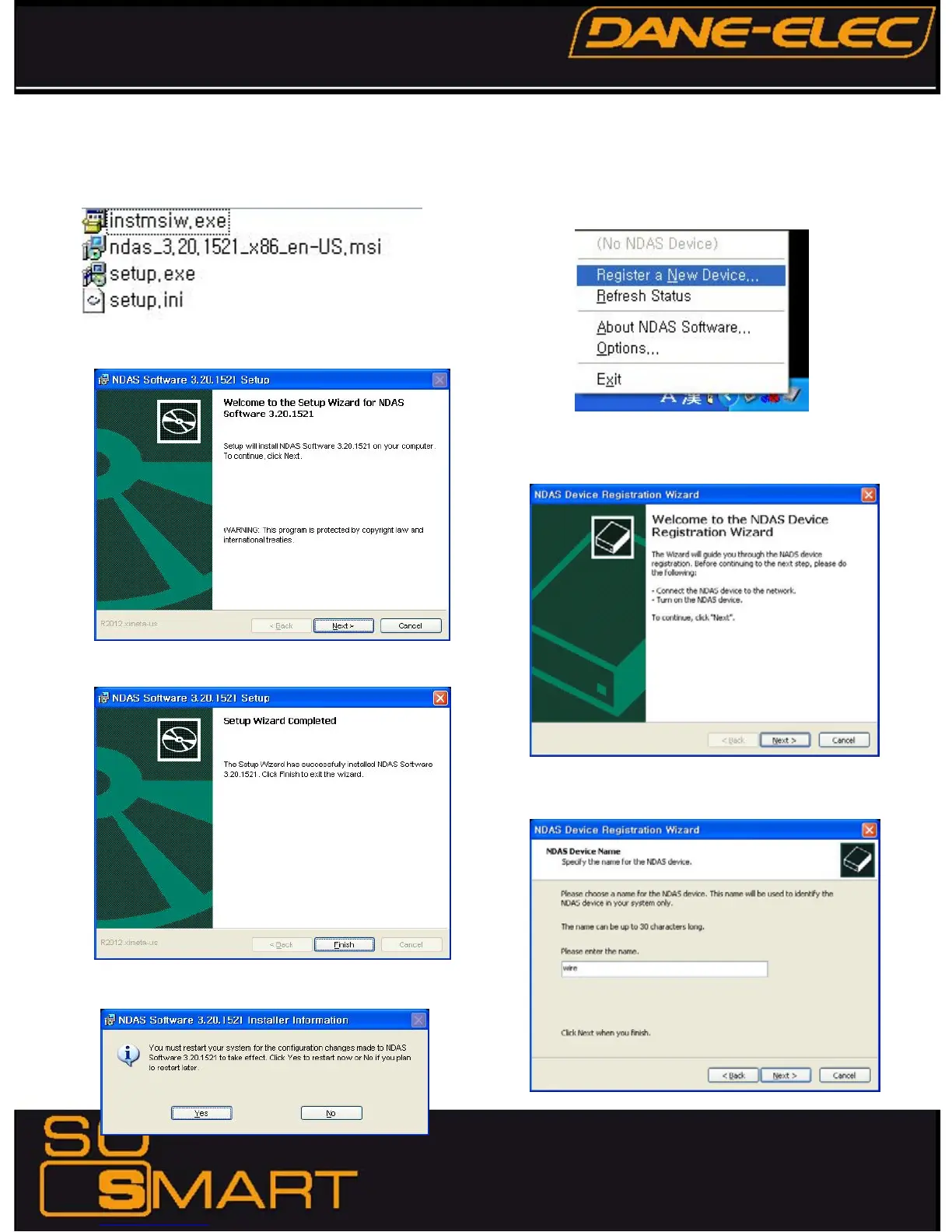
2. Install NDAS in PC
1) Run setup.exe.
2) Follow the procedure from NDAS software setup wizard.
3) Click “Finish” to get the setup completed.
4) Click “Yes” to reboot your computer.
3. Register NDAS
1) In the bottom right icon tray, click the NDAS icon and select
“Register a New Device…”
2) Click [Next] in NDAS Device Registration wizard.
3) Specify the name for the NDAS device and click [Next].
Chapter 6: How to setup NDAS










 To Next Page