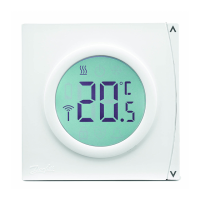
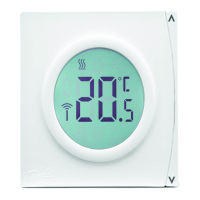
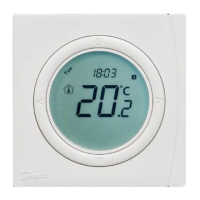
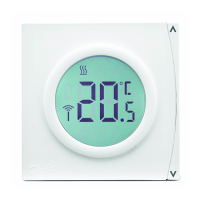
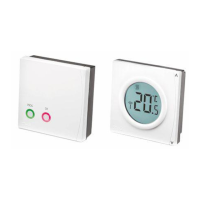
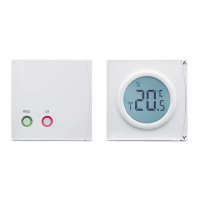
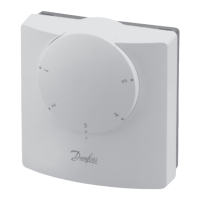
The Danfoss RET2001 Digital Room Thermostat is a user-friendly device designed to control room temperature efficiently. This guide provides a comprehensive overview of its functions, usage, and maintenance features, ensuring optimal performance and comfort.
Function Description
The RET2001 thermostat primarily serves as a digital room thermostat, allowing users to set and maintain desired room temperatures. It features an LCD display that provides clear visual feedback on various operational parameters. Key information displayed includes the current room temperature, set temperature, and parameter numbers during setup.
The thermostat incorporates several functional symbols to indicate its status:
- Parameter Number: Displayed during setup, indicating the specific parameter being adjusted.
- Room Temperature: Shows the current ambient temperature in the room.
- Temperature Indication: Provides a numerical value for the temperature.
- Set Temperature: Indicates the temperature value that has been manually set by the user.
- Heating Active: A symbol (SSS) illuminates when the heating system is actively working to reach the set temperature.
- Frost Protect Active: An icon (snowflake) appears when the thermostat is in frost protection mode, preventing temperatures from dropping too low.
- Away Mode: An icon (suitcase) signifies that the thermostat is operating in Away mode, typically at a lower, energy-saving temperature.
- RF Status (RET2001RF only): For the RF model, this symbol indicates the status of the radio frequency connection.
- Battery Low Indicator (RET2001B & RET2001RF only): A battery icon alerts users when the battery level is low and requires replacement.
The thermostat is equipped with several buttons for intuitive control:
- Power On/Off: A button (power symbol) to turn the thermostat on or off (standby mode).
- Mode Change / Option Setting: The 'M' button allows users to switch between different modes and set options.
- Temperature / Option Setting Selectors: '<' and '>' buttons are used to adjust temperature values or navigate through options during setup.
Usage Features
The RET2001 thermostat offers straightforward usage for daily temperature management and advanced settings.
Power ON/OFF:
To turn the thermostat ON or OFF (Standby), simply press the power button. In Standby mode, the thermostat enters Frost Protection mode, activating heating only if the measured temperature falls below the default 5 °C.
Setting the Temperature:
Adjusting the desired temperature is simple:
- Press '<' or '>' at any time to change the desired temperature value. The display will show "SET" to confirm that the set temperature is being adjusted.
- Once the '<' or '>' button is released, the display will revert to showing the actual room temperature.
- The temperature adjustment step is precise, at 0.5 °C, allowing for fine-tuning of comfort levels.
Select Away Mode:
The Away mode is designed for energy saving when the premises are unoccupied:
- Press the 'M' button to enter Away mode. A suitcase icon will be displayed on the LCD.
- The temperature for Away mode can be customized in the parameter settings, specifically P07.
- To exit Away mode and return to normal operation, press the 'M' button again.
Frost Protection Temperature and Reset:
The frost protection feature is crucial for preventing pipes from freezing in cold conditions:
- When the thermostat is OFF (Standby), it automatically sets to a Frost Protection temperature (default 5 °C). The heating will only activate if the room temperature drops below this threshold.
- The frost protect icon and the current temperature will be displayed when this mode is active.
- To reset the thermostat, press and hold the power button for 10 seconds continuously while in frost protection mode.
Set Control Parameters:
For more advanced customization, the thermostat allows users to adjust various control parameters:
- To enter the parameter setting mode, press and hold the 'M' button for 6 seconds.
- Use the 'M' button to cycle through the available parameters.
- Use the '<' or '>' buttons to adjust the value of the selected parameter.
- To exit the parameter setting mode, either press the upper part of the setting ring or wait for 20 seconds for an automatic exit.
Key parameters include:
- P02 Heat control mode: Defines the heating control strategy (e.g., On/off load compensation or On/off standard).
- P04 Temperature limit high: Sets the maximum allowable temperature.
- P05 Temperature limit low: Sets the minimum allowable temperature.
- P06 Frost protect temperature: Adjusts the temperature threshold for frost protection.
- P07 Away mode temperature: Customizes the temperature for Away mode.
- P10 RF Pairing (RET2001RF only): Used to enable or disable RF pairing mode for the wireless model.
Maintenance Features
The RET2001 thermostat is designed for reliable operation with minimal maintenance. However, it provides error messages to assist in troubleshooting and ensuring continuous functionality.
Error Messages:
The thermostat displays specific error codes to indicate potential issues:
- E1: Sensor failure: Indicates a problem with the temperature sensor, which might affect accurate temperature readings and control.
- EE: EEPROM failure: Suggests an issue with the thermostat's internal memory, which could impact stored settings.
- Lo: Measured temperature below 0 °C: Alerts the user if the ambient temperature drops below freezing point, potentially indicating a severe cold condition or a sensor reading error.
- Hi: Measured temperature above 50 °C: Warns if the ambient temperature exceeds 50 °C, which could be due to extreme heat or a sensor malfunction.
- E3: RF Pairing failed: (For RET2001RF only) Indicates that the wireless pairing process was unsuccessful.
- E4: RF Signal lost: (For RET2001RF only) Signals that the wireless connection has been lost, which might affect remote control or communication with other RF devices.
For battery-powered models (RET2001B & RET2001RF), the battery low indicator serves as a crucial maintenance alert, prompting users to replace batteries before they run out completely, ensuring uninterrupted operation. Regular monitoring of the display for these error messages and addressing them promptly will help maintain the thermostat's optimal performance and extend its lifespan.

 Need help?
 General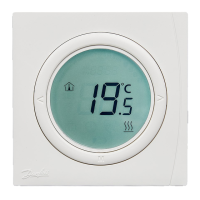

 To Next Page