Remote Control
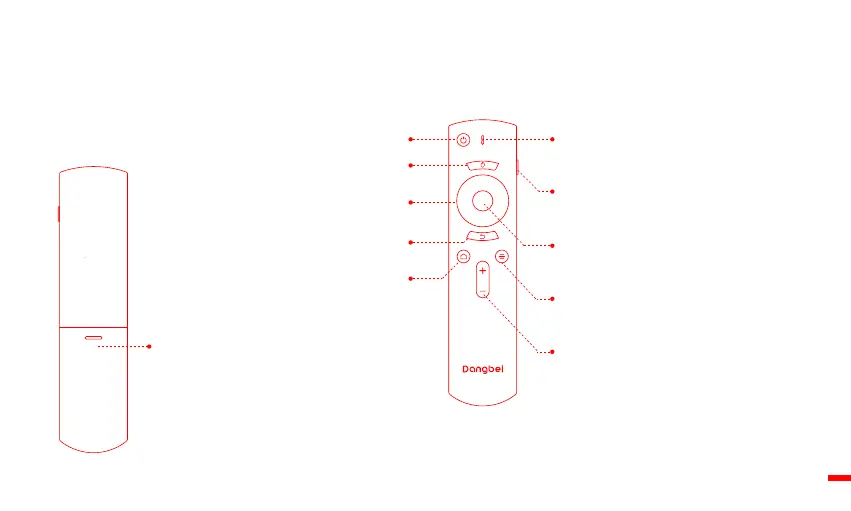
ㆍOpen the battery holder cover of the remote control.
ㆍInstall 2 AAA batteries. *
ㆍPut back the cover.
Battery Holder
Install 2 AAA batteries.
Menu key
Access more options during play
(available options depend upon the source).
Volume key
Volume up/down.
OK key
Press to confirm a selection or entry.
Pause/resume play.
Return key
Return to the previous page.
Navigation keys
Navigate menus or adjust the selected content.
Indicator light
When press key,it will be flashed.
Side key
Long press:automatic focus adjustment.
Short press:pop-up quick setting window.
Home key
Open the home page.
Mouse key
Long press to enter or exit mouse key mode.
Power key
* Please insert new batteries matching the polarity(+/-) as indicated.
07


 To Next Page